





Introduction
Selecting a display for a wearable device is like dancing in chains – every decision trades off size, power, brightness, and cost. One wrong choice can delay your project for months or turn a promising product into a battery-draining failure.
This 4,500‑word guide gives you a systematic framework for choosing micro LCDs for smartwatches, fitness bands, AR glasses, medical patches, and other wearables. You will learn:
- The five core constraints that define wearable displays.
- Key parameters: power, size, brightness, PPI, interface, and reliability.
- Recommended size‑resolution combinations for different device types.
- In‑depth selection advice for five application scenarios.
- Common mistakes and how to avoid them.
A free Wearable LCD Selection Comparison Table (PDF) is included – it lists 10+ micro LCD models with key specs, power consumption, and interface options.
For a deeper understanding of basic LCD parameters, see our “How to Choose the Correct LCD Resolution and Size” guide.
Part 1 – Five Core Constraints of Wearable Displays
Before diving into specifications, you must understand the unique limitations of wearable devices.
1.1 Power Consumption – The #1 Priority
Wearable batteries are tiny – typically 200 mAh to 500 mAh. The LCD can consume 30‑50% of total system power.
Key power drivers
- Backlight: usually 80%+ of LCD power.
- Panel driver: depends on resolution and refresh rate.
Power‑saving technologies
- MIPI DSI low‑power mode (partial refresh, command mode).
- Local refresh (only update changed areas).
- Reflective or transflective LCDs (use ambient light, no backlight).
Typical power budgets
- Basic fitness band: <10 mW for display.
- Mainstream smartwatch: 15‑40 mW.
- High‑end smartwatch with always‑on display: 40‑80 mW.
1.2 Size and Thickness – Extremely Limited Space
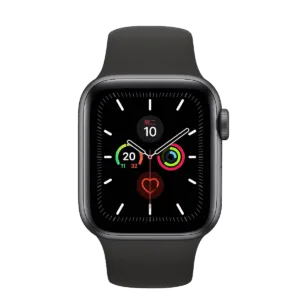
Inside a smartwatch, the vertical space is often only 8‑12 mm. The LCD module thickness must be 1.0‑2.0 mm or less.
Thin‑profile solutions
- Glass thinning (0.2 mm substrate instead of standard 0.5 mm).
- COG (Chip‑on‑Glass) bonding – eliminates the FPC‑based driver board.
- Ultra‑thin side‑lit backlight (0.4 mm thick).
- No backlight (reflective mode).
1.3 Brightness and Outdoor Readability
Wearables are used outdoors, under direct sunlight. You need at least 500 nits, and 700‑1000 nits is recommended for premium devices.
The high‑brightness penalty
- Higher brightness → exponentially higher power → shorter battery life.
- More heat → uncomfortable on the wrist.
- Reduced backlight LED lifetime.
Improvement strategies
- Optical bonding (eliminates air gap, reduces reflections by 70%).
- High‑efficiency LED chips (more lumens per watt).
- Automatic brightness control (use an ambient light sensor).
1.4 Image Quality – PPI and Colour
Viewing distance for a wrist‑worn device is about 30 cm. Retina standard (pixels indistinguishable) requires PPI ≥ 200.
Recommended PPI by tier
- Basic fitness band: 150‑200 PPI, 65% NTSC colour gamut.
- Mainstream smartwatch: 200‑250 PPI, 70‑80% NTSC.
- Premium smartwatch (e.g., Apple Watch Ultra): 300‑350 PPI, >80% NTSC.
1.5 Reliability and Environmental Resistance
Sweat, rain, temperature swings, and impacts are daily realities for wearables.
Required protections
- Sweat/water resistance (IP67 or IP68 rating often requires sealing at module level).
- UV resistance (prevents yellowing of cover glass and adhesives).
- Impact resistance (cover glass: Gorilla Glass or similar).
- Anti‑fingerprint (AF) coating.
Part 2 – Key Parameters of Micro LCDs
2.1 Size and Resolution – Recommended Combinations
| Device type | Typical size | Resolution | PPI | Interface | Typical power (backlight + driver) |
|---|---|---|---|---|---|
| Basic fitness band | 0.96″ – 1.3″ | 128×64 or 240×240 | 150‑200 | SPI / I²C | < 10 mW |
| Low‑end smartwatch | 1.2″ – 1.4″ | 240×240 or 360×360 | 200‑250 | SPI / MIPI | 15‑30 mW |
| Mainstream smartwatch | 1.4″ – 1.6″ | 360×360 or 390×390 | 250‑300 | MIPI DSI | 30‑50 mW |
| Premium smartwatch | 1.6″ – 1.9″ | 390×390 or 454×454 | 300‑350 | MIPI DSI | 40‑80 mW |
| Medical patch | 1.0″ – 1.5″ | 128×128 or 240×240 | 180‑220 | SPI | < 15 mW |
| AR micro‑display | 0.2″ – 0.7″ | 640×480 to 1920×1080 | >2000 | MIPI / LVDS | 100‑300 mW |
2.2 Interface Choice – MIPI DSI vs SPI vs MCU
| Interface | Best for | Power | Pin count | Max resolution (practical) | Host requirement |
|---|---|---|---|---|---|
| SPI | Low resolution, low refresh | Very low | 4 | 240×240 (colour) | Any MCU |
| MCU 8080 | Medium resolution, simple UI | Low | 8‑16 | 360×360 | Any MCU with parallel port |
| MIPI DSI | High resolution, high refresh | Most efficient | 2‑4 lanes | 4K+ | MIPI host (e.g., STM32, Qualcomm) |
Recommendation for wearables
- Fitness band: SPI is sufficient.
- Smartwatch with simple UI: MCU (if host supports) or low‑speed MIPI.
- High‑end smartwatch with smooth animations: MIPI DSI in video mode.
For a complete interface comparison, see “The Ultimate Guide to TFT‑LCD Interfaces”.
2.3 Backlight Types and Power Optimisation
| Backlight type | Thickness | Power efficiency | Outdoor readability | Dark environment | Typical application |
|---|---|---|---|---|---|
| Traditional LED (bottom‑lit) | 0.8‑1.2 mm | Low | Excellent | Excellent | Low‑end smartwatch |
| Ultra‑thin side‑lit LED | 0.4‑0.6 mm | Medium | Good | Good | Mainstream smartwatch |
| Reflective (no backlight) | 0.2‑0.4 mm | Zero (ambient) | Excellent | Very poor (needs front‑light) | Fitness band, e‑paper |
| Transflective (hybrid) | 0.5‑0.8 mm | Very low (backlight off) | Excellent (ambient) | Good (with backlight) | Outdoor sports watch |
Practical tip
For always‑on display (AOD) smartwatches, a transflective LCD can keep the time visible without backlight, saving significant power.
2.4 Cover Glass and Touch Integration
- Cover glass thickness: Use 0.55 mm or 0.7 mm chemically strengthened glass (e.g., Gorilla Glass 3 or 5).
- Touch solution: Capacitive touch with integrated controller on the LCD module saves space and simplifies supply chain.
- Full lamination (OCA): Optical Clear Adhesive eliminates the air gap between cover glass and LCD. This reduces reflections, improves outdoor readability, and makes the display appear “deeper”. The cost is higher, but for premium wearables it is almost mandatory.
Part 3 – In‑Depth Selection Advice by Application
3.1 Basic Fitness Band – Low Cost, Long Battery Life
Requirements
- Monochrome or low‑colour display.
- Simple UI (steps, heart rate, time).
- Battery life: 2 weeks or more.
Recommendation
- Size: 1.0″ – 1.3″.
- Resolution: 128×64 or 240×240.
- Technology: Reflective LCD (no backlight) or low‑power OLED.
- Interface: SPI (4 wires).
- Touch: Not required.
Typical model reference
0.96″ 128×64 COG LCD with SPI interface, power <5 mW.
3.2 Mainstream Smartwatch – Balanced Performance and Cost
Requirements
- Full colour, smooth UI, touch.
- Outdoor readable (500+ nits).
- Battery life: 1‑3 days.
Recommendation
- Size: 1.2″ – 1.4″.
- Resolution: 360×360 or 390×390 (PPI ~250‑300).
- Interface: MIPI DSI (command mode for AOD, video mode for active use).
- Brightness: 500 nits minimum.
- Touch: Capacitive, full‑laminated.
Common mistake
Using 454×454 on a 1.3″ display (PPI >350) with a low‑end MCU. The host cannot render frames fast enough, causing UI lag and excessive power draw. Stick to 360×360 unless you have a verified high‑performance host.
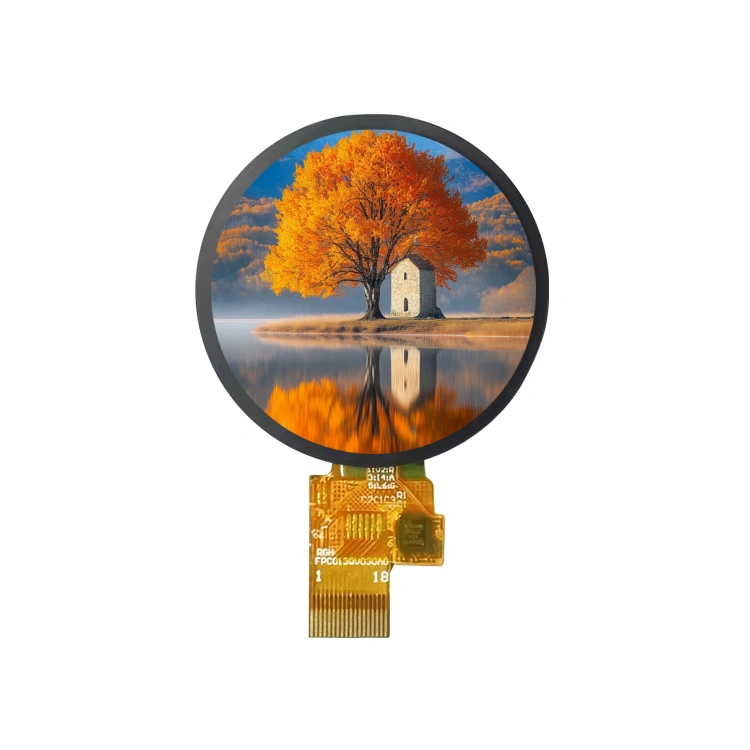
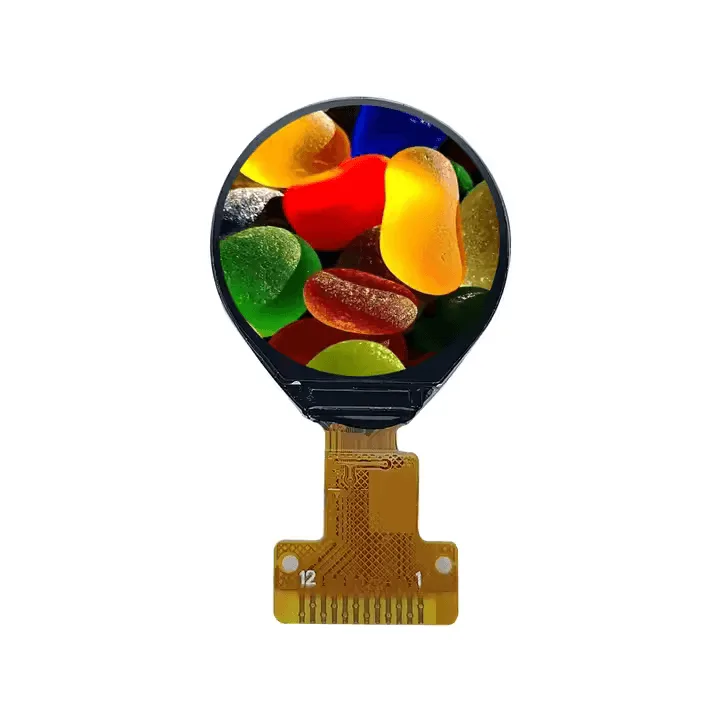
See standard product library – 1.32″ round LCD with 390×390 and MIPI interface.
3.3 Premium Outdoor / Sports Watch – High Brightness, Rugged
Requirements
- Sunlight readability (800‑1000 nits).
- Water resistance (5 ATM or more).
- Impact resistance.
Recommendation
- Size: 1.4″ – 1.8″.
- Resolution: 390×390 or 454×454.
- Technology: Transflective LCD (excellent ambient contrast) or high‑brightness LED backlight.
- Cover: Sapphire glass or Gorilla Glass DX+.
- Bonding: Full lamination with anti‑reflective coating.
Power management
Use an ambient light sensor to automatically switch between reflective mode (backlight off) and high‑brightness mode.
Consider our “Custom LCD Service” for rugged outdoor designs.
3.4 Medical Wearable Patch – Ultra‑Low Power, Ultra‑Thin
Requirements
- Thickness <1.5 mm.
- Power consumption <10 mW.
- Biocompatible materials (skin contact).
Recommendation
- Size: 1.0″ – 1.5″.
- Resolution: 128×128 or 240×240.
- Technology: Reflective LCD (no backlight) or low‑power OLED.
- Interface: SPI.
- Special: Must pass FDA / CE biocompatibility testing for the cover material.
Design tip
Avoid metal bezels that may contact skin. Use medical‑grade silicone or specialised coatings.
3.5 AR / VR Micro‑Displays – Ultra‑High PPI, Fast Response
Requirements
- Diagonal: 0.2″ – 0.7″.
- PPI > 2000 (pixel‑level detail in a tiny area).
- Response time <5 ms to avoid motion blur.
- High contrast ratio (>1000:1).
Technologies compared
- Micro‑OLED: Excellent contrast and colour, but higher cost and shorter lifetime for blue.
- LCOS (Liquid Crystal on Silicon): High PPI, mature, but requires polarisers and illumination system.
- LCD (advanced): New fast‑LCD panels with MiniLED backlight are emerging (e.g., JDI’s 0.23″ 1920×1080 LCD). They offer good brightness and lower cost than OLED.
When to choose LCD for AR
If your application requires high brightness (outdoor AR) and cost control, LCD‑based micro‑displays are becoming a viable alternative to OLED.
Part 4 – Common Mistakes and How to Avoid Them
❌ Mistake 1: Chasing ultra‑high resolution without considering power
A 1.3″ display with 454×454 (350 PPI) looks sharp, but it demands a powerful host and consumes 2‑3× more power than a 360×360 panel. Battery life can drop from 2 days to 8 hours.
Fix
At 30 cm viewing distance, 250 PPI is already “retina”. Gains above 300 PPI are marginal for most users.
❌ Mistake 2: Ignoring backlight power, focusing only on driver power
Many engineers compare driver IC power (which is small) but forget that backlight consumes 80% of LCD power. A slightly more efficient backlight design can double battery life.
Fix
Measure total system power at typical brightness levels (e.g., 200 nits indoor, 700 nits outdoor). Choose backlight LEDs with high lumen‑per‑watt efficiency.
❌ Mistake 3: Skipping optical bonding to save cost
Non‑bonded displays have an air gap that reflects up to 10% of ambient light. In outdoor conditions, the user sees a mirror instead of the screen.
Fix
For any wearable used outdoors, budget for full‑lamination (OCA bonding). If cost is extremely tight, increase panel brightness to 800 nits or more.
❌ Mistake 4: Interface mismatch
Your host only supports SPI, but you selected a MIPI‑only display (or the opposite). This mistake can cause months of hardware rework.
Fix
Before selecting a display, read your host processor’s datasheet. Confirm which interfaces are available and at what maximum resolution/refresh rate.
❌ Mistake 5: Forgetting mechanical interference
A round‑cased smartwatch using a square LCD will have wasted bezel area. Or a module that is 2.2 mm thick cannot fit into a 10 mm thick enclosure.
Fix
Always request the LCD module’s 3D mechanical drawing (STEP or IGES) and run a virtual assembly with your enclosure. Check for interference with battery, sensors, and buttons.
Conclusion & Next Steps
Selecting a micro LCD for a wearable device is a balancing act between power, brightness, size, and cost. There is no “best” display – only the one that fits your specific use case.
Use the tables and decision flow in this guide to shortlist options. Then validate with real‑world testing: measure power at different brightness levels, test outdoor readability, and verify mechanical fit.
What to do now?
✅ Download the free Wearable LCD Selection Comparison Table – a PDF listing 10+ micro LCDs suitable for smartwatches, bands, and AR glasses, with key specs, power, and interface options.
✅ Still unsure? Submit your project parameters (device type, target battery life, outdoor usage frequency, host processor). JICLCD engineers will recommend the optimal display within 48 hours – free of charge.
✅ Browse our micro LCD standard product library – filter by size, resolution, and interface to find a match.
✅ Need a custom solution? Our engineering team can design a display module that exactly meets your power, brightness, and mechanical constraints.
Standard product page – micro LCDs