







Overview
Let’s be honest—you probably stare at your phone, laptop, or car navigation screen for hours every day. But if someone asked you what “IPS TFT LCD” actually means, you’d likely pause for a moment. Behind those letters lies an entire world of display technology, and understanding it gives you a real edge when choosing screens for your projects.
Part 1: Breaking It Down—What Exactly Is IPS TFT LCD?
Let’s unpack this piece by piece.
LCD stands for Liquid Crystal Display. The liquid crystals themselves don’t emit light; they need a backlight module behind them to shine through the liquid crystal layer, which then passes through color filters to produce red, green, and blue. Think of it like a theater curtain—the curtain doesn’t glow on its own; it’s the backstage lighting that makes everything visible.
TFT stands for Thin Film Transistor. Imagine every single pixel having its own tiny “switch” that precisely controls how bright it gets and what color it displays. Before TFT technology, LCDs used passive matrix addressing, where pixels essentially “competed” for power, resulting in severe motion blur and poor contrast. With TFT’s active matrix, each pixel is independently controlled, dramatically improving response times and image quality .
IPS stands for In-Plane Switching. The name sounds technical, but the concept is actually quite intuitive. Traditional TN (Twisted Nematic) screens have liquid crystal molecules arranged like twisted ropes; when voltage is applied, they stand upright. IPS, however, arranges the molecules horizontally, with the electric field applied laterally. Here’s an analogy: TN molecules are like soldiers standing at attention—they look fine from the front but distort from the side. IPS molecules are like chopsticks lying flat on a table—no matter which angle you view them from, their arrangement stays consistent, keeping the image stable .
So “IPS TFT LCD” means: a liquid crystal display that uses in-plane switching technology for molecular alignment, driven by thin film transistors in an active matrix configuration. Some in the industry also call it “Super TFT,” positioning it as a premium branch of the TFT family .
Part 2: Core Technical Characteristics of IPS TFT LCD
1. 178° Ultra-Wide Viewing Angle—No Color Shift from the Side
This is arguably IPS’s most famous selling point. With traditional TN panels, viewing from an angle causes obvious whitening or graying, and colors shift dramatically—like looking at stained glass from the side, where all the colors distort. Because IPS molecules are horizontally aligned, light refracts similarly in all directions, giving the panel its signature 178° viewing angle. In practical terms, you can look almost directly from the side, and the colors and brightness remain virtually identical to a head-on view .
This matters immensely in real life. Whether it’s multiple people huddled around a navigation device, a designer reviewing work with a client, or a doctor showing scan results to a patient’s family—IPS delivers a consistently superior experience.
2. Accurate Color Reproduction—A Favorite in Professional Fields
IPS panels excel at color consistency. Because every pixel’s liquid crystal alignment is uniform, color deviation across different screen areas is minimal. Standard IPS panels cover 72%-99% of the sRGB color gamut, while high-end models exceed 100% . For photography editing, video post-production, and medical imaging—fields where color precision is non-negotiable—IPS has become the de facto standard.
3. Pressure-Resistant, No Water Ripple Effect—Better Touch Experience
If you’ve used early TN-screen phones, you might remember pressing firmly and seeing concentric “water ripples” spread across the display. This happens because TN’s liquid crystal structure is relatively loose and deforms easily under pressure. IPS molecules are rigidly aligned horizontally, making the structure far more stable. The image barely distorts when pressed, which is why IPS dominates in touch-enabled industrial panels, automotive displays, and medical screens .
4. Fast Enough Response Times—Smooth Motion Without Ghosting
Standard IPS response times hover around 3-5 milliseconds, and with gray-to-gray acceleration technology, they can reach the 1ms range . While this doesn’t quite match esports-grade TN panels (which hit sub-millisecond levels), it’s more than sufficient for daily office work, video playback, and casual gaming. Compared to VA panels, which are notorious for smearing in motion, IPS offers a much more balanced performance.
Part 3: Technical Parameters Explained One by One
When evaluating IPS TFT LCD options, suppliers typically provide datasheets packed with parameters. Here are the most critical ones, explained in plain English:
| Parameter | Typical Value | What It Actually Means |
|---|---|---|
| Resolution | e.g., 1024×600, 1920×1080 | Total number of pixels on the screen. Higher is sharper, but on small screens, excessive resolution can make text too tiny—consider viewing distance. |
| Brightness (cd/m²) | 250-1000+ | Higher numbers mean brighter screens. Indoor use typically needs 250-350; outdoor or direct sunlight environments require 700+, even 1000+ for high-brightness models . |
| Contrast Ratio | 1000:1 – 1500:1 | Ratio between brightest white and darkest black. IPS lags behind VA (which achieves 3000:1+), but beats TN. Higher contrast means richer shadow detail. |
| Viewing Angle | 178°/178° (H/V) | IPS’s signature spec. Be wary of inflated claims—always test samples from an angle yourself. |
| Response Time | 3ms – 10ms | Time for a pixel to change from one color to another. Above 16ms (one frame at 60Hz), motion blur becomes noticeable. |
| Color Gamut Coverage | 72%-99% sRGB | Percentage of standard sRGB colors the panel can display. For design and medical use, 90%+ is recommended. |
| Operating Temperature | -20℃~+70℃ (Industrial) | Consumer panels typically handle 0℃~50℃; industrial and automotive applications need wide-temperature versions, as cold slows liquid crystal response and heat causes image retention. |
| Interface Type | RGB, MIPI, LVDS, SPI, etc. | The “language” between screen and mainboard. Small screens use SPI or RGB; larger, high-resolution panels favor MIPI or LVDS for higher bandwidth and better noise immunity. |
| Backlight Lifetime | 30,000-50,000 hours | LED backlight degradation lifespan. Industrial equipment typically demands 50,000+ hours to avoid screen replacement during the device’s entire lifecycle. |
Brightness deserves special attention. Many assume brighter is always better—not so. Excessively bright screens strain the eyes indoors and directly increase power consumption (doubling brightness nearly doubles power draw). Match brightness to your actual environment; outdoor high-brightness panels cost more precisely because of their advanced backlight modules, so don’t overpay for indoor applications .
Part 4: The Pros and Cons of IPS TFT LCD—An Honest Assessment
No technology is perfect, and IPS is no exception. Here’s an objective breakdown to help you make informed trade-offs.
Advantages:
- Unmatched viewing angles: True 178° coverage, perfect for multi-viewer scenarios and angled installations.
- Color accuracy: Excellent consistency across angles, ideal for color-critical professional applications.
- Touch-friendly: Rigid panel structure resists deformation under pressure, pairing excellently with capacitive touch.
- Adequate response times: 3-5ms native response handles daily tasks and general motion content well.
Disadvantages:
- Higher power consumption: IPS has lower light transmittance than TN, requiring brighter backlights for equivalent visual output, increasing overall power draw .
- Moderate contrast ratios: The horizontal molecular alignment can’t fully block backlight in dark states, resulting in slightly grayish blacks. Static contrast typically ranges 1000:1-1500:1, inferior to VA panels .
- Higher cost: The manufacturing process demands tighter precision and yields relatively lower production rates. Expect IPS to cost 30%-50% more than equivalent TN panels .
- Backlight bleed: Due to uneven backlight layers and bezel sealing limitations, IPS panels often exhibit slight edge bleeding in pure black scenes. This is an industry-wide issue, varying only in severity .
Bottom line: IPS dominates in viewing angles and color accuracy but compromises on contrast, power efficiency, and cost. If your application requires multi-viewer scenarios, color precision, or touch functionality, IPS is the clear winner. For fixed front-view installations, tight budgets, or applications demanding pure black levels, TN or VA may be more suitable.
Part 5: Where Are IPS TFT LCD Displays Used?
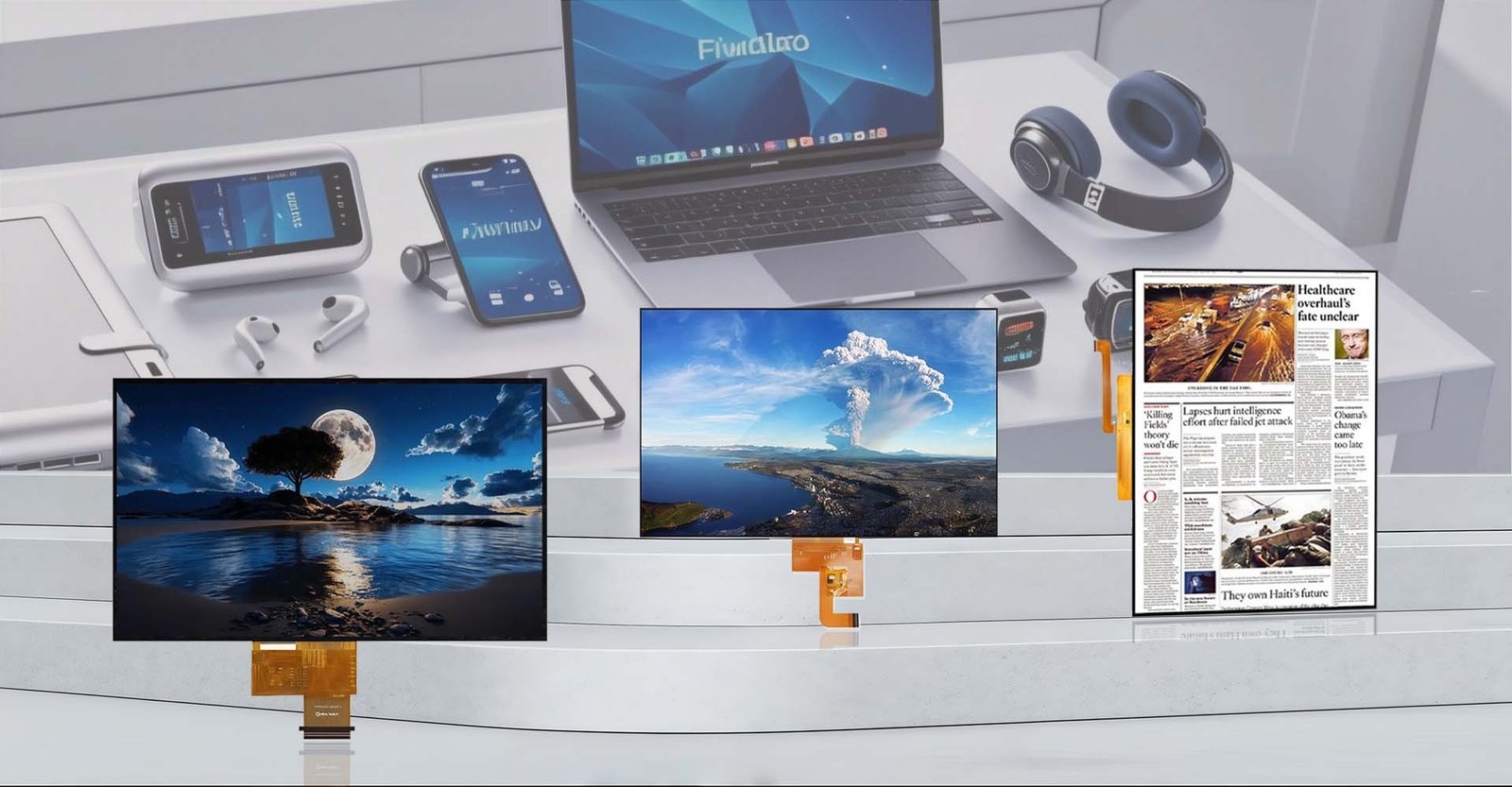
IPS panels are everywhere—virtually any screen you can think of likely uses this technology:
Consumer Electronics: Premium smartphones, tablets, and laptops. Apple adopted IPS (branded as Retina Display) starting with the iPhone 4, and MacBook screens continue to use IPS technology.
Automotive Displays: Instrument clusters, center console navigation, rear-seat entertainment. Complex in-car lighting conditions and varying viewing angles make IPS’s wide viewing angles and high brightness essential.
Industrial Control: HMI interfaces, CNC machine operation panels, PLC touchscreens. These devices often run for 7-8 years straight, demanding both reliability and wide viewing angles.
Medical Equipment: Ultrasound diagnostic machines, patient monitors, endoscope displays. Medical imaging demands extreme color precision, making IPS the industry standard.
Commercial Displays: POS terminals, self-service kiosks, digital signage. Public-facing devices encounter unpredictable viewing angles, and IPS ensures clarity from any direction.
Smart Home: Smart refrigerator screens, smart doorbell peepholes, display-equipped smart speakers. These products emphasize interactive experiences, commonly pairing IPS with touch functionality.
Part 6: How to Choose a Reliable IPS TFT LCD Supplier—A Process-Oriented Approach
Selecting a screen and selecting a supplier are two different challenges. Even with perfect specs, an unreliable supplier—late deliveries, inconsistent quality, unresponsive support—can derail your project. Here’s a practical, step-by-step supplier screening process that both procurement teams and engineers can follow.
Step 1: Define Your Requirements—Don’t Rush to Request Quotes
First, thoroughly understand your application scenario: indoor or outdoor? Touch required? Operating temperature range? Interface compatibility with your existing motherboard? Brightness requirements? Any hard constraints on size and resolution? The more specific your requirements, the more accurate the supplier’s recommendations, and the fewer prototype iterations needed .
Step 2: Evaluate Technical Capabilities
Send your requirements specification and observe the supplier’s response. Reliable suppliers actively ask about application details: “Will this screen be handheld or panel-mounted?” “For outdoor use, do you need anti-glare treatment?” If they simply send a generic catalog without targeted questions, their technical depth may be lacking .
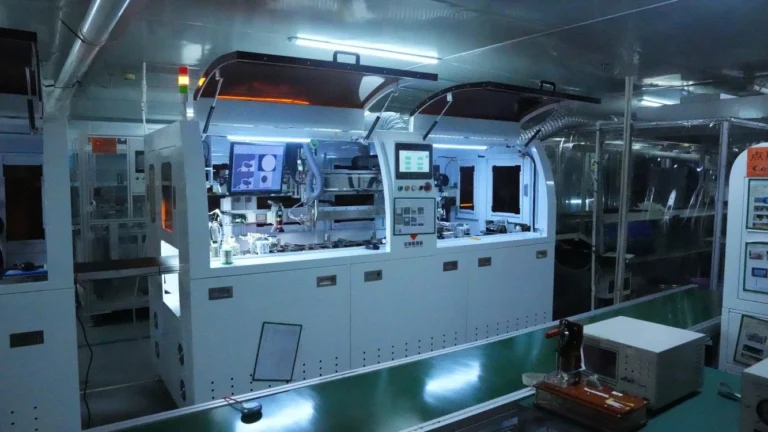
Also check whether they have R&D teams, patents, and production facility photos or videos. Suppliers with independent development capabilities can handle customization demands that off-the-shelf providers cannot.
Step 3: Request Samples and Test Personally
Never place orders based solely on datasheets. Have suppliers provide engineering samples for internal testing: Does the viewing angle truly reach 178°? Is brightness sufficient in your actual environment? Is touch response sensitive? Any image retention after high-temperature aging? Catching issues during sampling is cheap; fixing them in mass production is expensive .
Step 4: Verify Production Control Capabilities
For high-volume projects, conduct factory audits or at least request production line photos, quality inspection processes, and reliability test reports (high-temperature/humidity testing, vibration testing, ESD testing). Suppliers with poor production consistency will show noticeable color and brightness variations between batches, creating long-term quality headaches.
Step 5: Confirm After-Sales Support and Long-Term Availability
Industrial and medical projects often have 5-8 year lifecycles. Confirm whether the supplier guarantees long-term availability and whether pin-to-pin compatible alternatives exist if a panel is discontinued. After-sales response speed is equally critical—when screens fail, can the supplier respond within 24 hours and propose solutions within 48 hours ?
Step 6: Small-Batch Pilot Before Scaling
Even after sample approval, place a small initial order (100-500 units) to run through your full production line: SMT assembly, integration, burn-in testing. Once small-batch production proves smooth, proceed to volume orders—this keeps risk manageable.
Part 7: Speaking of Reliable Suppliers—Jictech Is Worth Knowing
If you’re currently sourcing IPS TFT LCD displays, Jictech deserves serious consideration.
Jictech is a company specializing in IPS TFT LCD displays, with a product portfolio spanning small sizes (just over 1 inch) to large formats (over 10 inches), covering all mainstream interface types including SPI, RGB, MIPI, and LVDS. More importantly, they don’t just sell standard products—from requirements consultation, sample customization, small-batch validation to volume delivery, their process is thorough and methodical. Their technical team provides application-specific selection advice rather than simply quoting model numbers and unit prices.
For industrial control, medical equipment, and automotive electronics—fields where reliability and long-term availability are paramount—Jictech offers mature solutions for wide-temperature variants, high-brightness options, and integrated touch modules. If you’re stuck in the selection phase or struggling with inconsistent delivery and quality from your current supplier, send them your requirements for evaluation. At minimum, you’ll gain a reliable alternative.
Part 8: Frequently Asked Questions (FAQ)
Q1: Are IPS screens and TFT screens the same thing?
No, though they’re closely related. TFT (Thin Film Transistor) is a driving technology; IPS (In-Plane Switching) is a liquid crystal alignment technology. All IPS screens use TFT driving, but not all TFT screens are IPS—TN and VA panels also use TFT driving. So “IPS TFT LCD” specifically denotes a premium LCD that combines TFT active driving with IPS molecular alignment .
Q2: Why are IPS screens so much more expensive than TN screens?
Primarily due to manufacturing complexity and yield rates. IPS requires precise horizontal alignment of liquid crystal molecules and more complex electrode structures. The alignment precision demands are extremely high, and minor deviations affect display quality. In contrast, TN manufacturing is mature with high yields and low costs, making IPS typically 30%-50% more expensive for equivalent specifications .
Q3: Can IPS backlight bleed be solved?
Completely eliminating it is difficult, but it can be controlled to minimal levels. Bleed primarily stems from backlight uniformity and bezel sealing processes. Choose suppliers with strict quality control who perform dark-field inspection to filter out units with obvious bleed. If your application demands pure black levels (such as professional video monitoring), request enhanced inspection standards from your supplier.
Q4: Are IPS screens suitable for outdoor use?
Yes, but you need high-brightness variants. Standard IPS panels at 250-350 cd/m² are unreadable in direct sunlight. Outdoor IPS panels typically require 700+ cd/m², even 1000+ cd/m², combined with anti-glare and anti-reflective optical treatments. Specialized suppliers like Jictech offer dedicated outdoor high-brightness solutions customized to ambient light intensity levels .
Q5: Is IPS power consumption really that high? Can it be optimized?
IPS does consume more than TN, but the gap isn’t as dramatic as some claim. Optimization strategies include: selecting low-power driver ICs; implementing automatic backlight adjustment based on ambient light (via ambient light sensors); and designing UIs with darker backgrounds to reduce backlight transmission requirements. When customizing solutions, Jictech typically balances brightness and backlight design according to your power budget rather than blindly maximizing specifications.