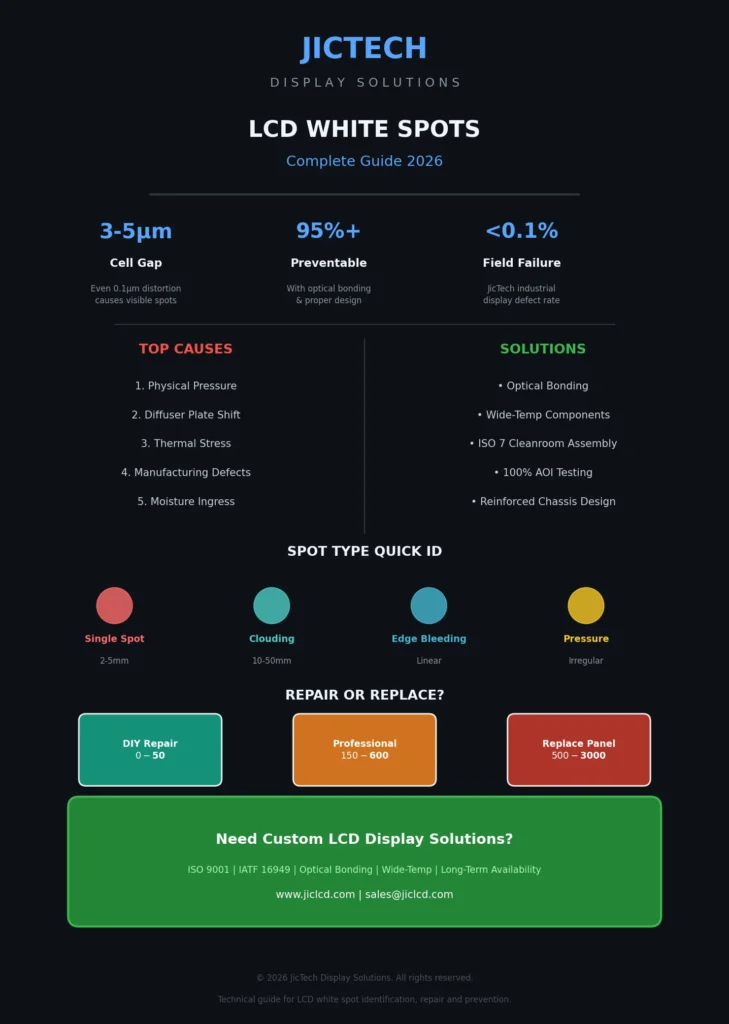








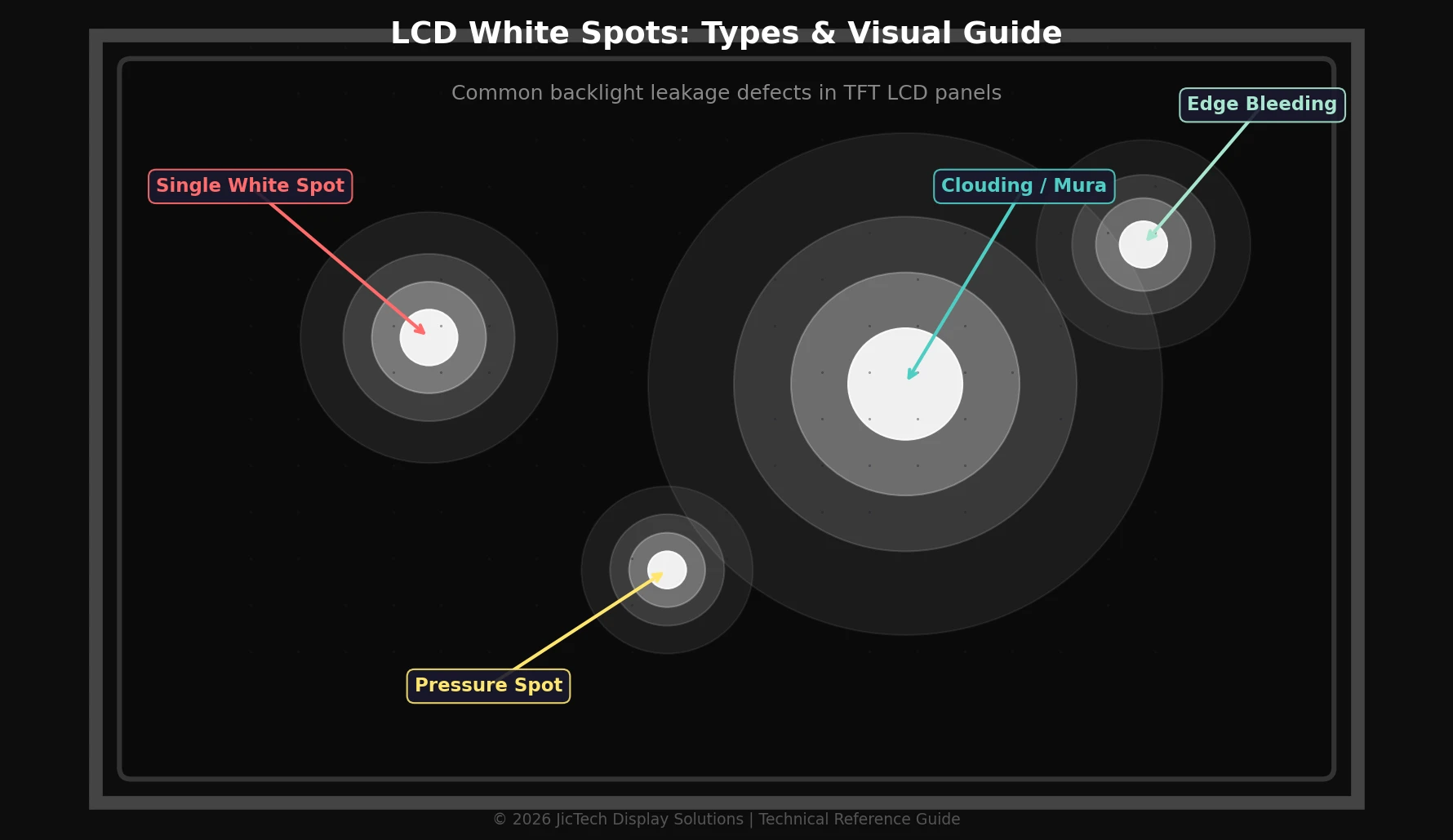

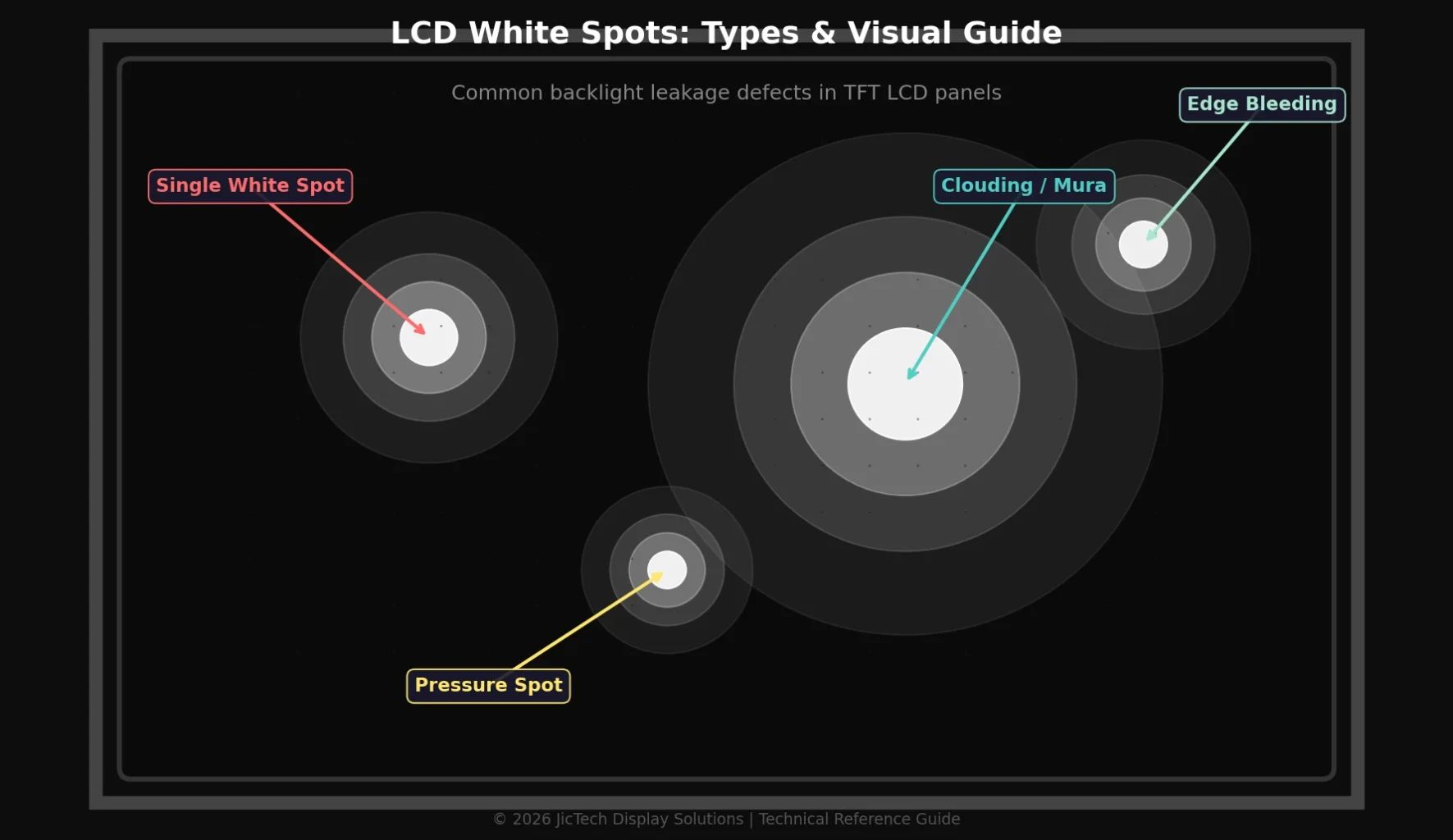
Quick Answer: LCD white spots are bright, irregular patches that appear when the backlight leaks through gaps in the liquid crystal layer, diffuser plate, or polarizer film. They are commonly caused by physical pressure, thermal stress, manufacturing defects, or aging backlight components. While some pressure-induced spots may fade, most white spots require panel repair or replacement. For industrial and medical applications, prevention through optical bonding and reinforced mechanical design is the most reliable solution.
What Are LCD White Spots?
LCD white spots (also called white patches, clouding, or light leakage) are visible bright areas on a display where the backlight passes through the panel unevenly. Unlike dead pixels—which appear as tiny black dots—white spots are typically larger (2mm to 20mm) and vary in shape and intensity.
The Physics Behind White Spots
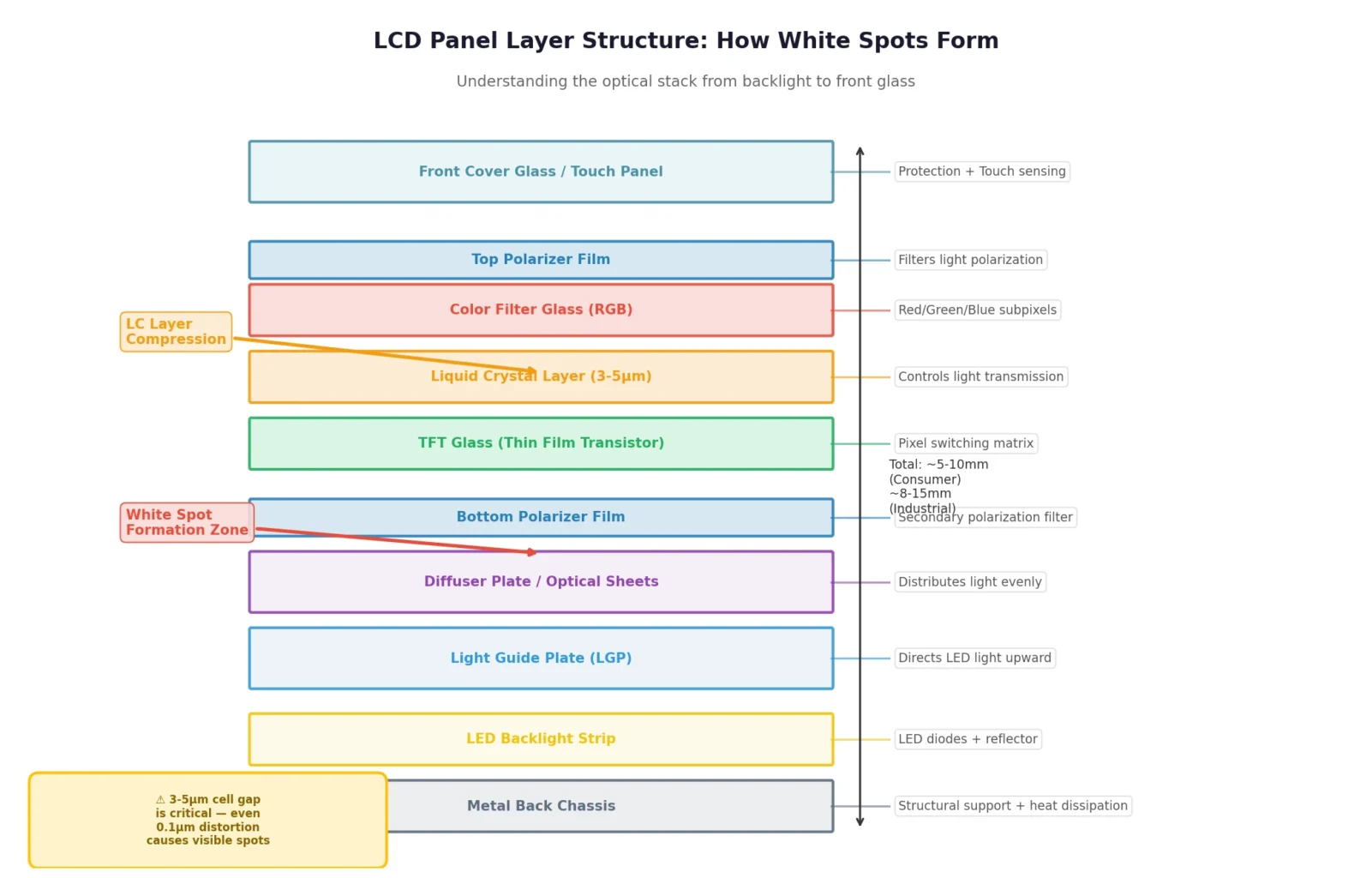
A standard TFT LCD panel consists of multiple precision layers:
- Backlight Unit (BLU) — LED strips or CCFL tubes that provide illumination
- Diffuser Plate / Light Guide Plate (LGP) — Distributes light evenly across the panel
- Liquid Crystal Layer — Controls light transmission via molecular alignment
- Polarizer Films — Filter light waves to create images
- Color Filter Array — Adds RGB subpixels
White spots occur when this optical stack is disrupted. For example, if the diffuser plate shifts by even 0.5mm due to thermal expansion or mechanical shock, light concentrates in one area instead of spreading evenly. Similarly, if the liquid crystal layer experiences localized pressure, the molecules fail to twist properly, allowing excess light to pass through.
Key Insight: In industrial displays operating 24/7, thermal cycling (heating and cooling) is the leading cause of diffuser plate movement and white spot formation.
Common Causes of White Spots on LCD Screens
Understanding the root cause is essential for determining whether a spot is fixable or requires replacement.
1. Physical Pressure or Impact
The most common cause in consumer devices. When force is applied to the screen—such as closing a laptop on a keyboard debris, dropping a device, or stacking heavy objects on a monitor—the liquid crystal layer compresses and the diffuser plate deforms. Even after the pressure is removed, the elastic memory of the optical films may retain a bright patch.
- Typical size: 3–10mm circular or irregular patches
- Recovery chance: Low to moderate (may fade over days, but often permanent)
- Common in: Laptops, tablets, handheld devices, automotive displays
2. Backlight Diffuser Plate Shift
In edge-lit LCD panels, the light guide plate (LGP) and diffuser sheets are held in place by fragile plastic frames. Over time, thermal expansion, vibration, or poor assembly can cause these sheets to shift by fractions of a millimeter. When the diffuser moves away from the LED edge, light escapes directly—creating a bright white spot or streak.
- Typical size: Linear streaks or large clouding areas
- Recovery chance: Moderate (can sometimes be repositioned during repair)
- Common in: Large monitors, TV panels, industrial HMIs
3. Thermal Stress and Aging
Industrial LCD displays operating in wide-temperature environments (-30°C to 80°C) experience repeated thermal cycling. This causes:
- Adhesive layers between optical films to degrade
- Diffuser plates to warp or delaminate
- LED backlight strips to degrade unevenly
Over 5,000+ hours of operation, these micro-changes accumulate into visible white spots—particularly in the corners where heat dissipation is weakest.
4. Manufacturing Defects
Not all white spots are user-induced. During LCD module assembly:
- Foreign particles between the diffuser and LCD glass can create pressure points
- Uneven adhesive application in optical bonding can trap air bubbles that expand into white patches
- Polarizer film tension inconsistencies cause localized light leakage
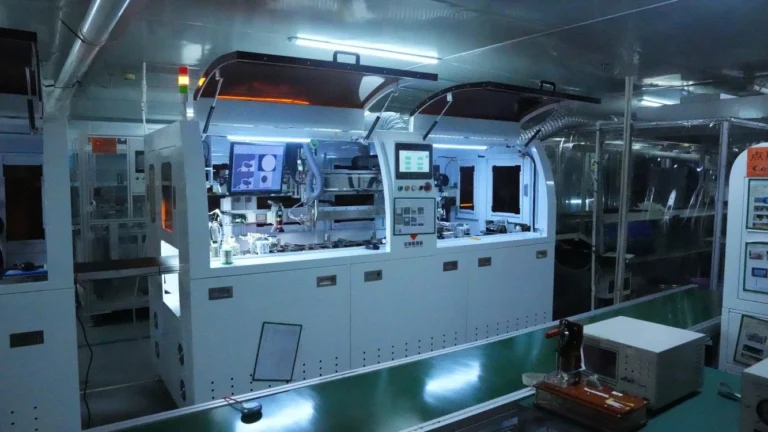
High-quality manufacturers use AOI (Automated Optical Inspection) and cleanroom assembly (ISO Class 7 or better) to minimize these defects. Budget panels often skip these steps, resulting in higher white spot rates in the field.
5. Moisture Ingress
In outdoor or high-humidity environments, moisture can seep through compromised seals. When water vapor condenses between the LCD glass and backlight films, it creates a diffusion effect that appears as a cloudy white patch. Unlike pressure spots, moisture-induced white spots often change size with temperature.
6. LED Backlight Degradation
In direct-lit LED panels, individual LED diodes can degrade at different rates. If one LED becomes significantly brighter than its neighbors (or if a diffuser above it fails), it projects as a localized hot spot. This is more common in displays with poor thermal management or low-quality LED strips.
Types of LCD White Spots
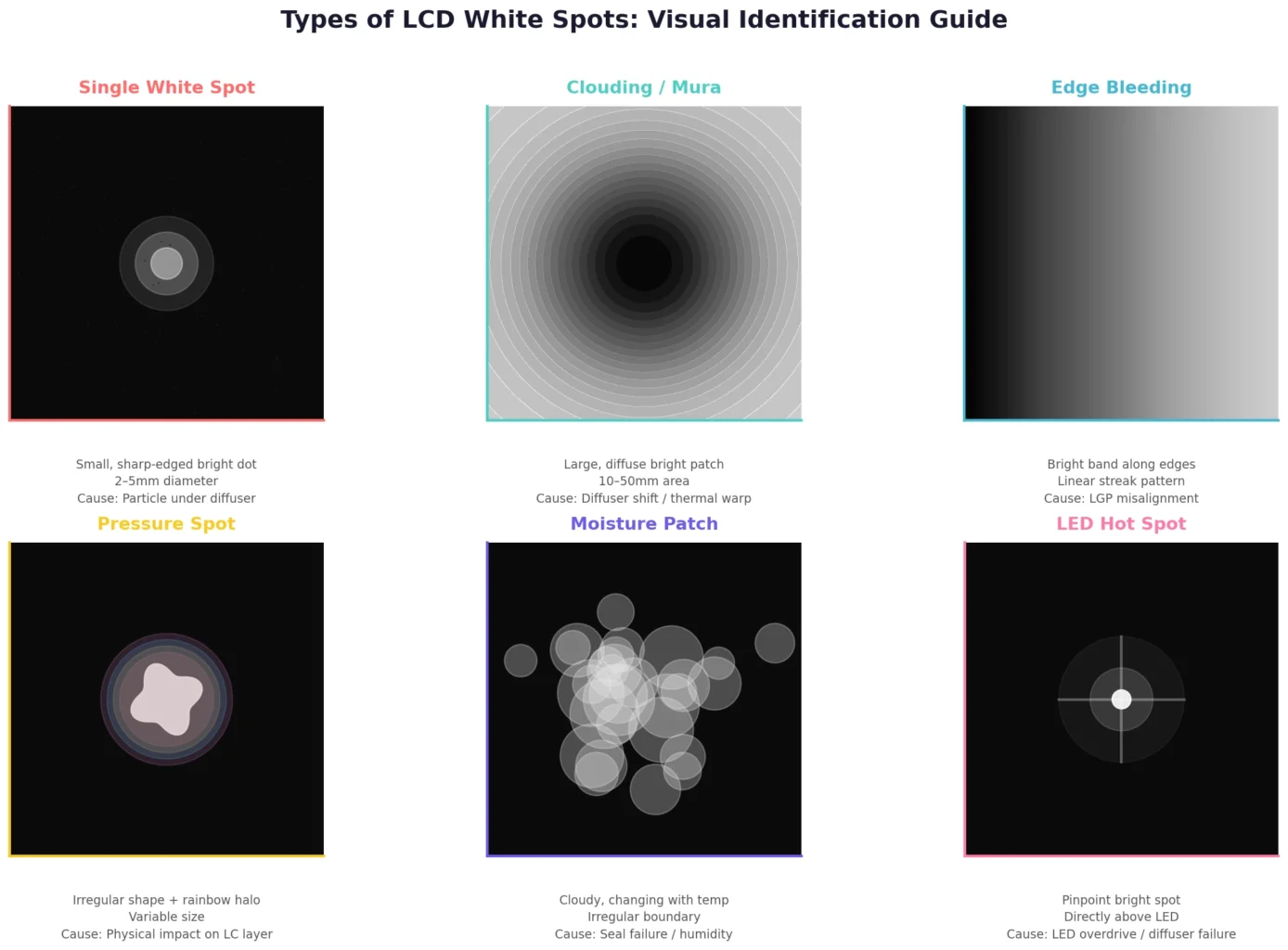
| Type | Appearance | Primary Cause | Fixability |
|---|---|---|---|
| Single White Spot | Small, sharp-edged bright dot (2–5mm) | Particle under diffuser, pressure point | Low |
| Clouding / Mura | Large, diffuse bright patch (10–50mm) | Diffuser shift, thermal warping | Moderate |
| Edge Bleeding | Bright band along one or more edges | Light guide plate misalignment, frame gap | Moderate |
| Pressure Spot | Irregular shape, often with rainbow halo | Physical impact on LC layer | Low |
| Moisture Patch | Cloudy, changing size with temperature | Seal failure, humidity ingress | High (if dried early) |
| LED Hot Spot | Pinpoint bright spot directly above LED | LED overdrive, diffuser failure | Moderate |
White Spots vs Other LCD Defects
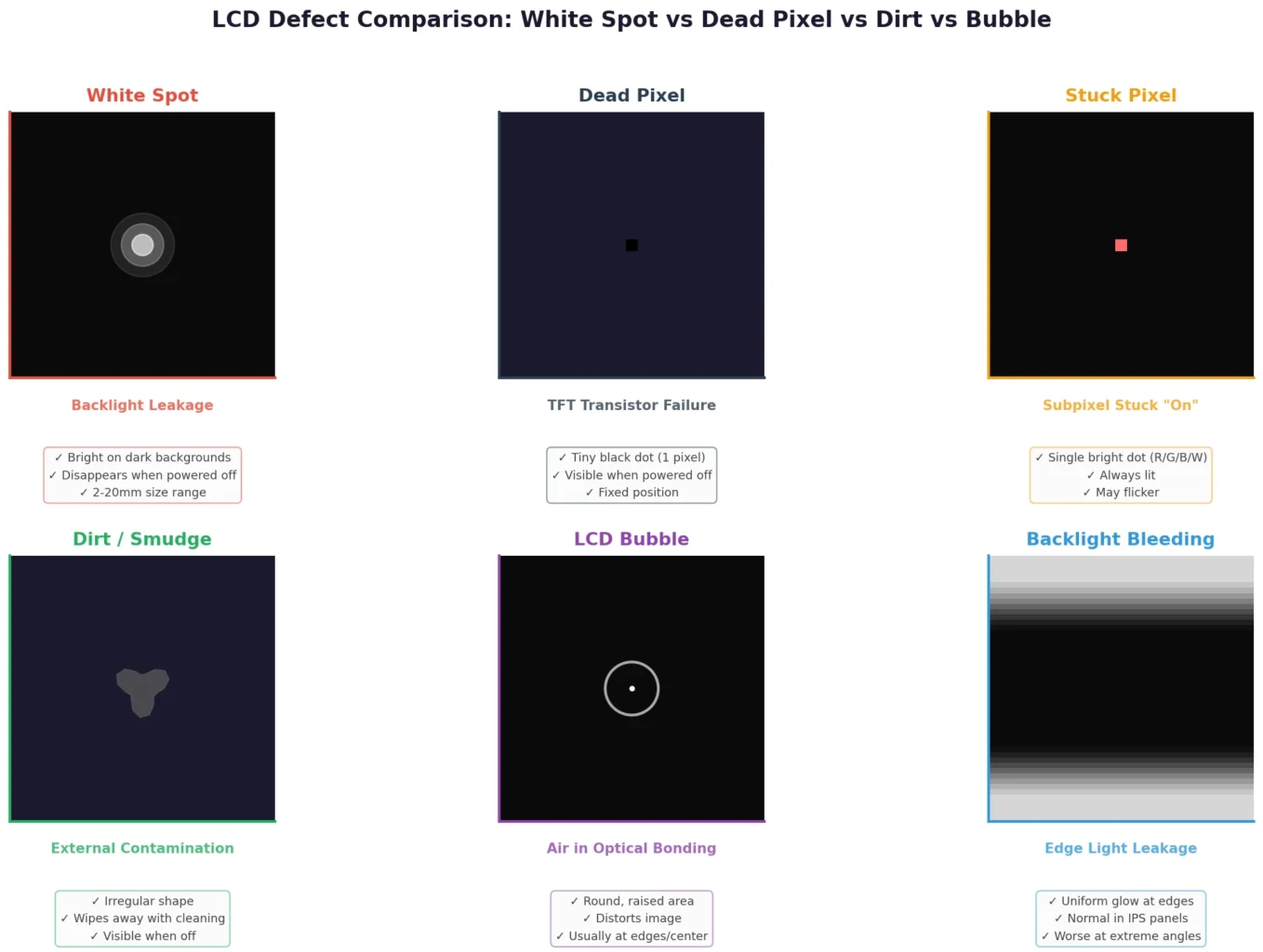
White spots are often confused with other display issues. Here’s how to tell the difference:
| Defect | Appearance | Cause | Location |
|---|---|---|---|
| White Spot | Bright, diffuse patch; visible on dark backgrounds | Backlight leakage, diffuser issue | Anywhere on screen |
| Dead Pixel | Tiny black dot (single subpixel or full pixel) | Transistor failure in TFT array | Fixed position, very small |
| Stuck Pixel | Single bright dot (red, green, blue, or white) | Subpixel transistor stuck “on” | Fixed position, 1 pixel |
| Dirt / Smudge | Irregular, visible when screen is off | External contamination on glass surface | Wipes away with cleaning |
| LCD Bubble | Round, raised area with distortion | Air trapped in optical bonding layer | Usually center or edges |
| Backlight Bleeding | Uniform glow at panel edges | Panel frame pressure, IPS glow | Edges only |
Diagnostic Tip: Turn the display off. If the spot disappears completely, it’s a backlight issue (white spot or bleeding). If it remains as a black dot, it’s a dead pixel. If you can feel it with your finger or wipe it away, it’s external dirt.
How to Fix White Spots on LCD Screens
The appropriate fix depends on the cause, display value, and whether the panel is consumer-grade or industrial.
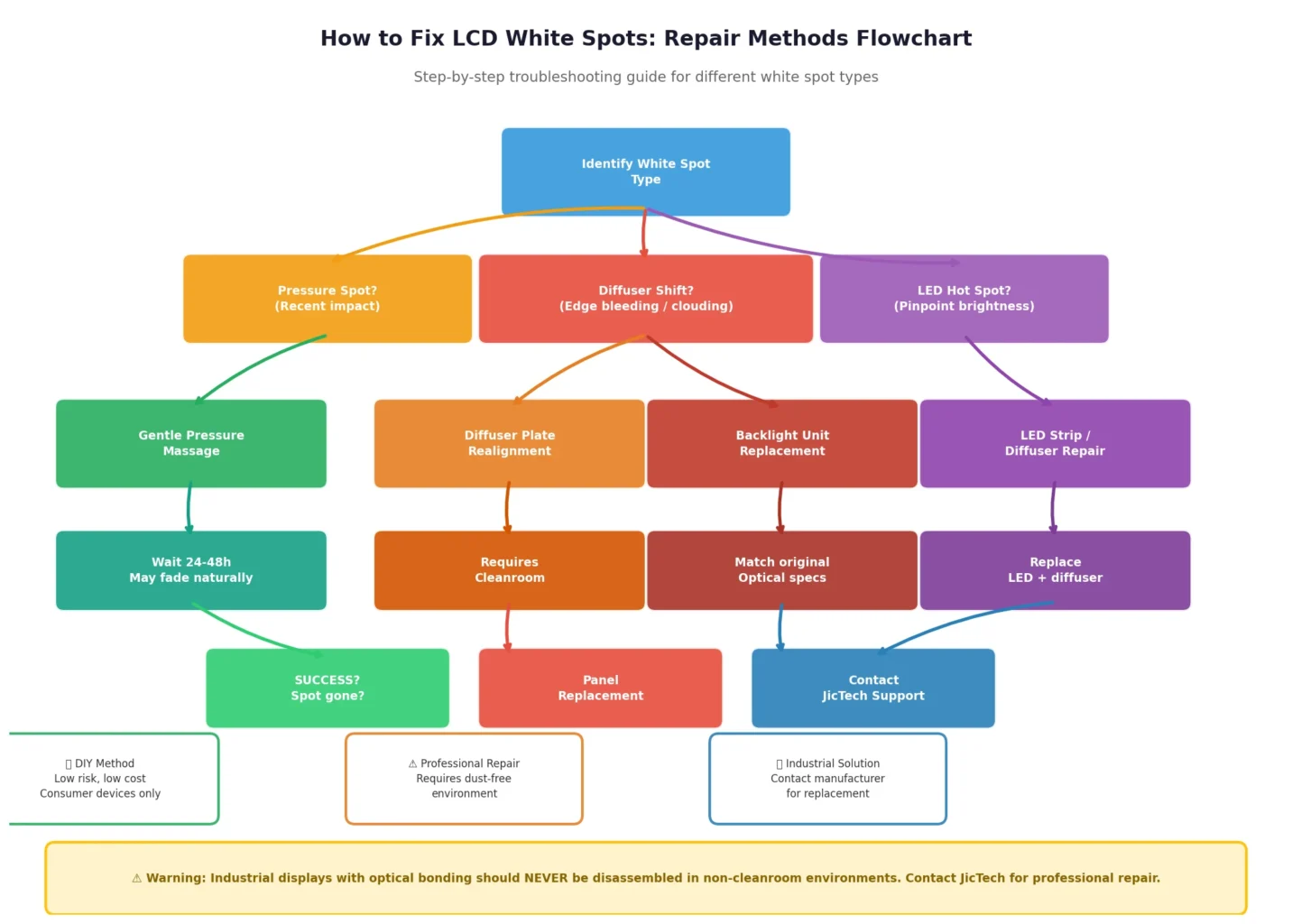
Method 1: Gentle Pressure Massage (Pressure Spots Only)
For recent pressure-induced spots where the liquid crystal layer hasn’t permanently settled:
- Power off the display completely
- Apply a soft microfiber cloth over the spot
- Use a blunt, non-conductive tool (like a rubber stylus) to apply very gentle, circular pressure
- Work outward from the center of the spot for 30–60 seconds
- Power on and check
Warning: This method risks spreading the damage. Never use sharp objects or excessive force. Industrial displays with optical bonding are particularly sensitive to this technique.
Method 2: Pixel Refresh / Inversion Cycle
Some white spots—especially those caused by temporary liquid crystal misalignment—can be resolved by running the panel through full white/black cycles for 2–4 hours. This is more effective for image retention than true white spots, but worth trying on consumer monitors with built-in pixel refresh features.
Method 3: Diffuser Plate Realignment (Professional Repair)
For edge-bleeding or clouding caused by diffuser shift:
- Disassemble the display bezel and metal shielding
- Inspect the light guide plate and diffuser stack
- Carefully reposition the diffuser to cover LED edges evenly
- Apply optical-grade adhesive tape to secure sheets
- Reassemble and test uniformity
This requires a dust-free environment. A single particle trapped during reassembly will create a new white spot.
Method 4: Backlight Unit Replacement
If the white spot stems from LED degradation, diffuser damage, or LGP warping, the most reliable fix is replacing the entire backlight unit. For standard monitor sizes (15.6″, 21.5″, 23.8″), replacement BLUs are often available. For custom industrial displays, replacement requires matching the original optical specifications.
Method 5: Panel Replacement
When white spots result from:
- Liquid crystal layer damage
- Internal glass fracture
- Severe polarizer delamination
…the panel must be replaced. Repair is not economically viable for most displays under 32 inches.
Prevention: Avoiding White Spots in Industrial Displays
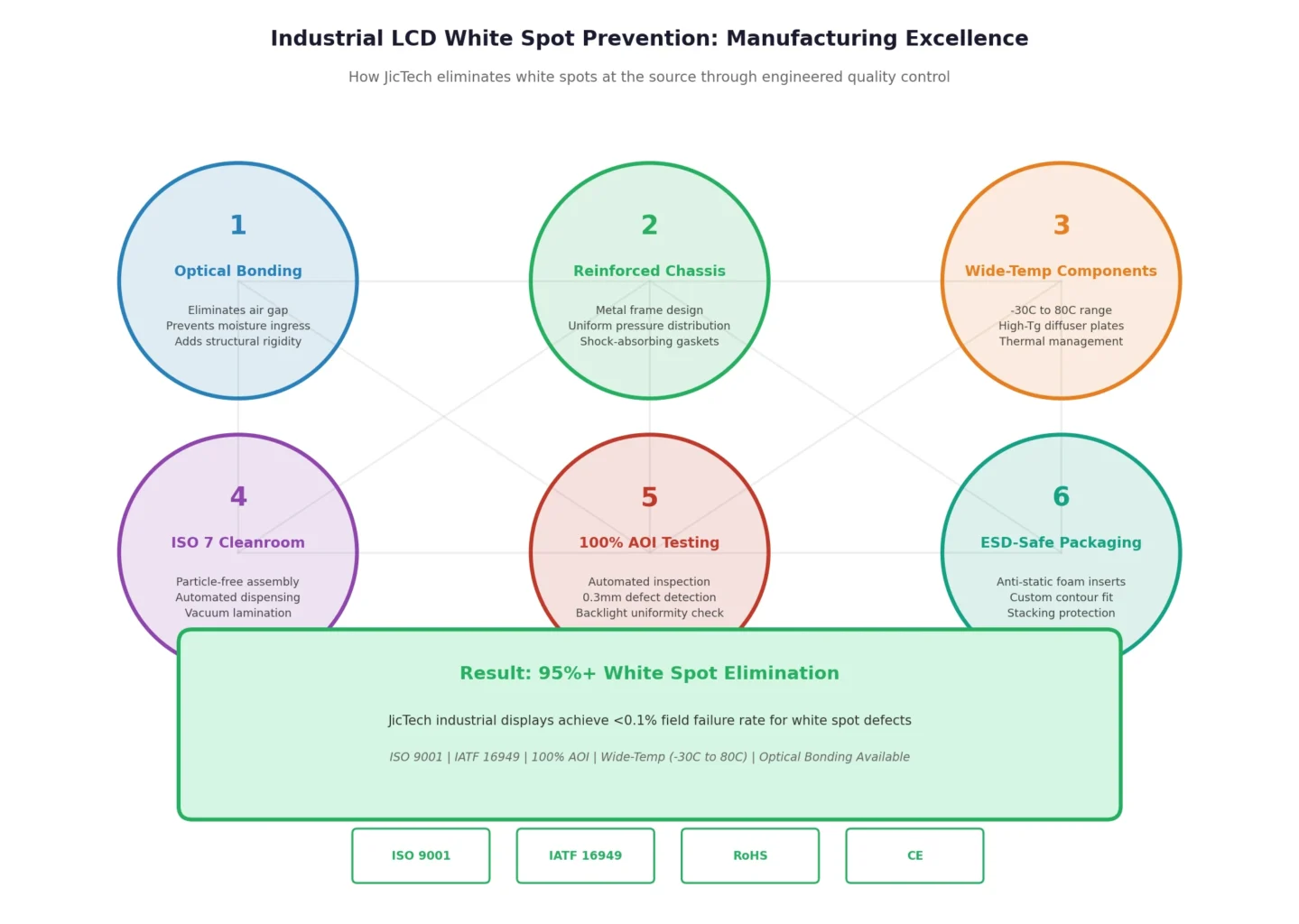
For B2B buyers and product designers, prevention at the manufacturing stage is far more cost-effective than field repair. Here are the engineering strategies that eliminate white spots before they start:
1. Optical Bonding
Optical bonding eliminates the air gap between the LCD glass and touchscreen/cover lens by filling it with optically clear adhesive (OCA) or resin (OCR). This provides three anti-white-spot benefits:
- Eliminates internal reflection that can amplify minor diffuser defects
- Adds structural rigidity, preventing flex-induced pressure on the LC layer
- Prevents moisture ingress that causes clouding patches
At JicTech, our optical bonding process is performed in an ISO Class 7 cleanroom using automated dispensing and vacuum lamination, ensuring zero particle contamination and uniform adhesive thickness.
2. Reinforced Mechanical Design
Industrial displays should feature:
- Metal chassis with uniform pressure distribution around the panel perimeter
- Shock-absorbing gaskets between the LCD and front bezel
- Proper torque specifications for mounting screws (uneven torque creates pressure points)
3. Wide-Temperature Component Selection
Standard consumer LCD components are rated for 0°C to 50°C. Industrial applications require:
- Wide-temp liquid crystal mixtures (-30°C to 80°C operating range)
- High-Tg (glass transition) diffuser plates that resist warping
- Thermal management design with heat spreaders to eliminate hot spots
4. AOI and 100% Uniformity Testing
White spots as small as 0.3mm can be detected by modern Automated Optical Inspection (AOI) systems. However, many manufacturers only sample 5–10% of panels. 100% backlight uniformity testing—where every panel is measured at 9 or 13 points for luminance deviation—ensures no white spot escapes the factory.
5. Proper Packaging and Handling
During shipping and installation:
- Use anti-static foam inserts that match the panel’s exact contour
- Never stack displays face-down
- Maintain ESD-safe handling protocols (electrostatic discharge can damage TFT transistors, creating bright spots)
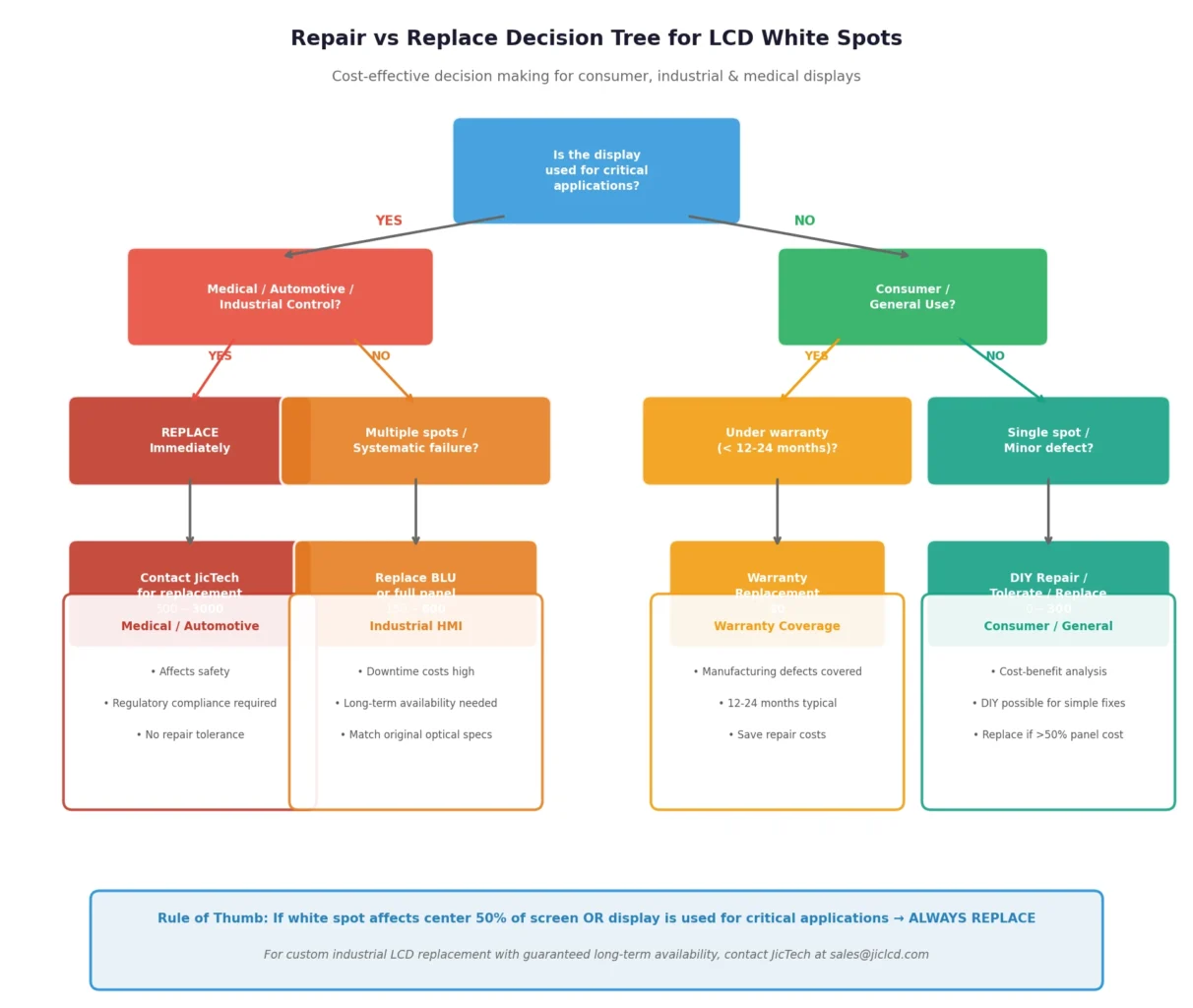
When to Repair vs Replace
| Scenario | Recommended Action | Cost Estimate |
|---|---|---|
| Single small spot on consumer monitor | Use if tolerable; replace if annoying | $0–$200 |
| Multiple spots / clouding on industrial HMI | Replace BLU or full panel | $150–$600 |
| White spots on medical display | Replace immediately — affects diagnostic accuracy | $500–$3,000 |
| White spots on new display (<30 days) | Warranty replacement | $0 |
| White spots after optical bonding failure | Return to manufacturer for rebonding | $100–$400 |
Rule of Thumb: If the white spot affects a critical viewing area (center 50% of screen) or the display is used for medical imaging, industrial control, or automotive instrumentation, replacement is the only safe option.
People Also Ask (FAQ)
Are LCD white spots permanent?
Most white spots caused by physical pressure or diffuser damage are permanent. However, moisture-induced clouding may disappear if the display is dried in a low-humidity environment. Temporary pressure spots can sometimes fade over 24–48 hours as the liquid crystal layer relaxes.
Can white spots spread over time?
Yes. If caused by diffuser plate warping or adhesive degradation, white spots typically expand slowly as thermal cycling continues. A 3mm spot can grow to 15mm over 6–12 months in high-temperature environments. Early replacement prevents further optical degradation.
Do white spots mean my LCD is dying?
Not necessarily. A single white spot is usually a localized defect, not a sign of total panel failure. However, multiple spots appearing simultaneously often indicate backlight unit aging or systematic manufacturing issues—a signal that the display is approaching end of life.
Can pressure cause white spots on an LCD?
Yes. Physical pressure is the #1 cause of white spots in laptops, tablets, and handheld devices. Even light pressure (e.g., a keyboard key pressing against a closed laptop screen) can displace the diffuser plate or compress the liquid crystal layer enough to create a permanent bright patch.
How much does it cost to fix white spots on an LCD?
- Consumer monitors (15–27″): $50–$200 for BLU replacement; $100–$300 for panel replacement
- Industrial displays (7–21.5″): $150–$600 depending on interface and touch integration
- Custom medical/automotive displays: $500–$3,000+ due to certification and optical bonding requirements
For industrial buyers, investing in optical bonding and wide-temp components upfront eliminates these repair costs over the product lifecycle.
Are white spots covered by warranty?
White spots caused by manufacturing defects (particles, adhesive voids, diffuser misalignment) are typically covered under the manufacturer’s warranty for 12–24 months. Spots caused by physical damage, improper handling, or environmental factors (moisture, extreme heat) are usually excluded.
Can white spots appear on brand-new LCD displays?
Yes, though rare from reputable manufacturers. New-panel white spots are almost always manufacturing defects—trapped particles, uneven polarizer lamination, or diffuser plate tolerance issues. This is why 100% AOI inspection is critical for industrial and medical display procurement.
What’s the difference between white spots and backlight bleeding?
- White spots: Localized, irregular bright patches anywhere on the screen; caused by diffuser/LC layer issues
- Backlight bleeding: Uniform light leakage at the panel edges; caused by frame pressure or IPS panel design
Both are backlight leakage issues, but backlight bleeding is often considered “normal” for IPS panels at extreme viewing angles, while white spots are always a defect.
Can software fix white spots on an LCD?
No. White spots are physical defects in the optical stack or backlight unit. No software utility, pixel refresher, or driver update can repair a shifted diffuser plate or damaged liquid crystal layer. Software solutions only work for stuck pixels or image retention.
How do I test my LCD for white spots?
- Display a pure black image (RGB 0,0,0) in a dark room
- Inspect the screen at normal viewing distance for any bright patches
- Check all four corners and the center specifically
- Repeat with pure red, green, and blue images to rule out color-specific issues
- For industrial displays, use a luminance meter to measure uniformity (deviation should be <15% across the active area)
Conclusion
LCD white spots are a common but preventable defect that affects everything from consumer tablets to critical medical imaging systems. While minor spots can sometimes be managed, the only reliable long-term solution—especially for industrial, automotive, and medical applications—is prevention through superior manufacturing.
Key takeaways:
- Physical pressure and thermal stress are the leading causes of white spots
- Diffuser plate shifts and LC layer damage require panel-level intervention
- Optical bonding, wide-temp components, and AOI inspection eliminate 95%+ of white spot risks at the factory level
- Industrial buyers should prioritize 100% uniformity testing and long-term availability guarantees
At JicTech, we specialize in custom TFT LCD displays engineered for zero-defect performance in demanding environments. Our manufacturing process includes:
- ISO 9001 & IATF 16949 certified quality management
- ISO Class 7 cleanroom optical bonding and assembly
- 100% AOI + backlight uniformity testing on every panel
- Wide-temperature designs (-30°C to 80°C operating range)
- Optical bonding, EMI shielding, and custom cover glass integration
Whether you need a 7-inch industrial HMI, a 12.1-inch medical display, or a custom automotive cluster LCD, our engineering team ensures your display performs flawlessly for its entire lifecycle.
Contact JicTech today to discuss your custom LCD requirements, request samples, or review our full optical test reports. Let us build a display that never gives your end users a reason to search “how to fix white spots.”
Last updated: August 2026 | Technical specifications subject to continuous improvement