






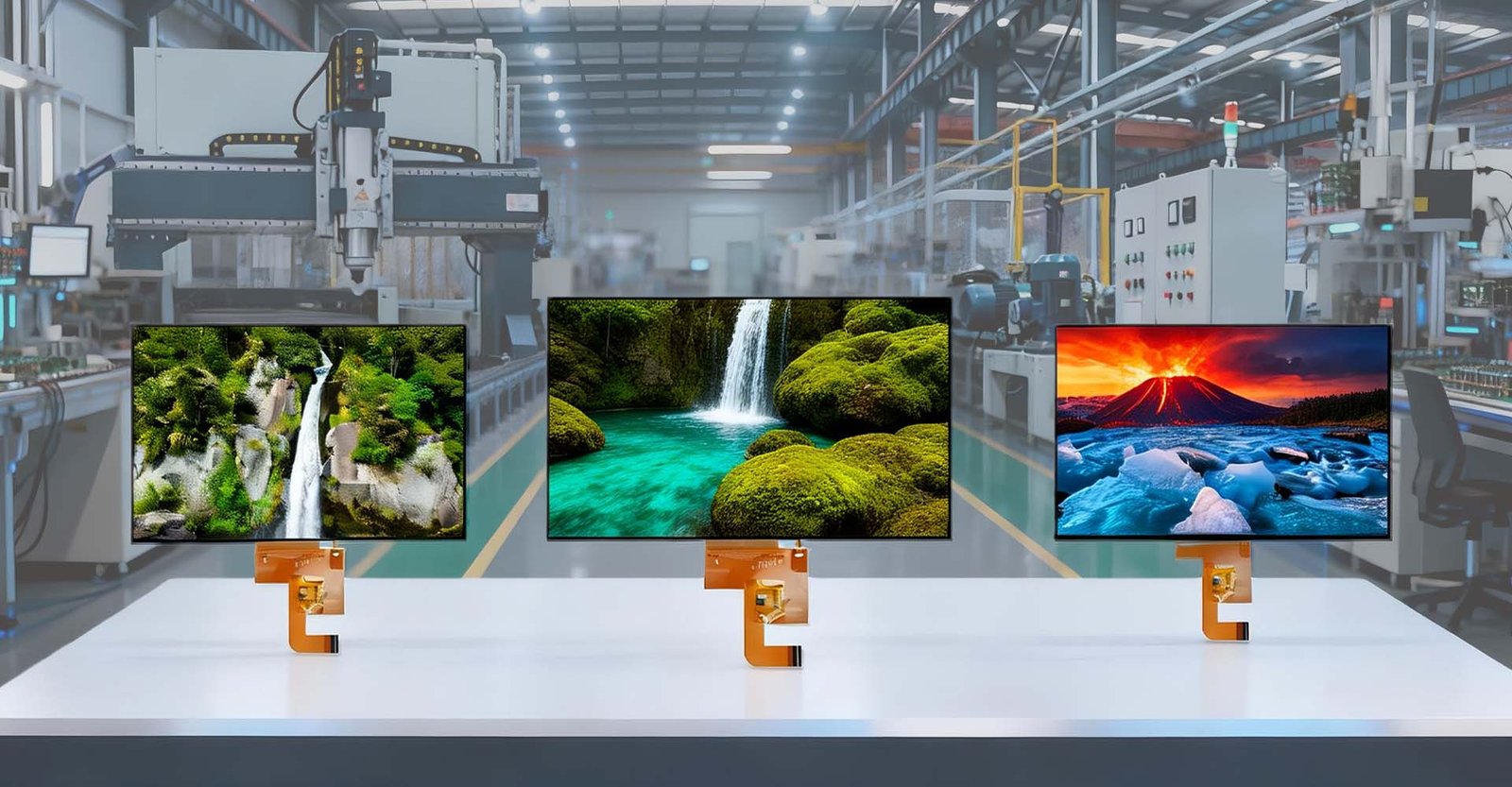

A 10.1インチTFT液晶ディスプレイ 一般的に16:10のワイドスクリーン・アスペクト比と1280×800(WXGA)の標準解像度を特徴とするが、1920×1200(WUXGA)のような高解像度はプロフェッショナル・アプリケーションでますます一般的になっている。この特定のサイズは、組み込みシステム、携帯医療機器、産業用制御パネル、車載インフォテインメント・システムに適したコンパクトなフォーム・ファクターを維持しながら、A4用紙1枚に匹敵する広い表示領域を提供し、業界の「スイート・スポット」となっている。パッシブ・マトリクス・ディスプレイとは異なり、TFT技術はアクティブなピクセル制御を保証し、要求の厳しい環境におけるダイナミックなユーザー・インターフェースに不可欠な、優れた彩度、高速応答時間、広い視野角を実現します。.
10.1インチのフォームファクターを支えるエンジニアリング
組込みディスプレイ・エンジニアリングの領域では、10.1インチの仕様は恣意的なものではありません。産業用IoTや医療用テレメトリーユニットのパネル統合に幅広く携わってきた私は、10.1インチクラスは多くの場合IPS(In-Plane Switching)技術を利用して85/85/85度(またはそれ以上)の視野角を保証し、コックピットや手術室のシナリオで譲れない要件である軸外位置からの視認性を確保していることを確認してきた。.
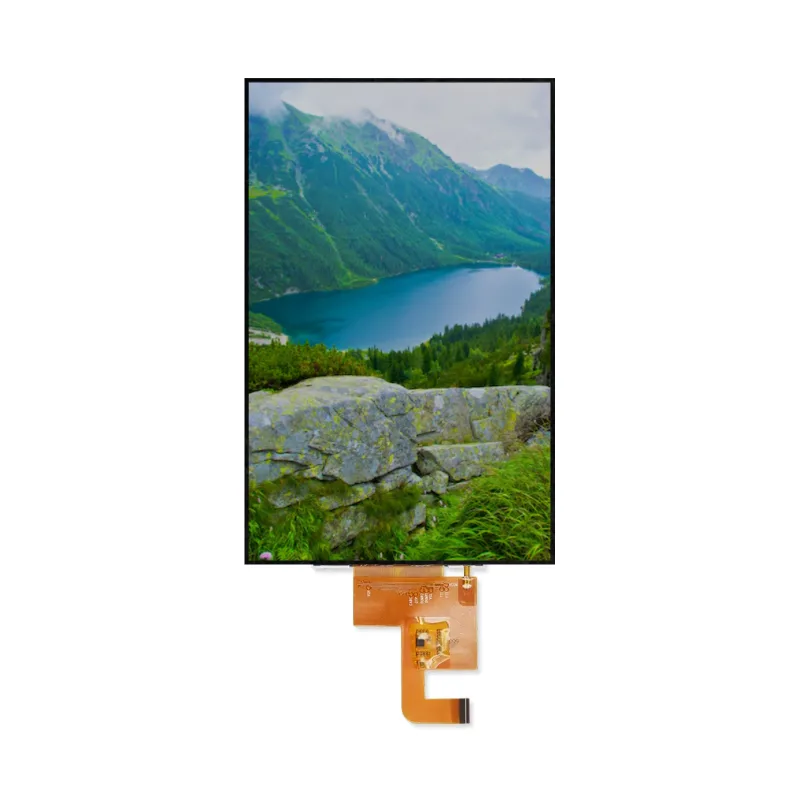
物理的な寸法は、通常、以下の通りである。 229.46mm(幅)×149.10mm(高さ), バックライトユニットやカバーガラスの構成にもよりますが、5mm以下の薄さを実現しました。このフットプリントにより、設計者は標準的なVESAマウント、またはDINレールやパネルマウント設置用に設計されたカスタム筐体にフィットしながら、アクティブエリア(AA)を最大化することができます。.
コア技術仕様
10.1インチTFTモジュールを評価する場合、以下のようなティア1メーカーのものであろうとなかろうと、その性能は同じです。 ジックテック, Innolux、BOE、または専門のインテグレーターは、単なるサイズだけでなく、いくつかのパラメータが性能を決定する。以下の表は、業務用製品ラインで参照されるような、高品質の産業用10.1インチパネルに見られる典型的な仕様の概要である:
| パラメータ | 代表的な仕様 | ノート&エンジニアリング・コンテクスト |
|---|---|---|
| 対角サイズ | 10.1インチ | アクティブエリアの隅から隅までを測定。. |
| アスペクト比 | 16:10 | 文書、ウェブコンテンツ、分割画面HMIの表示に最適。. |
| 決議 | 1280×800(ワックスガ) オプションだ: 1920×1200(ワクスガ) | 1280×800では~149 PPI、1920×1200では~224 PPIとなり、よりシャープなテキストが得られる。. |
| ピクセルピッチ | ~0.1695mm(WXGAの場合) | シャープネスを決定する。ピッチが小さいほど、より高い駆動電圧/速度が必要となる。. |
| アクティブ・エリア(AA) | 222.72 × 139.20 mm | 実際に見える像の領域。光学設計には欠かせない。. |
| 外形寸法 | ~229.5 × 149.1 × 4.5 mm | ベゼルとドライバーPCBを含む。. |
| 明るさ | 400~500ニット(標準) 800~1200ニット(高輝度) | 屋内用の標準。太陽光の下で読み取るには800nits以上が必要。. |
| コントラスト比 | 800:1(典型的なIPS) | より高い比率(1000:1以上)は、黒レベルと画像深度を向上させる。. |
| 視野角 | 85/85/85/85(左/右/右/左) | IPSテクノロジーは、極端な角度でも安定した色彩を保証します。. |
| 応答時間 | 25ms(代表値) 速い: <10ミリ秒 | ビデオ再生や動きの速いHMIエレメントには欠かせない。. |
| 色の濃さ | 16.7M(24ビット)または262K(18ビット) | 24ビットは、医療用画像処理に不可欠な、より滑らかなグラデーションを提供する。. |
| インターフェース・タイプ | LVDS(1または2チャンネル) MIPI DSI(4レーン) RGB/TTL | LVDSは産業用ノイズ耐性、MIPIはモバイル/低電力用。. |
| バックライト寿命 | 30,000~50,000時間 | 輝度が初期値の50%に低下するまでの時間。. |
| 動作温度 | -20℃~+70℃(標準) -30°C~+85°C(ワイド) | 工業用には特殊な液晶液が必要。. |
| 保管温度 | -30°C ~ +80°C | 非運用貯蔵条件の限界値。. |
| タッチオプション | 投影型静電容量方式(PCAP) 抵抗性 | マルチタッチ/ガラス用PCAP、グローブ/スタイラス用抵抗膜式。. |
注:具体的な値は、メーカー(例:Jictech、Innolux、AUO、BOE)および特定のモデルシリーズによって異なる場合があります。正確な公差については、必ずデータシートを参照してください。.
アプリケーション10.1インチが輝く場所
10.1インチフォーマットの多用途性は、様々な分野で顕著である。以下の通り。 産業オートメーション, これらのスクリーンは、PLCやCNCマシンの主要なインターフェースとして機能し、複雑な回路図やリアルタイムのデータログを表示します。画面の面積が広いため、窮屈さを感じることなく、制御パラメータと一緒にライブカメラのフィードを表示する分割画面表示が可能です。.
の中で 医療分野, 10.1インチディスプレイは、患者モニター、ポータブル超音波カート、輸液ポンプに組み込まれている。ここでは、色の正確さと信頼性が重要です。多くの医療用モジュールは、厳しい衛生基準を満たすために、アンチグレアコーティングと抗菌ベゼルを採用しています。.
について 自動車部門 は、このディスプレイを後部座席のエンターテインメント、商用トラックのデジタル・ダッシュボード、ナビゲーション・ユニットに活用している。パネルの堅牢性は、日中でも読みやすい高輝度と相まって、振動や温度サイクルで故障することが多い民生グレードのタブレット・スクリーンよりも好ましい選択となっている。.
さらに スマートホーム・ビルオートメーション, 10.1インチの壁掛けパネルが中央ハブとして機能し、照明、空調、セキュリティ・システムを制御する。間取り図をはっきり表示するには十分な大きさでありながら、廊下や居間でも目立たないように小型化されている。.
長所と短所:比較分析
システム・アーキテクトや調達スペシャリストに明確な視点を提供するため、10.1インチTFT LCD技術に固有の利点と制限の内訳を以下に示します。.
| 特徴 | メリット | 制限/考慮事項 |
|---|---|---|
| 視聴体験 | 画面面積と携帯性のバランスに優れ、16:10の比率は文書やウェブコンテンツに最適。. | 7″または8″の代替品よりも大きく、より多くのベゼルスペースと深い取り付け深さを必要とする。. |
| 解決オプション | WXGA(1280×800)とWUXGA(1920×1200)に対応。. | 高解像度のモデルは、より多くのGPU処理能力と帯域幅を要求する(特にMIPI経由)。. |
| 統合 | 標準的なLVDS/MIPIインターフェースを備えた成熟したエコシステム、Linux/Android/Windows用の広範なドライバーサポート。. | RGBインターフェース・モデルは、MCUベースのシステムで複雑なタイミング・コンフィギュレーションを必要とすることがある。. |
| 耐久性 | 広い温度範囲(-20℃~+70℃)と高い耐衝撃性/耐振動性を備えた工業用グレードを用意。. | 標準的な業務用パネルは、極端な寒さや暑さでは反応が遅くなったり、画像が保持されなくなったりすることがある。. |
| コスト効率 | スケールメリットにより、1280×800パネルは大量生産において非常に費用対効果が高い。. | カスタマイズ(高輝度、特定のタッチセンサー、太陽電池用ボンディング)により、単価は大幅に上昇する。. |
| タッチ機能 | マルチタッチ用の投影型静電容量方式(PCAP)とグローブ/スタイラス用の抵抗膜方式の両方をサポート。. | PCAPは、ノイズの多い産業環境ではキャリブレーションや特定のドライバが必要な場合がある。. |
10.1インチディスプレイモジュールの正しい選び方
適切な10.1インチディスプレイを選択することは、最も安いオプションを選ぶことではありません。ハードウェア・チームの部品選定を指導してきた経験から、戦略的なアプローチを紹介しよう:
- まず環境を定義する: デバイスは空調の効いたサーバールームに置かれるのか、それとも直射日光の当たるダッシュボードの上に置かれるのか。後者の場合は、輝度(800nits以上)を優先し、内部反射を抑えるためにオプティカルボンディングを検討する。極寒の環境であれば、“スミアリング ”を避けるため、低温での液晶の応答時間を確認する。”
- インターフェース互換性: メイン・プロセッサの出力能力を確認してください。ハイエンドのARM SoCを使用している場合、電力効率と速度の点でMIPI DSIが最良のルートである可能性が高い。レガシーな産業用PCやFPGAベースのコントローラーでは、LVDSが依然として信頼性の高いゴールド・スタンダードです。機械設計の初期段階で、ピンアウトの定義(例えば40ピンFPCピッチ)を確認することを忘れないでください。.
- タッチ技術の決断: ユーザーは手袋をはめますか?もしそうなら、抵抗膜方式タッチスクリーンか、「手袋モード」の感度を持つ静電容量式スクリーンが必須です。ピンチ・ツー・ズームなどのジェスチャーが必要な消費者向けキオスク端末には、硬化ガラスカバー(6H以上)を備えたマルチタッチ投影型静電容量方式(PCAP)パネルが不可欠です。.
- 長期的に利用できる: 産業用製品のライフサイクルは5~10年に及ぶことが多い。特定のパネル・モデルに対するメーカーのコミットメントを確認すること。18ヶ月で製造中止となり、コストのかかる再設計を余儀なくされるような民生グレードのパネルは避けること。長期供給を保証するサプライヤーや、フォーム・フィット・ファンクション交換を提供するサプライヤーを探しましょう。.
- カスタマイズの必要性: 既製品では不十分な場合もあります。カスタムの輝度カーブ、特定のコネクタの向き、ブランドのカバーレンズなどが必要な場合もあります。法外なMOQ(最小注文数量)を設定することなく、柔軟なカスタマイズ・サービスを提供するメーカーと連携しましょう。.
結論
10.1インチTFT液晶ディスプレイは、単なる部品にとどまらず、現代の電子機器においてユーザーとのインタラクションを実現する重要な存在です。10.1インチTFT LCDディスプレイの優位性は、人間工学的な適合性、技術的な成熟度、製造の拡張性というパーフェクト・ストームから生じています。命を救う医療用モニターを設計するにしても、現場技術者用の堅牢なタブレットを設計するにしても、解像度、インターフェース、環境硬化のニュアンスを理解することが成功の鍵です。特定の運用上の制約に沿ったパネルを慎重に選択することで、デバイスの機能性だけでなく、現場での寿命と信頼性も確保できます。.
よくある質問(FAQ)
IPS(In-Plane Switching)パネルは、TN(Twisted Nematic)パネルに比べて視野角が大幅に広く(通常、全方向で85度)、色再現性に優れている。10.1インチのアプリケーションでは、画面を横から見る可能性がある業務用にはIPSが好まれ、一方、TNパネルは安価だが、色がずれたり、斜めからの視認性が悪かったりする。.
そうだが、注意点がある。8ビットのArduino Unoでは、メモリと速度の制限により、1280×800解像度のスクリーンを効果的に駆動することはできません。しかし、専用のLTDC(LCD-TFTディスプレイ・コントローラー)ペリフェラルを搭載したSTM32H7シリーズのような高性能MCUなら、特に低解像度やフレーム・バッファの最適化により、RGBまたはSPIインターフェースを介して10.1インチの画面を駆動できます。フルWXGA解像度を実現するには、一般的にLinuxまたはAndroidを実行するMPU(マイクロプロセッサ・ユニット)を推奨します。.
LVDSはLow-Voltage Differential Signalingの略。コントローラーボードからLCDパネルへのビデオデータ伝送に使用される標準インターフェースである。差動ペアを使用してデータを送信するため、電磁干渉(EMI)に対する耐性が高い。このためLVDSは、長いケーブル配線やノイズの多い電気環境が一般的な産業用や車載用の10.1インチ・ディスプレイに適している。.
もちろんです。標準的な屋内用パネルの輝度は通常400~500ニット程度で、直射日光下では不十分だ。太陽光で読み取り可能な10.1インチモジュールは、800~1500ニット以上の輝度レベルで入手可能だ。これらのパネルには、反射防止コーティングやオプティカルボンディング(タッチセンサーとLCDの間の空隙を樹脂で埋めること)が施されていることが多く、屋外での映り込みを最小限に抑え、コントラストを向上させている。.
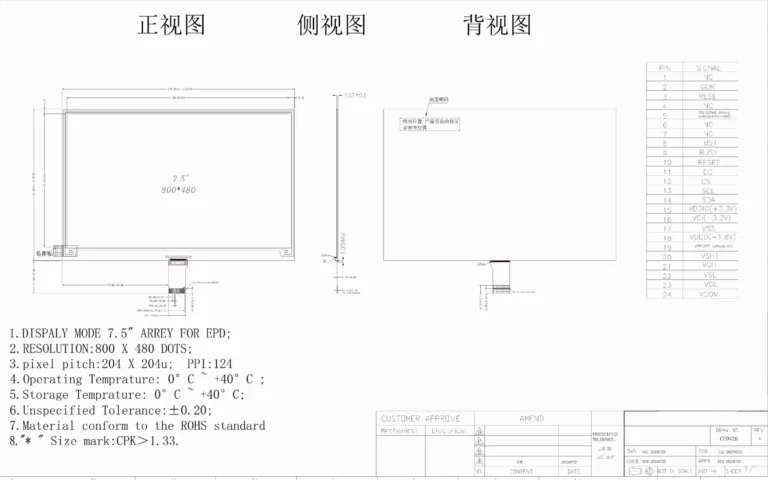
次の3つの重要な寸法図をチェックする必要がある。 アクティブ・エリア(AA) (可視画像部分)である。 外形寸法 (ベゼルを含む物理的なサイズの合計)、および 取付穴 のパターンを確認する。さらに 厚さ の場所である。 FPCコネクタ (例えば、下、左、右) コネクタが間違った側に突き出ていると、狭い筐体への取り付けを妨げることがあるからです。設計を確定する前に、必ずメカニカル・データシートをご請求ください。.