






Overview
If you’re responsible for selecting display modules for your company’s new product, or if you have an industrial device that needs a human-machine interface upgrade, OLED displays have likely already made it onto your shortlist. But let’s be honest—while OLED sounds impressive, the procurement process is full of pitfalls. How do you choose the right size? Which driver IC should you pick? How do you know if a supplier is reliable? And what about burn-in issues? Get these wrong, and you’re looking at project delays at best, mass returns at worst.
This article breaks down everything you need to know about enterprise OLED procurement from the ground up. Whether you’re a hardware engineer, procurement manager, or product manager, you’ll walk away with a clear roadmap.
1. What Exactly Is an OLED Display?—Understand the Basics Before You Buy
1.1 OLED Is Not “Just Another LCD”
Many people assume OLED is simply an upgraded version of LCD. The underlying principles are fundamentally different.
LCD (Liquid Crystal Display) requires a backlight—you can think of it as a row of LED lights behind the screen, with liquid crystal molecules acting as shutters that block or allow light through. That’s why LCD can never achieve true black: the backlight is always on, so “black” is really just dark gray.
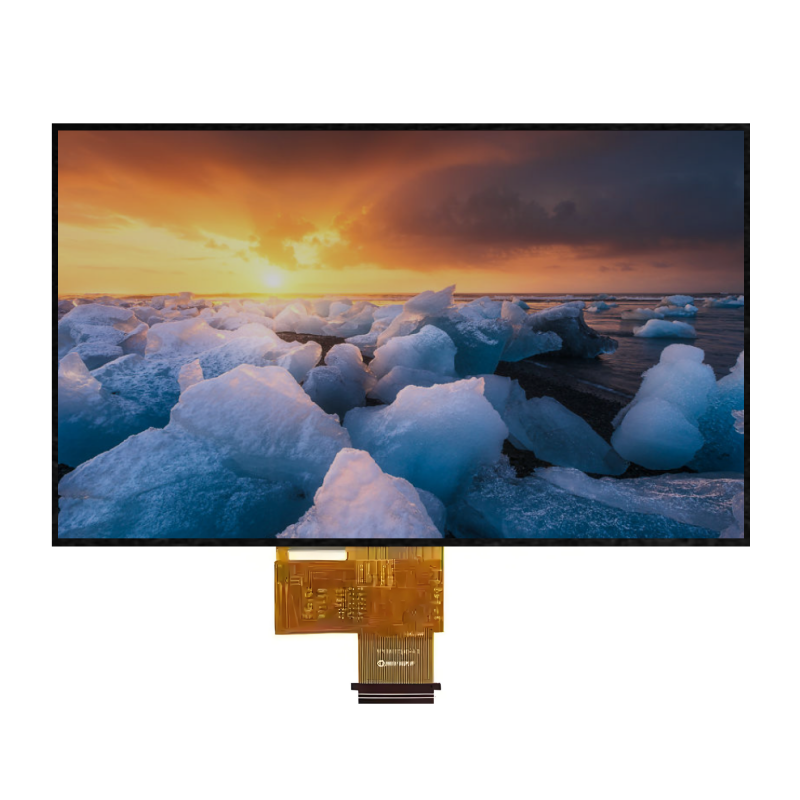
OLED (Organic Light-Emitting Diode) works completely differently. Each pixel is a tiny organic light-emitting diode that produces its own light when powered and turns completely off when unpowered. This means OLED doesn’t need a backlight module, allowing for thinner screens, true blacks, and contrast ratios of 2000:1 or higher.
This characteristic is particularly valuable in industrial scenarios. Imagine a medical device displaying vital signs in an operating room—OLED’s high contrast ensures doctors can read the screen clearly even under bright surgical lights. Or consider a wearable device where OLED’s pure black background creates a more professional look while saving power.
1.2 Industrial OLED and Consumer OLED Are Two Different Animals
Here’s a major misconception: many people think the OLED screen in their smartphone is the same as what goes into industrial equipment. In reality, the design goals are completely different.
Consumer OLED (used in smartphones, TVs) prioritizes vivid colors, high brightness, and fast refresh rates. The trade-off is significantly degraded performance at extreme temperatures and relatively short lifespans. Your phone’s OLED might go black at -20°C, but in industrial environments, it needs to keep working at -40°C.
Industrial OLED focuses on reliability, wide temperature operation, and long lifespans. Take JicTech’s products as an example: their industrial OLED modules operate from -40°C to +85°C, last over 50,000 hours, and pass MIL-STD-810G vibration and temperature tests. You won’t find these specs in consumer products.
1.3 Why Enterprises Are Increasingly Choosing OLED
Market data shows the OLED display market is growing rapidly. In 2025, the global OLED market was valued at approximately $53.3 billion, projected to reach $399.7 billion by 2036 with a CAGR of 20.1%. Industrial applications account for a significant portion of this growth.
The core reasons enterprises choose OLED can be summarized as follows:
- Ultra-thin design: No backlight module means thicknesses as low as 1.45mm, ideal for space-constrained devices
- Ultra-low power consumption: When displaying dark interfaces, OLED consumes 60% less power than LCD—critical for battery-powered devices
- Ultra-high contrast: 2000:1 contrast ratio ensures visibility in any lighting condition
- Ultra-wide viewing angle: 170+ degrees means no color shift when viewed from the side
- Fast response time: Microsecond-level response, ideal for dynamic data and waveform displays
2. The Complete Enterprise OLED Procurement Process
Procuring OLED displays isn’t as simple as placing an order on Amazon. For industrial applications, one wrong choice can send your entire project back to the drawing board. Here’s a proven procurement workflow:
2.1 Step 1: Requirements Analysis—Don’t Rush to the Spec Sheet
Many engineers immediately flip through product manuals looking at resolution and brightness. That’s putting the cart before the horse. Start by answering these questions:
What environment will your device operate in?
- Indoor or outdoor? Outdoor applications need visibility in direct sunlight
- What’s the temperature range? Cold storage needs -40°C operation; near automotive engine compartments requires 85°C tolerance
- Vibration, humidity, electromagnetic interference? Industrial floors typically have all three
What content will be displayed?
- Pure text (instrument readings) → Monochrome OLED is sufficient
- Simple icons + text → Dual-color or zone-color OLED
- Complex UI, photos, video → Full-color OLED
What’s your power situation?
- Battery-powered (wearables, portable devices) → Prioritize ultra-low-power models with sleep current <1.5mA
- Mains-powered (industrial control panels) → Power consumption is less critical, but stability matters more
What type of human-machine interaction?
- Display only → Standard OLED module
- Touch operation needed → Choose integrated modules with capacitive/resistive touch
2.2 Step 2: Technical Parameter Screening—Six Core Metrics
With requirements clarified, move to technical parameter screening. We’ll detail this in the next chapter, but here’s the checklist:
- Size and resolution
- Color mode (monochrome/dual-color/zone-color/full-color)
- Driver IC model and interface type
- Operating temperature range and protection rating
- Brightness and contrast
- Power consumption and supply voltage
2.3 Step 3: Supplier Evaluation—Price Isn’t Everything
Choosing a supplier based solely on the quote is a rookie mistake. A reliable OLED supplier should have:
- Industrial-grade product experience?
- Customization capabilities? (non-standard sizes, irregular cutting, special interfaces)
- Complete quality certifications? (ISO 9001, IATF 16949, etc.)
- Prototype lead time? Mass production delivery capacity?
- Technical support quality? (driver code, initialization sequences, troubleshooting)
2.4 Step 4: Sample Testing and Validation—Don’t Skip This
Even with the best supplier, sample testing is non-negotiable. Test in this order:
- Functional test: Power on the screen, check for dead pixels and brightness uniformity
- Interface compatibility test: Connect with your actual host MCU, verify communication stability
- Environmental test: High-temperature, low-temperature, high-humidity cycling—watch for display anomalies
- Aging test: Run continuously for 72+ hours, observe for burn-in signs
- Power consumption test: Measure active and standby current against the datasheet
2.5 Step 5: Mass Procurement and Delivery Management
Once samples pass, move to mass procurement. Key considerations:
- MOQ (Minimum Order Quantity): Industrial OLED MOQs are typically low—some suppliers accept orders as small as 50 pieces, which is friendly for small-batch projects
- Delivery lead time: Prototypes typically around 7 days; mass production 15-25 days—plan accordingly
- Batch consistency: Require suppliers to provide batch test reports ensuring brightness and color temperature consistency across shipments
- Spare parts: Order 5-10% extra on the first batch for after-sales replacement
3. Six Core Parameters for Selecting OLED Displays
Now let’s break down those datasheet numbers and tell you which ones actually matter.
3.1 Size and Resolution—Bigger Isn’t Always Better
Industrial OLED sizes range widely, from 0.66 inches to 3.12 inches in common specs. The selection principle: good enough is best—don’t waste pixels.
| Size | Typical Resolution | Suitable Applications |
|---|---|---|
| 0.66″ | 64×48 | Minimal status indicators, small sensors |
| 0.96″ | 128×64 | Handheld devices, small instruments |
| 1.3″ | 128×64 | Industrial HMI, medical devices |
| 1.54″ | 128×128 | Smart wearables, high-end instruments |
| 2.23″ | 128×64 | PLC control panels, automotive displays |
| 2.42″ | 128×64 | Multi-function industrial terminals |
| 3.12″ | 256×64 | Wide-screen info display, bar displays |
Resolution should match your display content. If you’re only showing “Temperature: 25°C,” 128×64 is plenty. But for waveform graphs or multi-line menus, 128×128 or 256×64 will be more comfortable.
3.2 Color Mode—Monochrome Isn’t Necessarily Worse Than Color
OLED color modes fall into four categories:
- Monochrome (white, blue, yellow, etc.): Lowest cost, lowest power, longest lifespan—ideal for pure information display
- Dual-color: Two colors in different zones, e.g., white top half and yellow bottom half, good for categorized information
- Zone-color: Different screen areas show different colors, more flexible than dual-color
- Full-color (RGB): Richest colors, but higher cost, higher power, shorter lifespan
In industrial applications, monochrome OLED actually accounts for a large proportion. Many engineers think “it’s 2026, why buy monochrome?” But from a practical standpoint, a PLC control panel showing “Run/Stop/Fault” three states—blue and white are perfectly adequate. Why pay extra for colors you don’t need?
3.3 Driver IC and Interface—Get This Wrong and You’re in Trouble
The driver IC is the OLED’s “brain,” directly determining how you communicate with the screen. Common driver ICs include SSD1306, SSD1315, CH1116, SH1107, SSD1309, SSD1327, etc.
SSD1306 is the classic model, practically an industry standard. Its advantage is ecosystem maturity—Arduino, STM32, ESP32 all have ready-made libraries, code you can use out of the box. The downside is that its frame buffer is only 128×64 bits with no redundant columns, so some low-cost modules may have edge pixel cropping issues.
SH1106/SH1107 is another common driver IC. The SH1106 has a 132×64 bit frame buffer—4 extra columns of redundant space compared to SSD1306, avoiding edge cropping issues, and supports hardware scrolling. The SH1107 supports higher resolutions (like 128×128), ideal for square screens.
Interface types mainly come in three flavors:
- I²C: Two wires (SDA, SCL), pin-saving, ideal for pin-constrained MCUs, but slower (max 400kHz)
- SPI: Four wires (SCLK, MOSI, CS, DC), faster (up to 8MHz), ideal for scenarios needing fast refresh
- Parallel interface (8080/6800): Fastest, but needs more pins, suitable for hosts with abundant GPIO
Selection advice: If your host is STM32 or ESP32 with plenty of pins, prioritize SPI. If you’re working with something pin-constrained like Arduino Uno, I²C is more hassle-free.
3.4 Operating Temperature and Reliability—The Lifeline of Industrial Applications
This is the dividing line between industrial and consumer OLED. Make sure the supplier’s temperature range is operating temperature, not storage temperature—the difference is huge.
- Consumer OLED: Typically 0°C to +50°C operating
- Industrial OLED: -40°C to +85°C is the baseline, with some products handling -40°C to +105°C
Beyond temperature, also watch for:
- Protection rating: IP65 means dustproof and water-resistant, suitable for harsh environments
- Anti-vibration capability: MIL-STD-810G testing covers most industrial scenarios
- Lifespan: Industrial OLED should guarantee 50,000+ hours
3.5 Brightness and Contrast—Don’t Be Fooled by the Numbers
OLED contrast is typically rated at 2000:1, which is quite high for industrial screens. But brightness (cd/m² or nits) needs to be considered in context:
- Normal indoor lighting: 80-120 cd/m² is sufficient
- Outdoor or high-brightness environments: Need 140 cd/m² or higher
- Medical devices: Brightness must be stable, without temperature drift
One detail to watch: OLED brightness degrades over time. Good suppliers provide brightness decay curves in their datasheets or offer brightness compensation algorithms.
3.6 Power Consumption and Supply Voltage—The Achilles’ Heel of Battery Devices
OLED’s power advantage mainly shows when displaying dark content. With a black background and white text, OLED can consume 60%+ less than LCD. But displaying an all-white screen may actually consume more power than LCD.
For supply voltage, industrial OLED typically supports 3.3V or 5V, with some products supporting wide voltage input (2.8V-5.5V), giving you plenty of flexibility in power supply design.
Sleep current is the key metric. JicTech’s 0.96-inch module has sleep current <1.5mA—for battery-powered devices, this means virtually no power draw in standby.
4. Industrial OLED Display Selection Practical Guide
4.1 Selection Recommendations for Different Application Scenarios
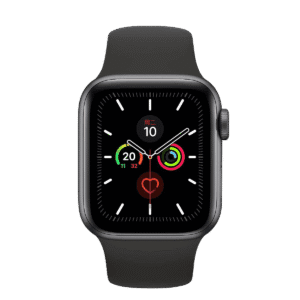
Wearables (smartwatches, health monitors)
- Size: 0.96″-1.54″
- Resolution: 128×64 or 128×128
- Color: Monochrome or full-color
- Key parameters: Ultra-thin (<1.5mm), ultra-low power, sleep current <1mA
- Interface: I²C (pin-saving)
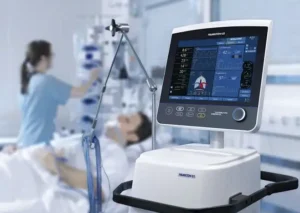
Medical Devices (patient monitors, portable diagnostic equipment)
- Size: 1.3″-2.23″
- Resolution: 128×64 or higher
- Color: Monochrome or dual-color (reduces visual distraction)
- Key parameters: High contrast (2000:1), wide temp (-40°C~+85°C), long life (50k hours)
- Certifications: Must comply with medical device EMC and safety requirements
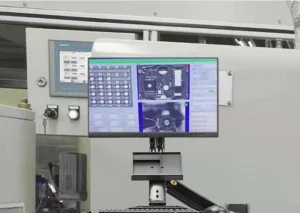
Industrial Automation (PLC panels, HMI)
- Size: 2.23″-3.12″
- Resolution: 128×64 or 256×64
- Color: Monochrome or zone-color
- Key parameters: Anti-vibration, wide temp, parallel interface support (fast refresh)
- Extra features: May need integrated touch or ambient light sensors
Automotive Displays (instrument clusters, auxiliary screens)
- Size: 1.3″-2.42″
- Resolution: 128×64 or 128×128
- Color: Monochrome or full-color
- Key parameters: High temperature tolerance (engine compartment needs +85°C), 20G anti-vibration, IATF 16949 certification

Smart Home (thermostats, access control panels)
- Size: 0.96″-1.54″
- Resolution: 128×64 or 128×128
- Color: Full-color (enhances user experience)
- Key parameters: Low power, capacitive touch support, aesthetic COG design
4.2 OLED vs LCD: When to Choose OLED
While OLED has many advantages, it’s not suitable for every scenario. Here’s a decision reference:
| Scenario Characteristic | Recommended Choice | Reason |
|---|---|---|
| Extremely space-constrained (<2mm thickness) | OLED | LCD needs backlight module, can’t get this thin |
| Battery-powered, long standby time | OLED | Dark interface power consumption 60%+ lower |
| Need ultra-high contrast, pure black background | OLED | Self-emitting characteristic, 2000:1 contrast |
| Display content mainly static text | OLED | But watch for burn-in risk |
| 24/7 continuous fixed image display | LCD | OLED long-term static display prone to burn-in |
| Outdoor high-brightness environment | High-brightness LCD | OLED brightness ceiling usually lower than high-brightness LCD |
| Extremely cost-sensitive, high volume | LCD | OLED unit price still higher than LCD |
| Need very large size (>10 inches) | LCD | Large-size OLED cost is extremely high |
4.3 Burn-In Countermeasures
Burn-in is an inherent OLED flaw—long-term static display causes uneven pixel aging speeds, creating ghost images. But in industrial applications, this is manageable:
Hardware level:
- Choose driver ICs with pixel shifting functionality—the image shifts slightly, preventing fixed pixels from working under high load continuously
- Choose products with brightness decay compensation circuits that automatically balance pixel aging speeds
Software level:
- Avoid fixed UI elements staying in the same position long-term during interface design
- Set up screen savers that automatically switch display content or dim brightness when idle
- Regularly execute pixel refresh cycles to calibrate TFT electrical characteristics
Selection level:
- If the device truly needs 24/7 fixed display (like status indicator lights), consider LCD instead of OLED
- Or choose industrial OLED modules with dynamic pixel shifting, such as JicTech’s 2.23-inch model which has this protection built-in
5. What an Excellent OLED Display Supplier Should Have
Choosing a supplier is as important as choosing the product itself. Here are four core dimensions:
5.1 Technical Strength and Customization Capability
Industrial projects rarely can use off-the-shelf products directly. Your device might need:
- Non-standard sizes (like 1.2 inches instead of standard 1.3 inches)
- Irregular cutting (round, rounded corners, transparent window designs)
- Special interfaces (like if your host only has UART and needs protocol conversion)
- Integrated touch, ambient light sensors, or even antennas built into the screen FPC
Excellent suppliers should have true vertical integration capability—from glass substrate cutting, driver IC bonding, FPC design to module assembly, full-process autonomous control. This enables fast response to customization needs instead of layer-by-layer outsourcing that stretches timelines.
JicTech performs well in this area, supporting prototype verification within 7 days, with non-standard sizes and flexible cutting available.
5.2 Quality Certification System
Industrial customer audits are typically strict—supplier certification qualifications are the entry threshold:
- ISO 9001: Quality management system, basic requirement
- IATF 16949: Automotive industry quality management system—if your customer is an OEM or Tier 1 supplier, this is mandatory
- ISO 14001: Environmental management system, increasingly important
- RoHS/REACH: Environmental regulation compliance, essential for European exports
- MIL-STD-810G: Military environmental testing standard—not mandatory, but proves product reliability
5.3 Delivery Capability and Response Speed
Delivery timelines directly impact your project schedule. Pay attention to:
- Prototype lead time: Excellent suppliers can deliver custom prototypes within 7-10 days
- Mass production cycle: 15-25 days for batch production is a good industry standard
- MOQ flexibility: Can they support small-batch projects? Some suppliers accept orders as low as 50 pieces
- Capacity stability: Does the supplier have their own production line or rely on contract manufacturing? The latter is prone to supply disruptions during peak seasons
5.4 After-Sales Support and Technical Support
OLED modules don’t just work out of the box—the importance of technical support is often underestimated:
- Driver code support: Does the supplier provide initialization code and example programs for your host platform?
- FAE response speed: When display anomalies or communication failures occur, can they provide solutions within 24 hours?
- Documentation completeness: Are datasheets, interface timing diagrams, and reliability test reports complete?
- Warranty policy: How long is the warranty period? Does it cover OLED-specific issues like burn-in?
6. OLED Display Selection Guide: JicTech Product Reference
If you’re looking for an industrial OLED supplier, JicTech (Shenzhen Jiesheng Weiye Electronics Co., Ltd.) is worth considering. Founded in 2003, they specialize in industrial display modules and have passed IATF 16949, ISO 9001, and ISO 14001 certifications.
Here are reference parameters for several representative products to aid your selection:
| Model | Size | Resolution | Key Features | Applications |
|---|---|---|---|---|
| 0.96″ Ultra-Low-Power OLED | 0.96″ | 128×64 | -40°C~+85°C, sleep current <1.5mA | Wearables, portable devices |
| 1.3″ Industrial OLED | 1.3″ | 128×64 | 2000:1 contrast, COG design | Medical devices, industrial HMI |
| 2.23″ High-Brightness OLED | 2.23″ | 128×64 | 140 cd/m² brightness, 50k hour lifespan, pixel shifting anti-burn-in | PLC panels, automotive auxiliary displays |
| 3.12″ Wide-Screen OLED | 3.12″ | 256×64 | 1.45mm ultra-thin, 2.8-5.5V wide voltage input | Bar info display, smart home |
Their products cover I²C, SPI, and parallel interfaces, with driver ICs including common models like SSD1306 and SH1107. If you have customization needs—special sizes, irregular cutting, integrated touch—they can also produce prototypes in relatively short timeframes.
Website reference: https://jiclcd.com/oled/
7. Frequently Asked Questions (FAQ)
Q1: How do I choose between OLED and LCD for industrial equipment?
A: It depends on your priorities. If you need ultra-thin, low power, high contrast, and your display content changes (not 24/7 fixed), OLED is the better choice. But if your device operates in outdoor high-brightness environments, needs very large sizes, or has an extremely tight budget, LCD may be more suitable. Simply put: space-constrained + battery-powered + dynamic content = choose OLED; fixed image + large size + low cost = choose LCD.
Q2: How do I solve OLED burn-in issues in industrial devices?
A: Address it on three levels: First, at selection, choose industrial OLED modules with pixel shifting functionality. Second, in software design, avoid fixed UI elements staying long-term, add screen savers and auto-sleep. Third, if the device truly needs long-term static display, consider LCD as an alternative, or choose OLED products with dynamic brightness compensation.
Q3: What is the typical MOQ when procuring OLED displays?
A: Industrial OLED MOQs are much more flexible than consumer-grade. Standard products typically start at 50-100 pieces, with some suppliers accepting orders below 50 pieces. Custom products have higher MOQs, but compared to LCD modules, OLED’s small-batch friendliness is better, making it suitable for project initial validation phases.
Q4: Should I choose SSD1306 or SH1107 for the driver IC?
A: If you prioritize development speed and ecosystem maturity, choose SSD1306—Arduino, STM32 libraries are abundant, and it’s easy to find compatible modules when switching suppliers. If you need higher resolution (like 128×128), better edge alignment, or hardware scrolling functionality, choose SH1107.
Q5: What is the typical delivery lead time for OLED displays?
A: For standard products in stock, 3-5 days shipping. For custom prototypes, excellent suppliers can deliver within 7-10 days. Mass production typically takes 15-25 days, including material preparation, production, and testing time. We recommend reserving at least one month in your project schedule for procurement to avoid delays affecting final assembly.
That’s the complete guide on how enterprises should procure OLED displays. From principles to selection, from process to supplier evaluation, we hope this helps you avoid detours. If you have specific project requirements, we recommend contacting suppliers directly for customized solutions—after all, even the best article can’t replace a face-to-face technical discussion.