







Overview
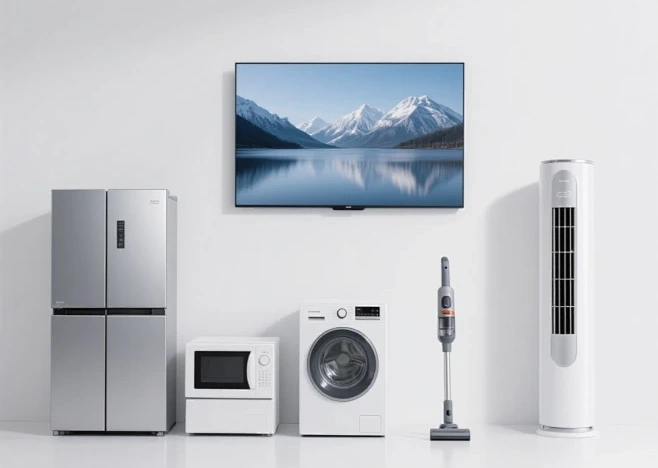
To be honest, when most people first hear the term “smart home display,” they probably picture the big-screen TV in the living room. But in the smart home world, the concept is much broader—it could be a control panel embedded in the wall, a small speaker with a screen sitting on the kitchen counter, or a faint interface layered over the bathroom mirror. Simply put, anything with a screen, internet connectivity, and the ability to control household devices or display information basically falls into this category.
As smart homes have gained popularity in recent years, displays have become increasingly important. In the past, controlling lights or curtains meant unlocking your phone, finding the app, and waiting for it to load. Now, with a screen mounted on the wall, a simple tap—or even a voice command—gets the job done. This “what you see is what you get” interaction is far more intuitive than pure voice commands or smartphone controls.
Smart Home Display Categories
By size, common smart home displays on the market roughly fall into these categories:
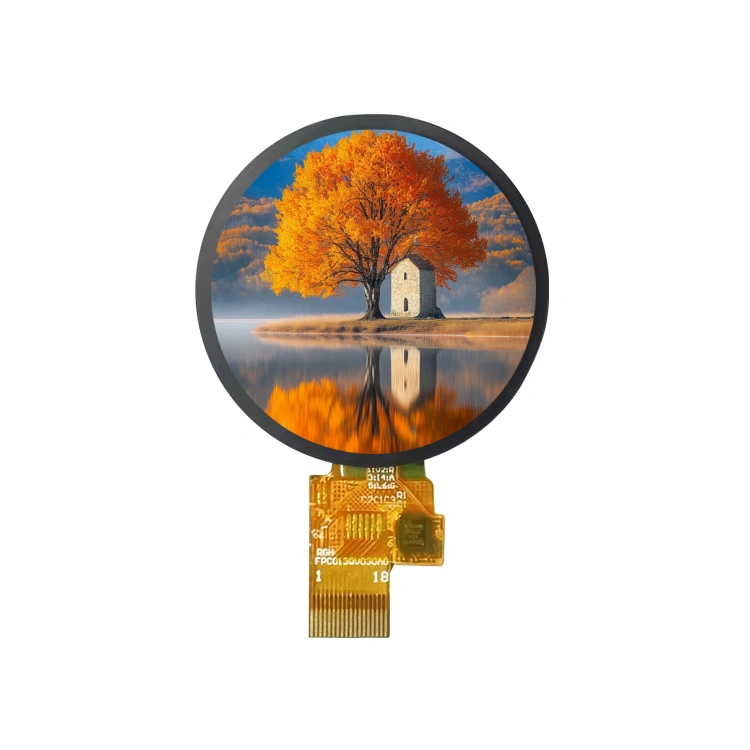
0–5 inches: These are the “small but beautiful” options. Indoor units for smart doorbells, small screens on thermostats, and displays on some smart speakers typically fall in this range. 3.5-inch and 4-inch screens are especially common in smart home control panels—they don’t take up much space, are cost-effective, and are suitable for displaying simple information like temperature, humidity, and on/off status. Some high-end thermostats use circular small screens for a more design-forward look.
5–10 inches: This is currently the most active segment. Smart central control screens in kitchens, bedside speakers with displays, and family information panels near the front door mostly fall in this range. Devices around 8 inches are particularly popular—the screen is large enough to display recipes and video call interfaces without taking up too much counter space. Many smart speakers with screens come in this size, striking a good balance between practicality and placement convenience.
10–15 inches: At this level, you’re looking at serious control hubs. Family smart screens in the entryway and intelligent control terminals in meeting rooms often fall between 10 and 15 inches. Screens this size can be more “professional”—displaying multiple device statuses in split-screen, viewing surveillance footage, and even doing some simple scene editing. The experience is noticeably better than smaller screens.
15 inches and above: These are the “big guys.” Smart magic mirrors in the living room, whole-home central control large screens embedded in walls, and some devices that are essentially TVs or dedicated displays with smart home functionality. 15.6-inch industrial-grade screens are quite common in the smart home space. Some villas or large apartments install these large screens as “family command centers”—one screen to manage the entire home.
Pros and Cons
Advantages
The most obvious is ease of interaction—elderly people and children can understand them instantly, unlike voice assistants that require remembering wake words and learning commands. Second, information is displayed centrally—weather, schedules, and device status are all visible at a glance. Furthermore, many screen-equipped devices become part of the home decor themselves, and good UI design can genuinely enhance the sense of technology in a home.
Disadvantages
First, there’s cost—adding a screen is significantly more expensive than pure voice or button controls, especially for large touchscreens. Second, there’s installation—small screens are fine, but large screens require considering wiring, wall load-bearing capacity, and even heat dissipation. Then there’s the privacy concern—having a large screen with a camera in the bedroom always feels a bit odd. Additionally, screens are power-hungry devices, and keeping them on 24/7 can add up on the electricity bill.
Choosing a Smart Home Display Manufacturer
If you’re a brand developing smart home products or currently looking for a display supplier, here are some practical suggestions:
Step one: Figure out exactly what you need. Do you just need a simple segment LCD showing numbers, or a full-color touchscreen? Will it be used indoors or outdoors? Does it need water and dust resistance? What’s the operating temperature range? These requirements directly determine what level of supplier you need to look for.
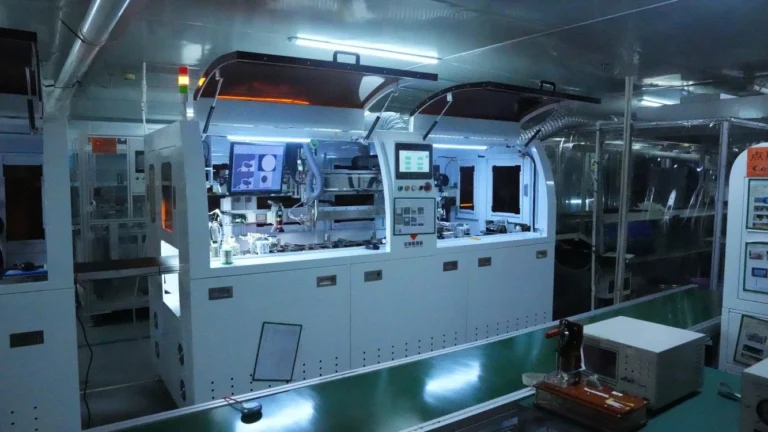
Step two: Evaluate the supplier’s “hard power.” Do they have their own production lines, factories, and R&D engineers, or are they pure trading companies? Can they provide samples for testing? Is their delivery schedule stable? Here’s a useful tip: ask if they can do customization. A manufacturer that actually produces goods can flexibly adjust screen size, interfaces, brightness, and touch methods; if they’re just reselling, they can usually only offer standard products.
Step three: Always prototype and test. No matter how good the parameters look on a spec sheet, the actual performance can differ significantly. Viewing angles, color temperature, touch sensitivity, and whether it overheats during long-term operation—these can only be known once you have a sample in hand. Reliable suppliers aren’t afraid of testing; in fact, they’ll proactively ask about your usage scenario and help optimize the solution.
Step four: Don’t just look at price. The display is the “face” of your product. Saving a bit of money only to end up with a pile of after-sales issues isn’t worth it. Focus on their quality control processes, whether they do aging tests, what their quality testing and factory inspection standards are, and what certifications they hold.
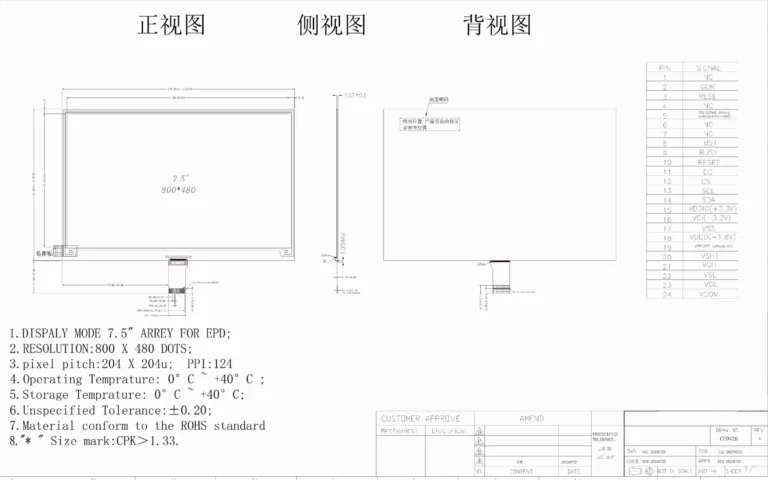
Speaking of which, I should mention Jictech. Jictech specializes in custom manufacturing of smart home displays, covering everything from screens just over 1 inch to those larger than 30 inches. They work with LCD, OLED, and even e-ink displays. They are an ISO/IATF certified manufacturer with their own factory and R&D engineers in Dongguan, China. They can produce according to customer requirements—they’re not a middleman broker. With their own production lines, they respond quickly to small-batch customization and prototyping. If you’re currently looking for a display solution, or if your existing supplier has unstable delivery schedules or insufficient customization capabilities, you can contact Jictech. Having one more option is always better than having one fewer.
Conclusion
Smart home displays have evolved from simple control panels to versatile family command centers. Whether you need a compact 4-inch screen for a hallway or a 15-inch hub for your living room, the key is matching the display to your specific use case. While they offer unmatched convenience and visual appeal, it’s important to weigh the costs, installation requirements, and privacy implications. For brands and developers, partnering with a capable manufacturer who can deliver quality, customization, and reliable support is essential to bringing a successful smart home display product to market.
FAQ
Q1: What’s the difference between a smart home display and an ordinary tablet?
A: The core difference lies in system positioning and connectivity protocols. Smart home displays typically have built-in home control protocols (such as Zigbee, Matter) that allow direct discovery and control of smart devices. Tablets run general-purpose operating systems and rely on apps as intermediaries for home control. Additionally, smart home screens are often designed for always-on or low-power standby operation, with brightness adjustment and touch response optimization tailored to fixed scenarios.
Q2: I already have a smart speaker at home. Is it necessary to add a display?
A: It depends on your usage scenario. If you mainly use it for listening to music, setting alarms, and checking the weather, a speaker is sufficient. But if you frequently need to view surveillance footage, visually adjust lighting color temperature, or have elderly family members who find operation difficult, adding a screen will significantly improve the experience. The two aren’t replacements for each other—they’re complementary.
Q3: What size should I choose?
A: For entryways and hallways where you just glance and go, 4–6 inches is enough. For kitchen counters and nightstands where you’ll stop and operate, 7–10 inches is comfortable. If you want it as a family central control or for the living room, 10 inches and above is needed to carry the space. Don’t blindly go for the biggest size—consider installation location and viewing distance.
Q4: Won’t keeping the display on all the time consume a lot of electricity?
A: It does consume more power than pure voice devices, but many products now have light sensors and proximity wake functions that automatically dim or turn off the screen when no one is around, so actual power consumption is fairly well controlled. If it’s an e-ink screen, you basically don’t need to worry about power consumption.
Q5: How long does it generally take to customize a smart home display?
A: Standard products are fast—if they’re in stock, they can ship within days. But for custom sizes, custom interfaces, or special brightness requirements, it’s roughly 2–3 weeks from design confirmation to sample production, and 4–5 weeks for mass production. The exact timeline depends on complexity and the supplier’s production schedule, so it’s best to communicate clearly in advance.