




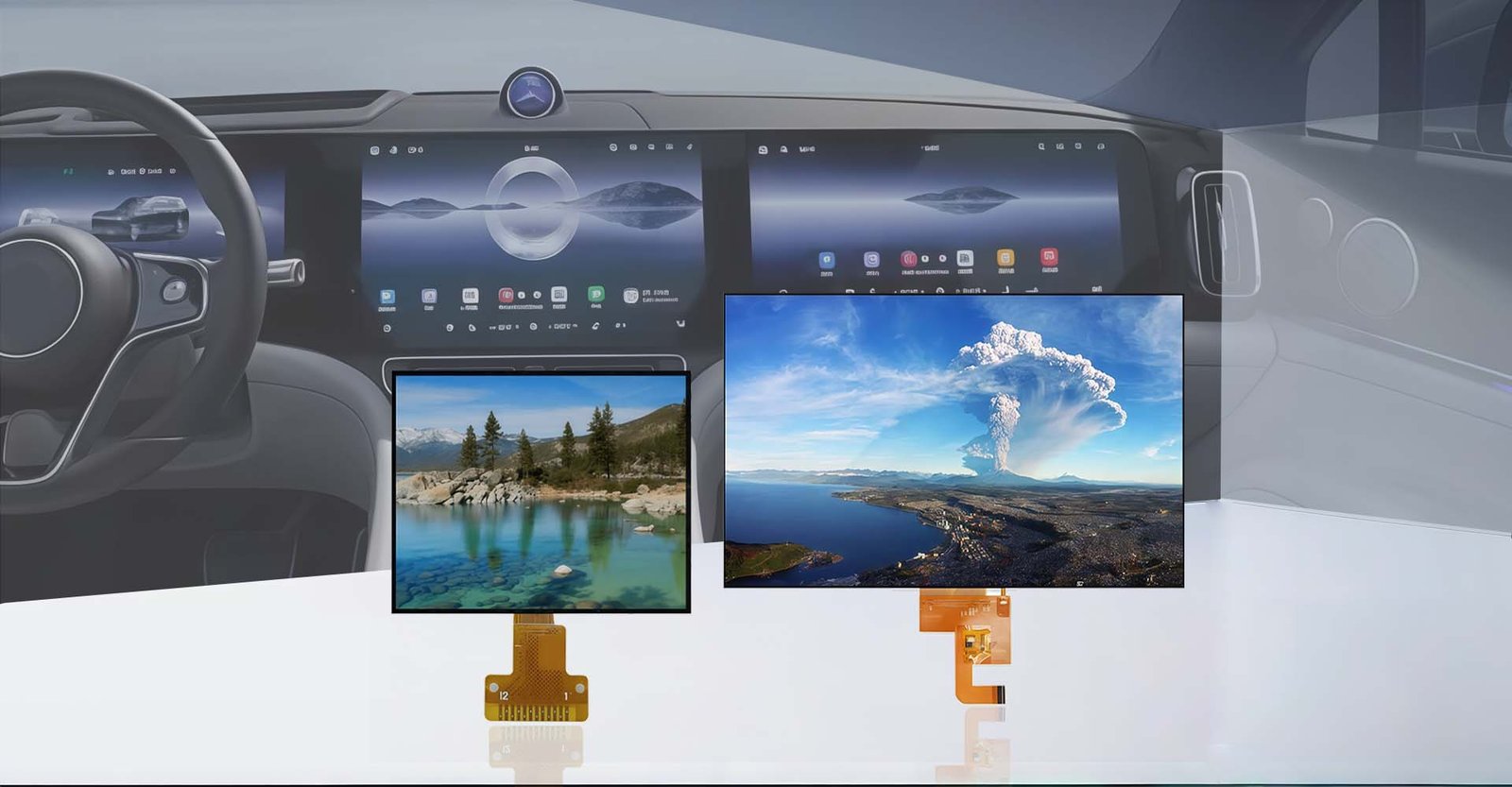

If you are looking for a quick answer, the automotive industry currently utilizes several distinct types of displays, primarily categorized by their location and function within the vehicle. The most common types include the Instrument Cluster (behind the steering wheel), the Center Information Display in the dashboard, Head-Up Displays projected onto the windshield, Electronic Side View Mirrors, and Rear Seat Entertainment screens. These screens are typically built using LCD, OLED, or emerging MicroLED technologies, chosen for their ability to withstand extreme temperatures and provide high brightness for daylight visibility.
The Evolution of the Digital Cockpit
Gone are the days when a car’s interior was defined solely by analog dials and plastic knobs. As we navigate through 2026, the modern vehicle has transformed into a “smart cockpit.” Based on industry observations, the display market has shifted from simple monochrome indicators to complex, high-resolution interactive surfaces.
This shift isn’t just about aesthetics; it is about safety and connectivity. The screens in your car are now the primary interface for critical driving data, infotainment, and vehicle control. Understanding the different types of displays helps in appreciating the engineering that goes into making them work seamlessly in a harsh automotive environment.
Key Display Locations and Functions
Automotive displays are not “one size fits all.” They are specialized based on where they are placed and what they need to achieve.
1. Instrument Cluster Displays
Located directly in the driver’s line of sight behind the steering wheel, this is arguably the most critical screen in the vehicle.
* Function: It displays real-time data such as speed, RPM, fuel/battery levels, and ADAS warnings (like lane departure).
* Tech Trend: We are seeing a massive move toward fully digital clusters (12.3 inches or larger) that can customize their layout. Unlike the old mechanical gauges, these use high-brightness TFT-LCD or OLED panels to ensure readability even when direct sunlight hits the dashboard.
2. Center Stack / Infotainment Displays
This is the “brain” of the car, located in the center console.
* Function: It controls navigation, media, climate settings, and smartphone integration (Apple CarPlay/Android Auto).
* Tech Trend: These screens have grown significantly, with many luxury vehicles now featuring massive 15-inch+ touchscreens or “floating” designs. In 2026, the trend is leaning towards curved OLEDs that merge seamlessly with the instrument cluster (Dual-Screen setups).
3. Head-Up Displays
HUDs project information onto the windshield glass, allowing the driver to keep their eyes on the road.
* Function: It shows speed, navigation arrows, and blind-spot monitoring without the driver looking down.
* Tech Trend: Standard HUDs are being replaced by AR-HUD. These use Augmented Reality to project navigation arrows that appear to “float” over the actual road ahead, merging the digital and physical worlds.
4. Electronic and Streaming Mirrors
This technology replaces traditional glass mirrors with cameras and screens.
* Function: A camera on the rear of the car feeds a video to a screen on the interior mirror.
* Advantage: It eliminates blind spots caused by rear passengers or headrests. It also performs exceptionally well at night by reducing glare from headlights behind you.
5. Rear Seat Entertainment
Common in SUVs and MPVs, these are for passenger comfort.
* Function: Usually mounted on the back of the front seats or dropped from the ceiling. They allow passengers to watch movies or play games independently of the driver.
️ Display Technologies: LCD vs. OLED vs. MicroLED
Choosing the right display technology is a balancing act between cost, performance, and durability.
| Technology | Characteristics | Pros & Cons |
|---|---|---|
| TFT-LCD | The industry standard for over a decade. Uses a backlight to illuminate pixels. | Pros: Cost-effective, highly durable, mature manufacturing. Cons: Lower contrast (blacks look gray), thicker panels. |
| OLED | Organic LEDs that emit their own light. No backlight is needed. | Pros: Perfect blacks, vibrant colors, flexible (can be curved). Cons: Risk of “burn-in” over time, higher cost, sensitive to extreme heat. |
| MicroLED | The premium choice for 2026. Uses microscopic inorganic LEDs. | Pros: Extremely bright (great for sunny days), no burn-in risk, long lifespan. Cons: Very expensive to manufacture, complex production process. |
Selection Guide: How to Choose the Right Display
If you are an automotive engineer, a custom builder, or simply curious about what makes a “good” screen, here is a guide on what factors matter most for different positions.
For the Driver (Instrument Cluster & HUD):
* Priority: Reliability and Brightness.
* Selection Criteria: You need a display with high luminance (brightness) to combat solar loading (when the sun heats up the screen and washes out the image). LCDs are often preferred here for their longevity, or high-end MicroLEDs for their clarity. The refresh rate must be high to prevent motion blur.
For the Center Console (Infotainment):
* Priority: Touch Response and Color.
* Selection Criteria: Since this is a touch interface, capacitive touch technology with fast response times is essential to prevent driver frustration. OLED is becoming the favorite here because it allows for curved designs that look sleek and modern.
For Rear Passengers:
* Priority: Resolution and Connectivity.
* Selection Criteria: Size matters less than connectivity. Modern rear displays are selected based on their ability to support wireless casting from tablets or phones. Durability against physical kicks or scratches from passengers is also a key factor.
️ The Challenge of Environmental Durability
Unlike your smartphone, an automotive display must survive a brutal environment. When selecting or evaluating these screens, one must consider the operating temperature range.
* Cold: Screens must function in temperatures as low as -30°C without the liquid crystals freezing or becoming sluggish.
* Heat: They must withstand dashboard temperatures that can exceed 85°C in the summer without the display turning black (a phenomenon known as “blackening”).
Furthermore, vibration resistance is critical. The display must be bonded securely to the dashboard to withstand years of driving on rough roads without developing dead pixels or connection failures.
Frequently Asked Questions
A standard HUD projects simple 2D data (like speed) onto a small piece of glass or the windshield. An AR-HUD projects a larger image that interacts with the real world, such as highlighting the specific lane you need to turn into or marking pedestrians, using Augmented Reality technology.
OLED screens are popular because they do not require a backlight, allowing for thinner and flexible designs. They offer “true blacks” and high contrast ratios, which makes the dashboard look more premium and reduces eye strain for the driver at night.
Yes, in many cases, you can upgrade to an aftermarket Android or CarPlay head unit. However, you must ensure the new display is compatible with your car’s CAN bus system to retain steering wheel controls and backup camera functionality.
Burn-in occurs when a static image is displayed for too long, leaving a permanent ghost image. While older plasma TVs suffered from this, modern automotive OLEDs use pixel-shifting technology to prevent it, though it remains a consideration for long-term durability.
Digital side mirrors offer a wider field of view and are not obstructed by rear passengers or cargo. They also perform better in rain and at night by reducing glare. However, some drivers find the lack of depth perception on a 2D screen difficult to get used to.