







1. First Things First: What Exactly Is an E-Paper Display?
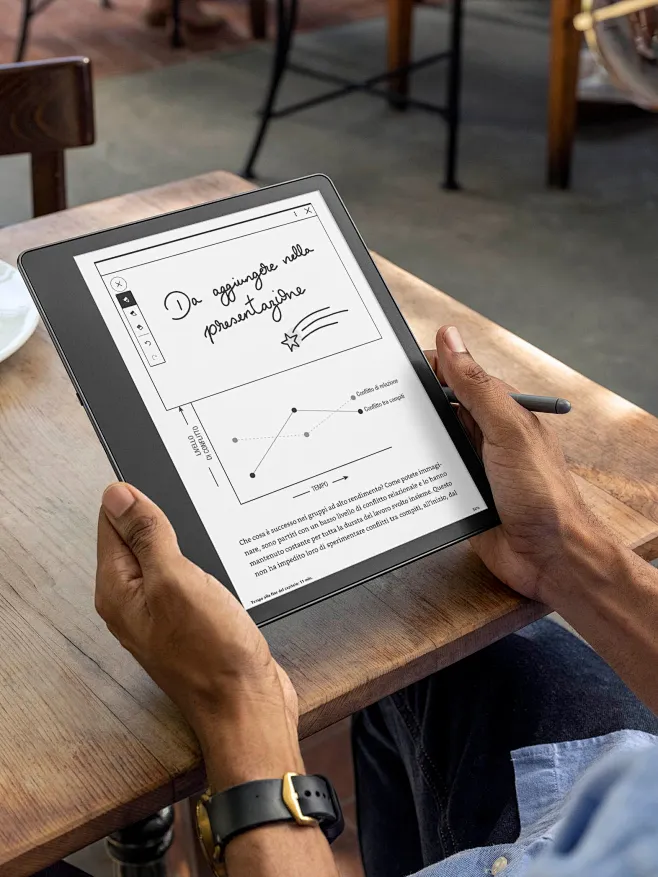
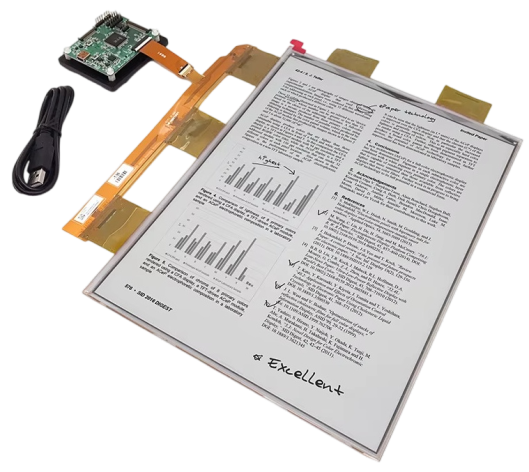
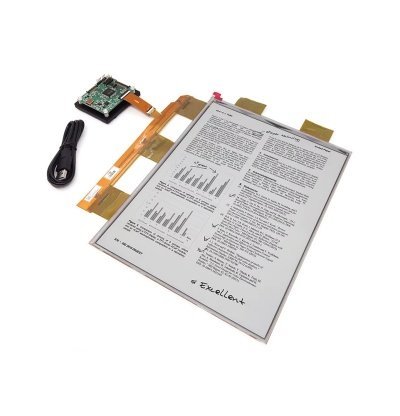
Honestly, when most people hear “e-paper display” for the first time, they picture some kind of high-tech ink. It’s actually not far off from the name, but the core technology is electrophoretic display — in simple terms, between two substrate layers there are millions of tiny colored particles suspended in fluid. Apply an electric field, and these particles move up or down to form images and text. No backlight, no constant power drain, just particles doing their thing.
Compared to LCD or OLED screens on phones and laptops, e-paper has some pretty quirky characteristics:
First off, it doesn’t emit light. It reflects ambient light just like real paper. That’s why your eyes don’t get strained reading on e-paper — there’s no blue light blasting straight into your retinas like with LCDs.
Second, it’s ridiculously power-efficient. It only draws power when the image changes. Once the content is static, power consumption drops to near zero. A coin cell battery can keep an electronic shelf label running for years. Try that with an LCD.
Third, viewing angles are massive. Look at it from the side, from above — the image stays crisp and clear. None of that color-shifting or contrast-dropping you get with LCDs at odd angles.
Fourth, it actually looks better in sunlight. LCDs turn into black mirrors under direct sun. E-paper? The brighter the ambient light, the higher the contrast. Just like a newspaper.
Of course, it’s not perfect. Slow refresh rates, no video playback (at least not traditionally), and color performance that can’t match LCDs. E-paper isn’t trying to replace LCDs — it carved out its own niche in specific scenarios where its strengths actually matter.
2. What Can E-Paper Actually Do? It’s Not Just Kindles
Mention e-paper and most people think of e-readers. That’s just the tip of the iceberg. The application space has exploded in recent years. Here’s a breakdown:
Retail — Electronic Shelf Labels (ESL)
Currently one of the biggest volume drivers. Those price tags in supermarkets and convenience stores that update automatically? E-paper. Change prices centrally, and thousands of labels sync instantly. No more staff running around swapping paper tags. Jictech offers ESL-dedicated screens from 1.54″ to 7.5″ — the 2.13″ JS0213BN01-A0 (250×122 resolution) is a sweet spot for standard shelf tags.
Logistics & Warehousing — Smart Labels
Reusable shipping labels, container tags. Write, erase, rewrite hundreds of times. Way more eco-friendly and cost-effective than printing a new paper label every single shipment.
Office — Digital Desk Signs & Meeting Room Displays
Meeting room “In Use / Available” signs used to be paper or LED. Now e-paper versions sync with calendars automatically. Double-sided digital nameplates for conferences? Swap attendee names with a tap — way classier than paper tent cards.
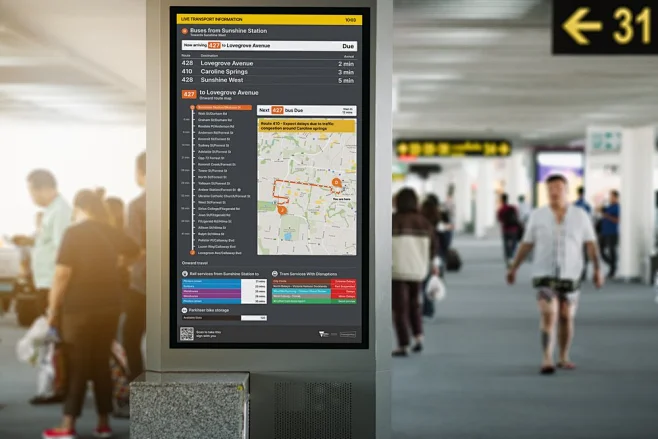
Public Transport — Bus Stops & Station Boards
Bus stop displays, subway route maps. The ultra-low power means solar panels can keep them running indefinitely — no trenching for power cables. And they stay readable in direct sunlight.
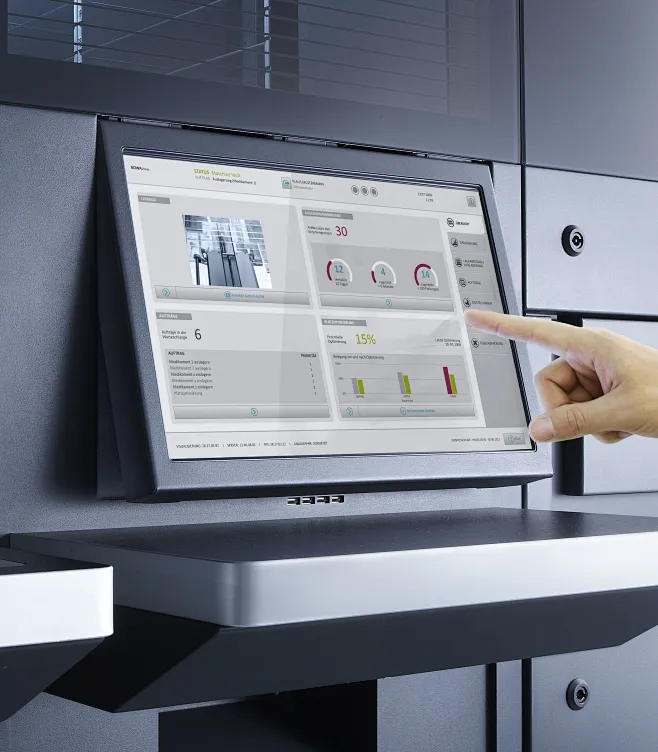
Industrial Instruments — Low-Power Data Display
Equipment that only needs periodic data updates benefits from e-paper’s set-it-and-forget-it power profile. Battery-powered gauges that last years between maintenance.
Wearables & Smart Cards
Flexible e-paper can curve and bend, making it ideal for smartwatches, smart cards, and other form factors where thin and light matters.
3. Choosing an E-Paper Display: What Parameters Actually Matter?
Picking a display sounds complicated, but it boils down to one rule: match the specs to your application. Here’s the breakdown of key parameters.
Screen Size: Bigger Isn’t Always Better
Jictech’s lineup spans 1.54″ to 13.3″. Size directly ties to use case:
| Size Range | Typical Applications | Jictech Reference Models |
|---|---|---|
| 1.54″ | Small labels, wearables, smart cards | JS0154NQ01-A0 (200×200) |
| 2.13″–2.9″ | Standard ESL, logistics tags | JS0213BN01-A0 (250×122), JS0270MN12-A0 (176×264) |
| 3.52″–4.2″ | Medium info panels, portable devices | JS0352N14-A0 (240×360), JS0420MN11-A0 (400×300) |
| 5.83″–7.5″ | Desk signs, small dashboards, industrial gauges | JS0583HNV03-A0 (648×480), JS0750MWW11-TNG-A0 (800×480) |
| 10.2″–13.3″ | E-readers, large info boards, digital newspapers | JS1020HN01-A0 (960×640), JS1030N02-A0 (1680×2240) |
Practical tip: ESL applications are fine at 2–3″. Going larger just wastes money. For e-readers or public signage, 10″+ is necessary — anything smaller and text becomes a squinting exercise.
Resolution: Good Enough Is Good Enough
E-paper resolutions don’t chase the 2K/4K arms race like phone screens. The physics of the technology means pixel density has a practical sweet spot. Jictech’s range runs from 200×200 up to 1680×2240.
How to know if it’s enough? Look at your content. Price + product name? 250×122 handles it fine. Newspaper layouts or PDF documents? You’ll want at least 960×640. Something like the JS1030N02-A0 at 1680×2240 on a 10.3″ panel makes A4 documents genuinely comfortable to read.
Color: Black & White Works, But Three-Color Has Impact
E-paper color options break down as:
- Black & White: Cheapest, fastest refresh, baseline option. Pure text and simple icons.
- Black / White / Red or Yellow (Three-Color): Adds an accent color. Red screams “SALE” or “LOW STOCK.” Yellow highlights important notices. Jictech’s three-color panels are popular in retail ESL for this exact reason — that pop of color grabs attention instantly.
- 16-Level Grayscale: Handles photo tones and image depth. Useful when product images need to display.
Selection advice: Pure info display → B&W. Need emphasis or alerts → Three-color. Photo/image display → Grayscale.
Refresh Speed: Match It to Your Update Frequency
Jictech categorizes refresh into three tiers:
| Refresh Type | Speed | Best For | Caveats |
|---|---|---|---|
| Standard Refresh | ~0.3–1 sec | ESL updates, static signage | Slight flash on update, but minimal ghosting |
| Fast Refresh (Partial) | Faster | UI elements needing frequent updates | Some ghosting possible — trade-off for speed |
| Ultra-Fast Refresh | Animation-capable | Simple motion effects | Don’t expect LCD-smooth video; e-paper animation has limits |
Real-world selection: 90% of ESL and static signage applications are perfectly fine with standard refresh. Only consider fast refresh for interactive devices with buttons or touch input.
Temperature Range: Don’t Overlook This
A lot of buyers focus on size and resolution, then watch their product fail the first winter in Harbin or summer in Dubai.
Jictech offers two temperature grades:
- Industrial: -20°C to 70°C — Indoor and mild outdoor use
- Extended: -40°C to 85°C — Cold chain logistics, extreme climates, hot industrial environments
If you’re building cold storage tags or outdoor bus stops, this parameter is non-negotiable. E-paper refresh slows dramatically or fails outright at low temperatures without proper waveform optimization.
Interface & Drive Voltage: Talk to Your MCU
Jictech panels support SPI, I²C, and parallel interfaces:
- SPI: Fewer wires, good for pin-constrained MCUs, moderate speed
- I²C: Minimum wiring, simplest design, slowest throughput
- Parallel: Fastest, best for high-volume data refresh
Drive voltage matters too — 3.3V vs 5V needs to match your system. Some Jictech panels support wide voltage ranges, giving more design flexibility.
Flexible vs. Rigid: Form Factor Determines Application
- Rigid: Traditional glass substrate, lower cost, better display quality. Standard applications.
- Flexible/Bendable: Can curve and conform. Smart cards, wearables, curved surfaces.
Jictech supports custom shape cutting — you’re not locked into rectangles. Circles, rounded corners, even irregular shapes are possible. This matters when differentiation is part of your product strategy.
4. Industry-by-Industry Selection Guide
Retail (Electronic Shelf Labels)
Core needs: Low cost, long battery life, batch management, sunlight readability
Recommended config:
- Size: 2.13″ (JS0213BN01-A0) or 2.66″ (JS0266NQ04-A0)
- Color: Three-color (B/W/Red) — red pops for promotions
- Refresh: Standard
- Temperature: Industrial grade
- Interface: SPI or I²C for simplified wiring
Why: Labels need to run months or years on a single battery. Three-color drives conversion rates by making discounts impossible to miss.
Logistics & Warehousing (Smart Labels / Container Tags)
Core needs: Durability, temperature resilience, rewritable, impact-resistant
Recommended config:
- Size: 2.9″ (JS0290YN01-A0) or 4.2″ (JS0420NQ04-A0)
- Color: B&W or three-color
- Temperature: Extended grade (-40°C to 85°C) — mandatory for cold chain
- Structure: Thin profile for easy attachment
Why: Warehouse environments are brutal. Freezers hit -30°C, loading docks hit 60°C in summer. Temperature headroom isn’t optional.
Office (Digital Desk Signs / Meeting Room Displays)
Core needs: Professional appearance, dual-sided display, low power, easy mounting
Recommended config:
- Size: 5.83″ (JS0583HNV03-A0) or 7.5″ (JS0750MWW11-TNG-A0)
- Color: 16-level grayscale or three-color for logos and names
- Add-ons: Front light (dim meeting rooms), touch integration
- Structure: Ultra-thin module, dual-sided design
Why: A cheap-looking desk sign defeats the purpose. Front light is a lifesaver in poorly lit conference rooms.
Public Transport (Stop Signs / Info Boards)
Core needs: Outdoor visibility, solar power compatibility, zero maintenance
Recommended config:
- Size: 10.2″ (JS1020HN01-A0) or 13.3″ (JS1330DNGG5-A0)
- Color: B&W or grayscale
- Temperature: Extended grade
- Refresh: Standard
- Structure: Protected housing
Why: Municipal departments love “install and forget” solutions. Solar panels + e-paper = no power infrastructure + no maintenance for years.
E-Readers / Document Viewers
Core needs: Paper-like reading experience, high resolution, front light, touch
Recommended config:
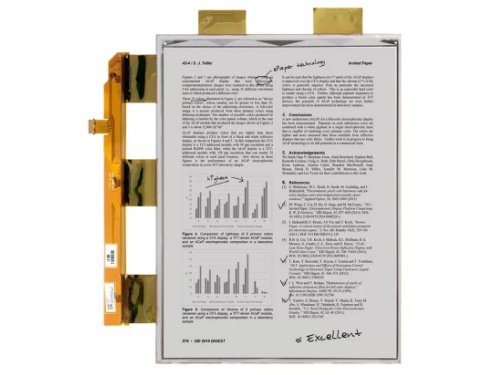
- Size: 10.3″ (JS1030N02-A0, 1680×2240) or 13.3″
- Color: 16-level grayscale for charts and images
- Add-ons: Front light, touch layer, partial refresh
- Resolution: As high as possible — minimum 1024×758
Why: Reading PDFs on anything under 10″ is a squinting nightmare. At 1680×2240, A4 document text edges stay crisp.
Industrial Instruments
Core needs: Wide temperature, EMI resistance, long lifespan, low power
Recommended config:
- Size: 3.52″ (JS0352N14-A0) to 6″ (JS0600N06-A0)
- Temperature: Extended grade
- Color: B&W for parameters and status
- Interface: Parallel or SPI depending on data volume
Why: Industrial floors are electrically noisy. E-paper doesn’t emit light, so it’s naturally more EMI-resistant than LCDs. Static display = zero power drain — perfect for battery-powered portable gauges.
5. Pitfalls to Avoid When Selecting
Pitfall 1: Looking at resolution without checking PPI
960×640 on a 5″ panel vs. a 10″ panel — pixel density doubles. Calculate PPI for your target size. Reading applications should aim for 150+ PPI.
Pitfall 2: Ignoring ghosting
After refresh, previous frame residue can linger — “ghosting” or “after-image.” Standard refresh controls this best. Fast refresh trades speed for some ghosting. If image purity matters (e-readers), don’t chase fast refresh unnecessarily.
Pitfall 3: Cutting temperature margins too close
Some buyers pick industrial grade (-20°C to 70°C) to save cost, then watch products fail in Harbin winters or Middle Eastern summers. Leave at least 10°C headroom. Outdoor devices should default to extended grade.
Pitfall 4: Forgetting about front light
Customers love the “no backlight” feature until the device goes into a dim room and becomes unreadable. If lighting conditions vary, spec front light or at least预留 the interface for it.
Pitfall 5: Picking the wrong interface
I²C saves pins on small projects, but if you’re pushing large images or doing partial refresh, I²C bandwidth becomes a bottleneck. Assess data throughput and MCU resources upfront.
6. Mapping Jictech’s Lineup to Your Needs
Jictech covers the full spectrum. Here’s a quick reference based on the selection logic above:
| Your Application | Recommended Size | Reference Models | Key Spec Priorities |
|---|---|---|---|
| Small labels, wearables | 1.54″ | JS0154NQ01-A0 | 200×200, B&W or 3-color, SPI |
| Standard retail ESL | 2.13″–2.9″ | JS0213BN01-A0, JS0290YN01-A0 | 3-color, standard refresh, industrial temp |
| Medium panels, portable devices | 3.52″–4.2″ | JS0352N14-A0, JS0420MN11-A0 | 240×360 or 400×300, front light optional |
| Desk signs, small dashboards | 5.83″–7.5″ | JS0583HNV03-A0, JS0750MWW11-TNG-A0 | 648×480 or 800×480, touch + front light |
| E-readers, large signage | 10.2″–13.3″ | JS1020HN01-A0, JS1030N02-A0 | 960×640 or 1680×2240, grayscale, front light |
| Cold chain, extreme environments | 2.9″–4.2″ | JS0290YN01-A0, JS0420NQ04-A0 | Extended temp -40°C to 85°C |
| Flexible / custom shapes | Custom | Custom shape cutting supported | Flexible substrate, custom dimensions |
7. FAQ: Common E-Paper Questions
Q1: Can e-paper play video?
Traditional e-paper refresh is too slow for fluid video — you’d get a slideshow effect. Jictech’s ultra-fast refresh can handle simple animations and motion effects, but don’t expect LCD-level video. If smooth video is a hard requirement, e-paper isn’t your solution. For occasional simple animations, ultra-fast refresh is worth testing.
Q2: How much more expensive is three-color vs. B&W? Is refresh much slower?
Three-color costs more due to the added color particle layer and more complex manufacturing. Refresh speed is slightly slower than B&W, but in ESL applications where updates happen every few seconds or minutes, the difference is imperceptible. If budget allows, three-color’s information hierarchy and attention-grabbing power significantly outperform B&W.
Q3: What’s the lifespan? Does it burn in like LCDs?
E-paper has no backlight, so no LCD-style burn-in. Lifespan is measured in refresh cycles — typically hundreds of thousands to millions of refreshes. For ESL updating a few times daily, that’s 10+ years. For e-readers, hundreds of thousands of page turns covers several years easily.
Q4: Does flexible e-paper sacrifice display quality vs. rigid?
Early flexible panels lagged behind glass-based rigid panels, but the gap has narrowed considerably. Jictech’s flexible panels approach rigid panel contrast and clarity. The main differences are bendability and reduced thickness/weight. If your product needs curved surfaces or extreme thinness, flexible is the better choice.
Q5: How difficult is e-paper product development?
Jictech provides standard drivers for SPI, I²C, and parallel interfaces — most mainstream MCUs support these, so getting started isn’t hard. The trickier part is refresh algorithm optimization: minimizing ghosting, temperature-compensated waveforms, partial refresh implementation. If your team lacks e-paper experience, grab Jictech’s reference designs and driver code. It’ll save you weeks of trial and error.
Closing Thoughts
Choosing an e-paper display ultimately comes down to application-driven selection. It’s not a universal solution, but for low-power, outdoor-visible, long-duration static display scenarios, nothing else comes close. Figure out what your application actually demands — cost vs. experience priority, indoor vs. outdoor, static vs. occasional dynamic — then filter specs accordingly.
Jictech’s product line spans 1.54″ to 13.3″, from B&W to three-color, rigid to flexible, industrial to extended temperature ranges. If you’re building ESL, smart labels, desk signs, or e-readers, check their website at Jictech e-paper for detailed specs, order samples, and test them in real conditions. Nothing beats hands-on validation.