








introduction
If you’ve ever used an electronic shelf label in a freezer aisle or deployed digital signage outdoors in direct sunlight, you may have noticed something odd: the display doesn’t always perform the way it does at room temperature.
That’s because e-paper displays—despite looking like paper and sharing some of its optical qualities—are electronic devices. And like all electronics, they respond to temperature. The difference is that e-paper responds in ways that aren’t always obvious, and if you don’t account for them, your application can suffer.
Here’s what actually happens to e-paper display performance across temperature ranges, and what we do at the module level to keep it reliable.
How E-Paper Works (in Plain Language)
Before we get into temperature effects, let’s briefly cover what’s happening inside the display.
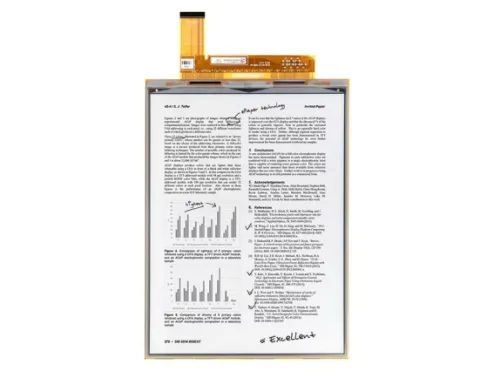
E-paper uses electrophoretic display (EPD) technology. Inside each pixel, there are tiny microcapsules filled with a clear fluid containing positively charged white particles and negatively charged black particles. Apply a voltage, and the particles move—white to the top, black to the bottom, or vice versa. That movement creates the image you see.
The catch? Those particles are moving through liquid. And liquid changes behavior when temperature changes. That’s where things get interesting.
How Temperature Affects E-Paper Display Performance
Cold Temperatures: When Particles Slow Down
Low temperature is the bigger challenge for e-paper.
As the temperature drops, the fluid inside the microcapsules becomes more viscous. Think of it like honey straight from the fridge versus honey warmed up. The particles have to push through thicker liquid, which means they move slower.
What does that mean in practice?
Slower refresh time. At room temperature, a typical e-paper display might refresh in a few hundred milliseconds. At 0°C or below, that same refresh can take several seconds. For applications that update frequently—like a warehouse picking label that changes with every order—that delay becomes a real problem.
Reduced contrast. When particles don’t reach their full travel distance, you get gray instead of black, and off-white instead of white. The display looks washed out.
More image ghosting. Particles that don’t fully reset leave traces of the previous image behind. You’ve probably seen this on an e-reader that’s been sitting in a cold car overnight.
Higher voltage requirement. To overcome the increased viscosity, the display needs more drive voltage. That puts additional stress on the driver circuitry.
We’ve seen these effects become noticeable below 0°C and significant at -10°C to -20°C, depending on the specific film type.
Hot Temperatures: A Different Set of Problems
Heat presents its own challenges, and they’re often counterintuitive.
At high temperatures, the fluid becomes less viscous, so particles actually move faster. That sounds like a good thing—faster refresh, right? But it comes with trade-offs.
Contrast degradation. The fluid expands when hot, changing the spacing between particles. The optical performance shifts, and you lose the crisp black-white distinction.
Reduced image retention. E-paper’s bistability—the ability to hold an image without power—relies on particles staying put once they’ve moved. At elevated temperatures, particles drift more easily. The image starts to fade or degrade sooner than it should.
Material stress. Adhesives, sealants, and the film itself all age faster at sustained high temperatures. The module’s long-term reliability takes a hit.
We typically see these issues above 50°C, and they become pronounced at 60°C and beyond.
Temperature Swings: The Hidden Variable
It’s not just absolute temperature. Rapid changes matter too.
Take a device that’s been sitting in a cold delivery truck all night and gets brought into a warm warehouse. The display’s temperature lags behind the ambient air, and the drive parameters that worked at one temperature no longer match the actual state of the film.
Then there’s the mechanical side. The glass backplane, the adhesive layers, and the plastic film all expand and contract at different rates. Over enough cycles, that differential movement can cause delamination or stress fractures.
For outdoor applications or any product that moves between environments, this is a real concern.
How We Optimize E-Paper Modules for Temperature
Wide-Temperature Design
The first line of defense is choosing the right materials.
Not all e-paper films are created equal. Standard films might be rated for 0°C to 40°C. Wide-temperature films extend that range—typically to -20°C on the low end and 60°C on the high end, sometimes further depending on the specific product.
But the film is only part of the equation. The adhesives that bond layers together, the sealant that protects the edges, and the cover glass or film all need to perform across that same range. A weak link anywhere in the stack compromises the whole module.
We select materials that maintain their properties across the full operating range and qualify them through thermal cycling tests—not just static hot and cold, but repeated transitions between extremes.
Temperature-Compensated Waveforms
This is where the real engineering happens.
A waveform is the sequence of voltage pulses that drives particles to their correct positions. It’s essentially the “instruction manual” for each refresh cycle. And it needs to change with temperature.
At cold temperatures, the waveform needs longer pulse durations and sometimes higher voltages to push particles through thicker fluid. At hot temperatures, it needs shorter pulses to avoid over-driving particles that are already moving too fast.
Modern e-paper modules include an onboard temperature sensor that feeds real-time data to the driver IC. The driver then selects the appropriate waveform from a lookup table or adjusts parameters algorithmically.
The quality of this temperature compensation is what separates a good module from a great one. Poor compensation means inconsistent image quality across seasons. Good compensation means the display looks right whether it’s installed in a Finnish warehouse or a Singaporean retail store.
We spend significant development time tuning these waveforms for each module we produce. The compensation isn’t a one-size-fits-all formula—it depends on the specific film, the backplane design, and even the intended use case.
Hardware Thermal Management
There are also physical design choices that help.
The FPC (flexible printed circuit) layout can be optimized to minimize heat transfer from other components. If your product has a battery or processor nearby, that heat shouldn’t find its way into the display.
The backplane design affects how heat distributes across the display area. Uniform temperature means uniform performance. Hot spots create inconsistent optical behavior.
For extreme cold applications—think Arctic logistics or cold-chain monitoring—some modules can include a built-in heating element. It’s not common, but for specialized use cases, it’s an option we offer.
None of this is flashy. But it’s the kind of detail that determines whether a module survives two years in the field or fails after six months.
How to Choose the Right E-Paper Module for Your Temperature Environment
If you’re sourcing e-paper modules for a product, here’s what to ask yourself—and your supplier:
What’s the real operating range? Not the ideal range, but the actual range your device will experience. Indoor retail is one thing. Outdoor signage in Phoenix, Arizona is another. Cold-chain logistics is a third. Be honest about the extremes.
How often does it update? A display that refreshes once a day can tolerate slower refresh at cold temperatures better than one that refreshes every 30 seconds. Match the module’s capabilities to your actual refresh requirements.
Does it move between environments? If your product transitions between hot and cold regularly, thermal cycling performance matters as much as absolute temperature performance.
What data does the supplier provide? Ask for temperature performance test results. A good supplier has real data—not just spec sheet claims.
We routinely share our test data with customers and help them interpret what it means for their specific application. That’s part of what you’re paying for when you work with a specialist module manufacturer rather than a commodity supplier.
The Bottom Line
Temperature affects e-paper display performance in predictable ways—slower refresh and lower contrast in the cold, contrast degradation and reduced image retention in the heat. But with the right materials, properly tuned waveforms, and thoughtful hardware design, these effects can be managed.
The key is understanding your application’s real temperature requirements and working with a supplier that has the engineering capability to address them.
We’ve been doing this long enough to know that temperature is one of the most common failure points in e-paper deployments. It’s also one of the most preventable.
If you’re planning a new product and want to talk through the temperature considerations, we’re happy to help. That’s what we do.
FAQs
Standard modules typically range from 0°C to 40°C. Wide-temperature modules extend this to -20°C to 60°C, with some specialized variants reaching -30°C or 70°C depending on the film and construction.
Yes. Cold temperatures slow the refresh rate and can reduce contrast. The display remains readable, but updating it takes longer and the image quality may degrade until the module warms up.
Through a combination of wide-temperature films, temperature-compensated drive waveforms, and careful material selection for adhesives and sealants. In extreme cases, active heating elements can be added.
Yes, with the right module. Outdoor applications require wide-temperature films rated for high temperatures, UV-resistant cover materials, and waveforms calibrated for hot-weather performance.
Temperature compensation is the adjustment of drive waveforms based on real-time temperature readings. The module senses the current temperature and applies a waveform that’s optimized for that specific temperature, ensuring consistent image quality across the operating range.