






introduction
If you’ve ever scrolled through your phone in bright sunlight, then picked up a Kindle and wondered why it looks so much like real paper, you’ve already sensed the difference. Both are flat, both show text and images, but under the surface they couldn’t be more different. One shines light in your eyes; the other bounces light off the screen. One burns through battery like a sports car; the other sips power like a bicycle.
I’ve spent years testing and using both – from high‑end OLED monitors to old‑school E‑ink readers – and the gap isn’t just technical. It changes how you use the device, how your eyes feel after two hours, and even where you take it. So let’s walk through the real‑world differences, without the marketing fluff.
How they work, in plain sight
OLED – every pixel is its own light bulb
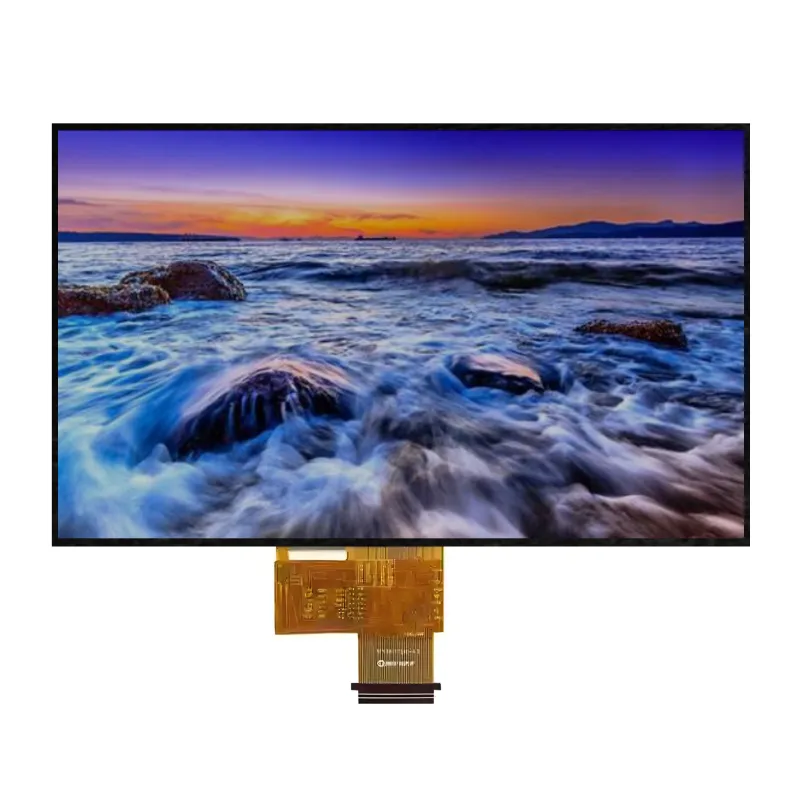
OLED stands for Organic Light‑Emitting Diode. That’s a mouthful, but the idea is simple: each tiny pixel produces its own light when electricity passes through it. No backlight, no extra layer. So when a pixel is off, it’s genuinely black – not grey, not dim, but zero light. That’s why OLED screens have those inky, infinite‑contrast blacks that make movies pop.
Also, because there’s no backlight layer, OLED panels can be paper‑thin and even bend. You’ve seen curved phones and foldables – that’s OLED doing its flexible thing.
Think of it as a grid of millions of micro‑LEDs, each one dimmable and colour‑adjustable, all working independently.
E‑paper – the ink that moves
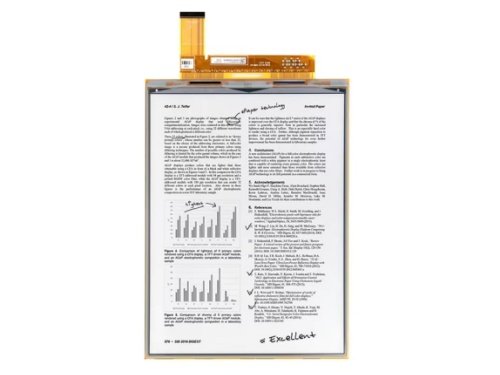
E‑paper (usually the E‑Ink brand, though there are others) works on electrophoresis. Inside each tiny capsule, black and white pigment particles swim around in fluid. Apply a voltage, and the black particles rise to the top; reverse it, and the white ones take over. That’s it – no light, no glow, just particles rearranging themselves to form letters and shapes.
Two things make e‑paper special:
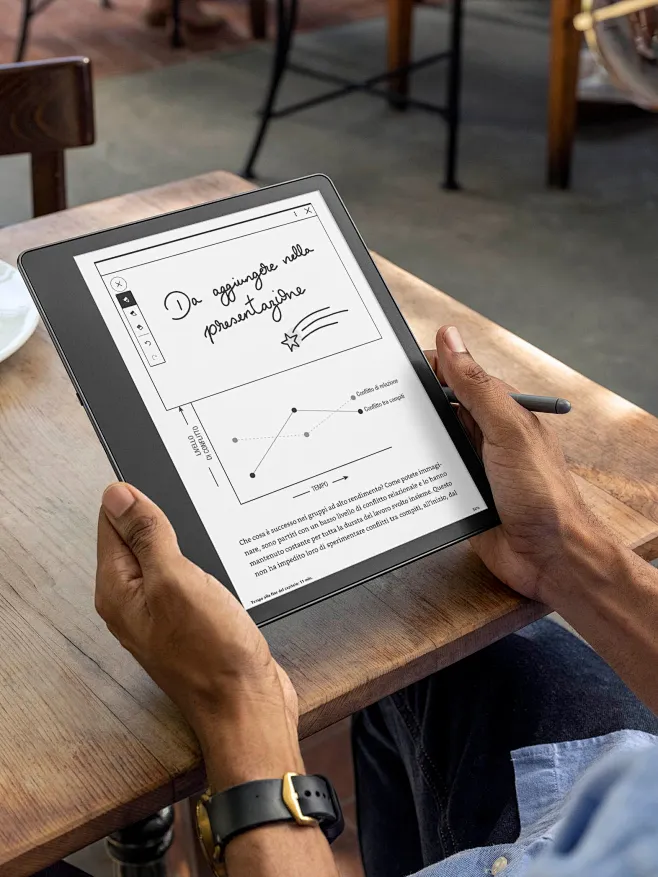
- Reflective – it uses ambient light (sunlight, desk lamp, even dim room light) bouncing off the screen to reach your eyes. That’s why it looks like paper, not like a window.
- Bistable – once the particles settle, they stay there even without power. The image holds indefinitely. You only use electricity when you flip the page or refresh the display.
So an e‑reader showing a static page draws almost zero current – a fact that changes everything about battery life and endurance.
Six ways they part ways
1. Power consumption – a thirsty sports car vs. a bicycle
OLED power draw depends on what’s on screen. A bright white webpage? That’s every pixel blazing – high drain. A dark mode interface with mostly black pixels? Much better. But on average, an OLED panel consumes somewhere around 35‑500 mW per square inch, depending on brightness and content.
E‑paper, by contrast, is miserly. A monochrome E‑Ink screen only consumes power during the refresh – about 1 mW per square inch or less. Once the new page is drawn, it stops drawing power completely. That’s why a Kindle can last weeks on a single charge, while your OLED phone barely makes it through a day.
Real‑world comparison: turning a page on an e‑reader uses about as much energy as keeping your OLED phone’s screen on for one second – maybe less.
2. Eye comfort – not all screens treat your eyes the same
This is the one that gets people heated. Here’s the neutral take:
- Blue light – OLED emits blue light because it’s an emissive display. E‑paper emits no light at all; it reflects whatever light is in the room. So if you’re worried about blue‑light exposure, e‑paper wins by default. But remember, modern OLED phones have built‑in blue‑light filters (like Night Shift) that cut down the peak.
- Flicker – Many OLEDs use PWM (pulse‑width modulation) to dim the screen at low brightness. This flicker – often invisible but present – can cause eye strain and headaches for sensitive people. High‑frequency PWM (like 4320Hz on some Chinese phones) helps a lot, but it’s still a mitigation, not a cure. E‑paper has no flicker – it doesn’t need to dim because it doesn’t shine.
- Reading fatigue – A 2020 study (and plenty of user anecdotes) show that reading on e‑paper for hours leads to significantly less eye dryness and discomfort than on an OLED screen. That’s not an opinion; it’s a consequence of reflective vs. emissive.
I’d say: if you read novels or PDFs for work, e‑paper is noticeably kinder. If you watch Netflix or edit photos, you’ll put up with the flicker because colour matters more.
3. Display quality – colour vs. speed
Let’s be blunt: OLED is spectacular. Vivid colours, true blacks, infinite contrast ratio (theoretically), and response time under 0.1 ms – it’s why every flagship phone and premium TV uses it. Motion is buttery smooth, HDR is jaw‑dropping.
E‑paper, even the newest colour versions (like E‑Ink Kaleido or Gallery 3), is still catching up. Colours are muted, saturation is low, and the refresh rate is measured in seconds – not milliseconds. Try watching a video on an e‑paper screen and you’ll get a slideshow with ghosting.
But turn on the sun. In direct sunlight, OLED needs to crank its brightness to the max just to be readable, and even then it can wash out. E‑paper becomes more visible – the brighter the sun, the clearer the text. That’s why outdoor signage and price tags love it.
Viewing angles? Both are excellent, though OLED dims slightly at extreme angles while e‑paper stays consistent.
4. Longevity and burn‑in
OLED has a known Achilles heel: burn‑in (or image retention). If you leave a static element – like a news ticker or a navigation bar – on the screen for hundreds of hours, those pixels age faster and leave a faint ghost. Manufacturers use pixel shifting and screensavers to slow it down, but it’s still a thing. I’ve seen it on demo phones after a few months of showroom use.
E‑paper? No burn‑in whatsoever. Since the particles don’t degrade with static display, you could show the same page for years and it’d look identical. Also, both can be flexible – you can bend them – but OLED is more mature in that area (think rollable TVs).
5. Where each one shines – literally and figuratively
OLED is at home when:
- You’re watching movies, playing games, or scrolling social media.
- Colour accuracy matters – photo editing, video grading, design work.
- Interactivity and speed are key – typing, swiping, dragging.
E‑paper dominates where:
- You read long‑form text – books, academic papers, legal documents.
- You need ultra‑low power – shelf labels, warehouse tags, bus stop timetables.
- You work outdoors or in bright environments – construction plans, field notes.
I’ve also seen hybrid devices – like the YotaPhone or the Hisense A9 – that put OLED on the front and e‑paper on the back. They’re niche, but they tell you both have their loyal fans.
6. Cost and market reality
OLED is everywhere now. Manufacturing is mature, supply chains are vast, and even budget phones pack decent OLED panels. E‑paper is still a specialty. Large‑size colour e‑paper is expensive – a 32‑inch colour E‑Ink panel can cost more than a 55‑inch OLED TV. So price isn’t a simple “one is cheaper” – it depends on size and colour complexity.
But here’s the key: they’re not fighting for the same shelf. OLED wants to be your primary screen; e‑paper wants to supplement it for specific tasks.
At a glance – quick comparison table
| Aspect | OLED | E‑paper |
|---|---|---|
| Light source | Self‑emissive | Reflects ambient light |
| Power use | High (varies with content) | Ultra‑low (refresh only) |
| Colour gamut | Wide, vibrant | Limited (improving but muted) |
| Refresh rate | <0.1ms, great for video | Seconds, not for motion |
| Eye strain | Blue light + PWM flicker (mitigable) | No flicker, no blue emission |
| Sunlight readability | Needs max brightness | Better the brighter it gets |
| Burn‑in risk | Yes (static images) | None |
| Typical uses | Phones, TVs, monitors | E‑readers, labels, signage |
So how do you choose?
Ask these three questions:
- Do you watch moving content more than you read static text?
If yes – OLED, no contest. - Do your eyes get tired after 30 minutes of screen time?
Try an e‑reader for your books and long documents. Keep OLED for everything else. - Do you work outdoors or in bright offices?
E‑paper becomes a superpower there. But if you’re mostly indoors, OLED is fine.
My personal setup: I use an OLED phone (calls, messages, maps, quick browsing) and a dedicated e‑reader (books, journal articles, long emails). I also have a second‑hand e‑paper monitor for my desk – it’s a game‑changer for editing drafts without frying my eyes.
If you absolutely must have one device, get an OLED with a good DC‑dimming or high‑frequency PWM mode (check reviews). It won’t be as eye‑friendly as e‑paper, but it’s a reasonable compromise.
The bottom line
The core difference comes down to one word: emission vs. reflection. OLED throws light at you; e‑paper throws light back at you. That single fact cascades into everything – battery, eye strain, colour, speed, and longevity.
Neither is obsolete. Neither is “better” in every way. They’re like a sports car and a bicycle – both get you places, but you wouldn’t take the bicycle on a motorway, nor the sports car down a crowded cycle lane.
And things are blurring – OLED gets better PWM, e‑paper gets faster refresh and colour. But the physics won’t change: one glows, one reflects. So pick the one that fits your daily habit, not the one with the flashiest specs.
Now over to you – what screen do you stare at most? And does it actually suit what you do with it? I’d bet you already have a feeling after reading this.
Consulting Engineer