







Overview
If you’ve shopped for a smartphone, tablet, or industrial display recently, you’ve probably seen “10-point touch” listed as a key feature. It sounds impressive, but what does it actually mean? Is it the same as capacitive touch? How is it different from the old resistive screens? And does having more touch points actually matter? In this article, I’ll break it all down in plain English—no jargon, no fluff.
What Exactly Is a 10-Point Touch Screen?
Simply put, a 10-point touch screen can recognize and respond to all ten of your fingers at the same time.
Picture this: you place both hands flat on the screen, and the display knows exactly where each fingertip is and what each one is doing. That’s 10-point touch. It falls under the broader category of multi-touch technology, and “10-point” has become the industry standard for both consumer and industrial devices.
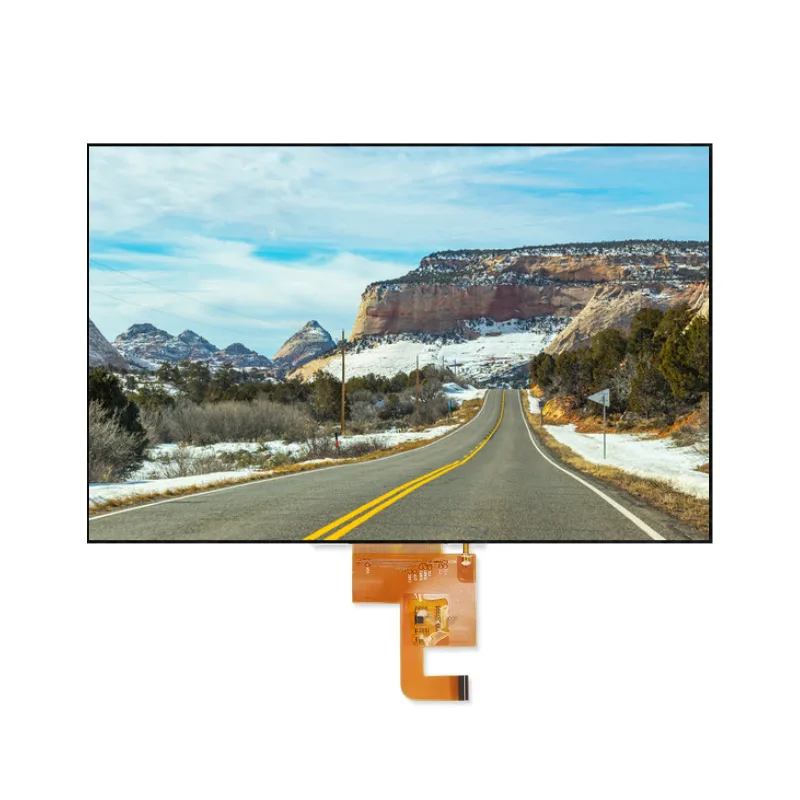
Technically speaking, nearly all 10-point touch screens on the market today are capacitive touch screens. Here’s how it works: the screen has a transparent layer of conductive electrodes (usually made of ITO, or indium tin oxide) arranged in a grid. When an electrical current passes through, it creates a uniform electrostatic field. Your finger—being a conductor—disturbs this field when it gets close or touches the surface. The controller chip detects these tiny capacitance changes and pinpoints exactly where your finger is.
The magic that lets capacitive screens distinguish multiple fingers is called mutual capacitance sensing. The X and Y electrodes cross to form tiny “capacitance nodes” across the screen—like an invisible grid. When multiple fingers touch the screen simultaneously, the chip scans these nodes, runs the data through algorithms, and calculates the precise coordinates of each touch point without getting confused or creating “ghost touches” (false touch points).
Capacitive vs. Resistive Touch: Two Completely Different Animals
A lot of people assume “10-point touch” and “capacitive” are the same thing—and they’re mostly right, because 10-point touch is almost always capacitive. But not all capacitive screens support 10 points (some budget ones only handle 2 or 5). And resistive screens? They’re built on an entirely different principle.
Resistive touch works through pressure sensing. The screen has two flexible conductive layers separated by tiny insulating dots. You have to physically press down hard enough to make the top layer bend and touch the bottom layer, completing an electrical circuit. The controller measures voltage changes to figure out where you pressed. Because of this mechanical design, resistive screens struggle to distinguish multiple simultaneous pressure points. Press with two hands, and the system can’t tell which point belongs to which finger. That’s why traditional resistive screens are almost always single-touch.
Here’s a side-by-side comparison to make the differences crystal clear:
| Feature | Capacitive Touch (10-Point Standard) | Resistive Touch |
|---|---|---|
| Working Principle | Electrostatic field sensing; detects human body capacitance | Pressure sensing; two conductive layers make contact under force |
| Touch Method | Light touch, no pressure needed | Requires deliberate pressure (about 50-100 grams) |
| Touch Points Supported | Multi-touch; 10 points standard, 20+ on high-end models | Typically single-touch only |
| Input Tools | Fingers, specialized capacitive stylus | Fingers, nails, pens, gloves—any hard object |
| Sensitivity | Extremely high; response time usually ≤10ms | Lower; response time around 15-25ms |
| Display Quality | 90-95% light transmission; vivid colors | 75-85% light transmission; slightly hazy appearance |
| Durability | Hardened glass surface; high scratch resistance | Plastic film surface; prone to scratches and wear |
| Environmental Tolerance | Excellent in clean environments; needs special coating for wet/oily conditions | Resistant to oil, moisture, and contaminants; works with thick gloves |
| Cost | Relatively higher | Lower cost |
| Typical Applications | Smartphones, tablets, industrial HMIs, self-service kiosks | Industrial controls, medical devices, ATMs, harsh-environment equipment |
As you can see, there’s no universal “better” option—only the right tool for the job. If you want fluid gesture control, crisp visuals, and long-term durability, capacitive (especially 10-point) is the way to go. But if your equipment operates in an oily factory floor where workers wear thick gloves, resistive might actually be the smarter choice.
10-Point Touch vs. Single-Touch and Multi-Touch: What’s the Real Difference?
Now let’s get granular. How does 10-point touch compare to single-touch or early 2-point multi-touch? The number of touch points isn’t just a spec-sheet number—it directly determines how many simultaneous commands you can execute and how complex your interactions can be.
| Feature | Single-Touch | Multi-Touch (2-5 Points) | 10-Point Touch |
|---|---|---|---|
| Simultaneous Touch Points | 1 | 2 to 5 | 10 |
| Basic Operations | Tap, drag | Tap, drag, pinch-to-zoom | All basic operations |
| Complex Gestures | Not supported | Pinch zoom, rotation | Full ten-finger operations, collaborative use, advanced gestures |
| Multi-User Support | Single user, single finger | Single user, both hands | Multiple users can operate simultaneously (e.g., interactive whiteboards) |
| Use Cases | Simple button controls, industrial panels | Standard smartphones, tablets | Professional drawing, gaming, industrial control, education, commercial displays |
| False Touch Risk | Extremely low | Relatively low | Requires algorithm optimization, but modern tech handles it well |
| Hardware Cost | Lowest | Moderate | Higher (but widely mass-produced now) |
| User Experience | Basic, functional | Smooth, natural | Near-physical interaction, highly efficient |
Let me put this in perspective. Single-touch is like an old ATM: you press one button at a time, and if you want to zoom a map, tough luck—you tap through menus step by step. 5-point touch lets you pinch-to-zoom and three-finger screenshot, which covers most daily phone use. But with 10-point touch, you can have your left hand on the color palette, your right hand sketching with a stylus, and three other fingers controlling canvas rotation and zoom—all at once. For professional designers, this kind of workflow can boost productivity dramatically.
In industrial settings, the advantage is even more pronounced. Imagine an HMI (human-machine interface) panel where an operator adjusts parameters with the left hand, confirms with the right, and still has system headroom for emergency stop gestures. Even though humans only have two hands, 10-point touch gives the system breathing room to handle complex combined inputs without “dropping” touch points when fingers cluster close together.
What Does 10-Point Touch Really Mean? Is More Always Better?
This is a fair question. When you see “10-point touch,” your first thought might be: if 10 is good, wouldn’t 20 or 40 be even better?
Theoretically yes, but practically, it depends on your use case.
There are solid reasons why 10-point touch became the industry “gold standard”:
First, humans only have ten fingers. This is basic anatomy. Consumer devices are designed for individual users, and using both hands with all ten digits is already the physical limit. Adding more touch points beyond ten offers no perceptible benefit for everyday users.
Second, it’s about balancing algorithms and hardware. Each additional touch point exponentially increases the computational load on the controller chip, the density of the electrode matrix, and the complexity of signal processing. 10-point touch represents the sweet spot between experience, cost, and power consumption. Current mainstream solutions achieve response times under 8ms with 99% accuracy—already incredibly fluid.
Third, application boundaries matter. 20-point or 40-point touch screens do exist, but they’re mainly used in extra-large commercial displays—think conference whiteboards or exhibition touch walls—where two or three people might operate simultaneously without interfering with each other. For standard 7-inch to 21-inch devices, 10 points is more than sufficient.
So the bottom line is: more isn’t always better; good enough and rock-solid stable is what counts. 10-point touch already covers the vast majority of needs, from personal entertainment to professional work. Beyond that, you hit diminishing returns while costs keep climbing.
Where Are 10-Point Touch Screens Actually Used?
Don’t let the term fool you into thinking this is just for phones. 10-point touch has spread far wider than most people realize.
Consumer electronics
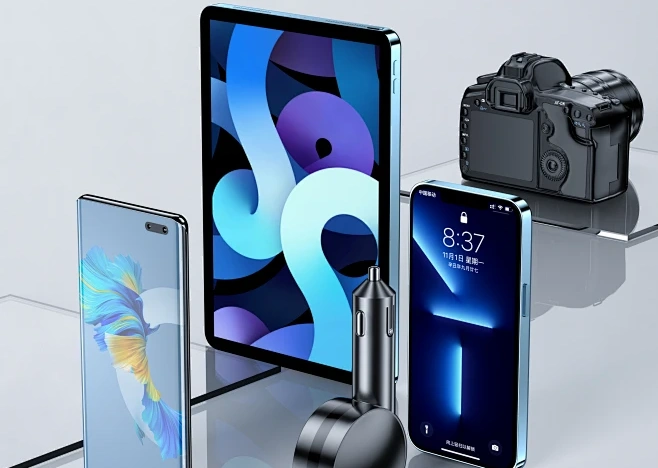
Consumer electronics is the most obvious category. Your smartphone, iPad, and Android tablet all use 10-point touch. When you’re gaming and simultaneously moving, aiming, and firing with multiple fingers—that’s 10-point touch at work. In drawing apps, rotating the canvas with one hand, zooming with another, and sketching with a stylus all at once would be impossible without it.
Industrial control and automation
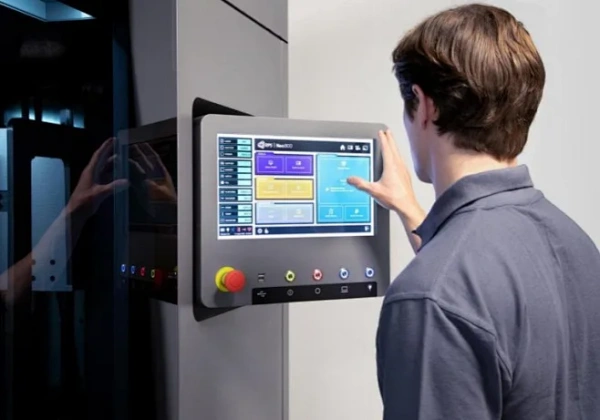
Industrial control and automation is another major sector. Modern factories increasingly adopt capacitive 10-point touch HMIs and all-in-one industrial PCs. Operators can intuitively set parameters like they’re using a tablet, pinch-to-zoom to inspect equipment details, and three-finger swipe to switch interfaces—far more efficient than traditional button panels. Industrial-grade 10-point touch screens can operate across a wide temperature range (-40°C to 70°C), feature 7H surface hardness, and endure 50 million+ click cycles.
Commercial self-service terminals
Commercial self-service terminals rely heavily on this technology too. Bank inquiry machines, hospital registration kiosks, mall navigation screens, restaurant ordering terminals—these devices get touched by hundreds of people daily. 10-point touch not only delivers smooth operation but also benefits from the tempered glass surface of capacitive screens, which resists scratches far better than resistive alternatives and keeps maintenance costs down.

Education and conferencing
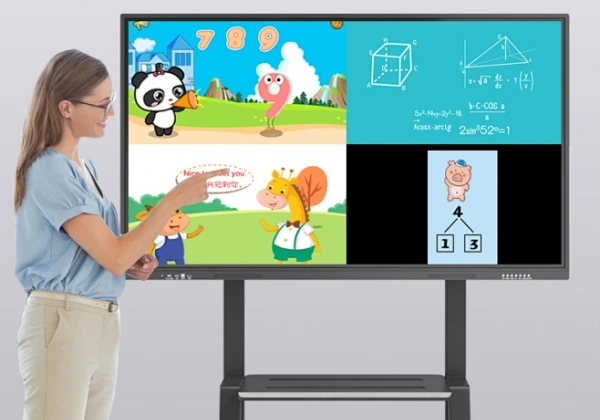
Education and conferencing has seen rapid growth recently. Interactive smartboards and electronic whiteboards allow teachers or presenters to write with both hands and enable multiple people to annotate simultaneously. 10-point touch makes collaboration feel natural. Students can gather around a touch table in groups, with three or four hands operating different elements without conflict.
Automotive and medical equipment
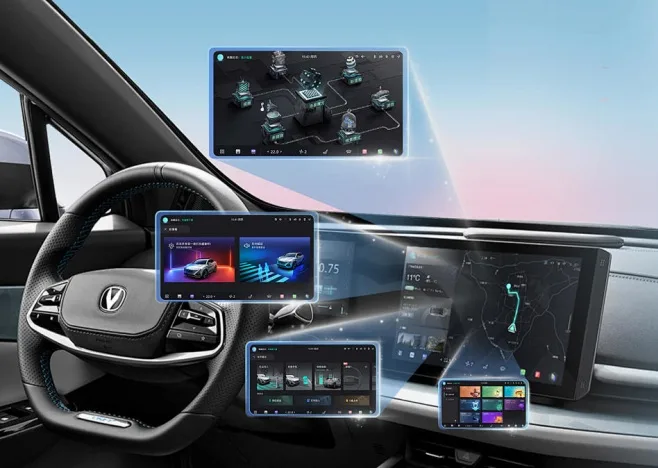
Automotive and medical equipment is catching up too. Car infotainment systems with multi-touch let drivers pinch-to-zoom navigation maps intuitively. On medical imaging equipment, doctors can zoom into CT scans with two fingers for detailed examination—quick, intuitive, and efficient.
What Can You Actually Do on a 10-Point Touch Screen?
Since it recognizes ten points simultaneously, what kind of operations are possible? Here are some common gestures—you’ve probably used most of them without realizing:
Basic gestures: Single-finger tap, double-tap, long-press, swipe to scroll. These feel the same as any screen, just more responsive and “sticky” to your finger.
Two-finger gestures: Pinch to zoom photos or web pages, two-finger rotation, two-finger swipe to switch tabs. These are so ingrained in muscle memory now that using a device without them feels broken.
Three-finger gestures: Three-finger swipe up to return home, three-finger swipe down to screenshot, three-finger left/right swipe to switch apps. Many tablets and laptops support these shortcuts.
Four-finger and five-finger gestures: In professional drawing software, four-finger swipes can undo/redo, while a five-finger pinch brings up the multitasking view. Power users customize these to speed up their workflow.
Multi-user collaboration: On large touch tables, two people can each use five fingers to manipulate different objects simultaneously—dragging separate images, playing competitive games, or collaborating on design projects.
Palm rejection: Quality 10-point touch screens can distinguish between your palm resting on the display and your actual input. When you’re drawing on a tablet with your palm down, the system knows to ignore it and only respond to the stylus tip. This is called palm rejection, and it’s made possible by the sophisticated algorithms behind multi-touch sensing.
Choosing a 10-Point Touch Screen? Go With Experienced Manufacturers
After covering all this technical ground, if you’re actually sourcing touch screens for a project, choosing the right supplier matters enormously.
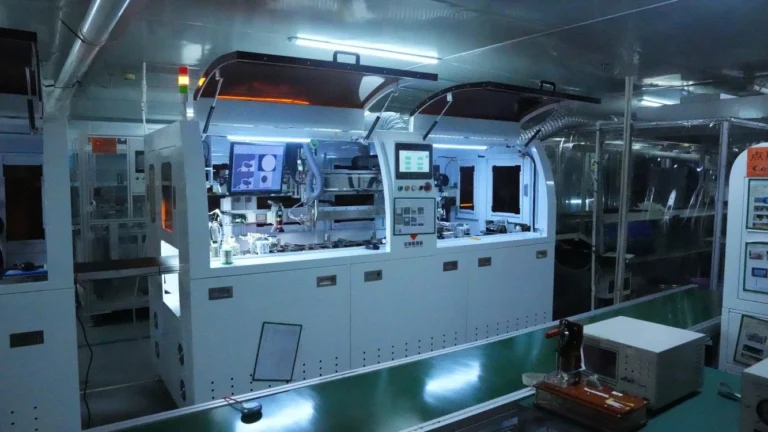
There are plenty of touch screen manufacturers out there, but finding one with 23 years of professional production and customization experience is rare. That’s where Jictech (Shenzhen Jictech Technology Co., Ltd.) comes in. They’ve been in the touch screen business for over two decades, with a product line spanning various sizes and specifications for both consumer and industrial applications.
Jictech’s real strength lies in customization capabilities. Different projects have wildly different requirements: some need water and oil resistance, some must work with gloved hands, some require ultra-wide temperature operation, some need irregular cuts or special shapes. These aren’t things you can buy off the shelf. A manufacturer with deep technical expertise like Jictech can adjust electrode matrix designs, cover glass materials, driver IC solutions, and even help with full system integration based on your specific needs.
Their website at https://jiclcd.com/touch-panel/ has detailed product information. Whether you’re building industrial equipment, medical devices, self-service terminals, or anything requiring touch interaction, it’s worth checking out and requesting samples to test real-world performance. After all, the touch screen is the “face” of human-machine interaction—users can tell immediately whether it feels good and works reliably.
Wrapping Up: 10-Point Touch Is More Than Just a Number
By now, you should have a solid grasp of what 10-point touch screens are all about. It’s not merely “can press with ten fingers at once”—it’s an entire ecosystem of capacitive sensing technology, algorithm optimization, and engineering design.
From a user experience standpoint, 10-point touch transforms a screen from “something you press buttons on” into “a surface you genuinely interact with.” Pinch-to-zoom, three-finger swipes, five-finger grabs—these gestures have become muscle memory. Go back to a single-touch device, and it suddenly feels ancient and frustrating.
From a technology evolution perspective, 10-point touch represents the maturation of capacitive screen technology. It combines high sensitivity, excellent light transmission, long lifespan, and complex gesture support into one package, moving touch interaction from “functional” to “delightful.”
Of course, whether you actually need 10-point touch depends on your specific application. A simple industrial button panel might be better served by a cheaper, more rugged single-touch resistive screen. But if you want users to have a modern, fluid, intuitive interaction experience, 10-point capacitive touch is practically the default standard now.
Frequently Asked Questions (FAQ)
Q1: Are all 10-point touch screens capacitive?
A: About 99% of them are. Resistive screens are mechanically limited and struggle to support true multi-touch, typically handling only single-touch input. So when you see “10-point touch” advertised, you can safely assume it’s capacitive.
Q2: Is there a noticeable difference between 10-point and 5-point touch for everyday use?
A: For basic browsing and scrolling, not really—both handle pinch-to-zoom fine. But if you play mobile games, use drawing software, or need complex gesture controls, 10-point touch offers more headroom and is less likely to experience “touch drop” or recognition failures.
Q3: Can I use a 10-point touch screen while wearing gloves?
A: Standard capacitive screens need conductive contact, so thick gloves won’t work. However, many industrial-grade capacitive screens offer a “glove mode” that boosts sensitivity to recognize thin or even some thick gloves. For environments where thick gloves are mandatory, resistive screens or specially customized high-sensitivity capacitive screens are better options.
Q4: Are 10-point touch screens much more expensive than single-touch screens?
A: They used to be significantly pricier, but costs have dropped dramatically as the technology became mainstream. Today, a standard 10-point touch module might cost 30-50% more than a same-size single-touch resistive screen. But considering the superior display quality, longer lifespan, and vastly better user experience, that premium is justified for most projects.
Q5: My project needs a custom-sized 10-point touch screen. Who should I contact?
A: Standard sizes are widely available, but if you need irregular cuts, special thicknesses, wide-temperature operation, or full system integration, work with a manufacturer that has real customization experience. As mentioned earlier, Jictech brings 23 years of touch screen production and customization expertise to the table. They can get involved at the design stage and help you avoid costly engineering pitfalls down the road.
Jictech has been a professional manufacturer and customizer of touchscreens for 23 years. For custom touchscreen needs, please contact us at bill@jictechlcd.cn. We provide 24-hour quotes.